Crediting a Paid in Full Invoice Exceeding the Credit Note Value
In a scenario where the original invoice has been paid in full and the invoice value that is being credited is of a lesser value than the item to be re-invoiced, the process would be:
Create a new Sales Order starting by choosing the New Sale button on the Sales tab of the original Sales Order Sales & Booking.
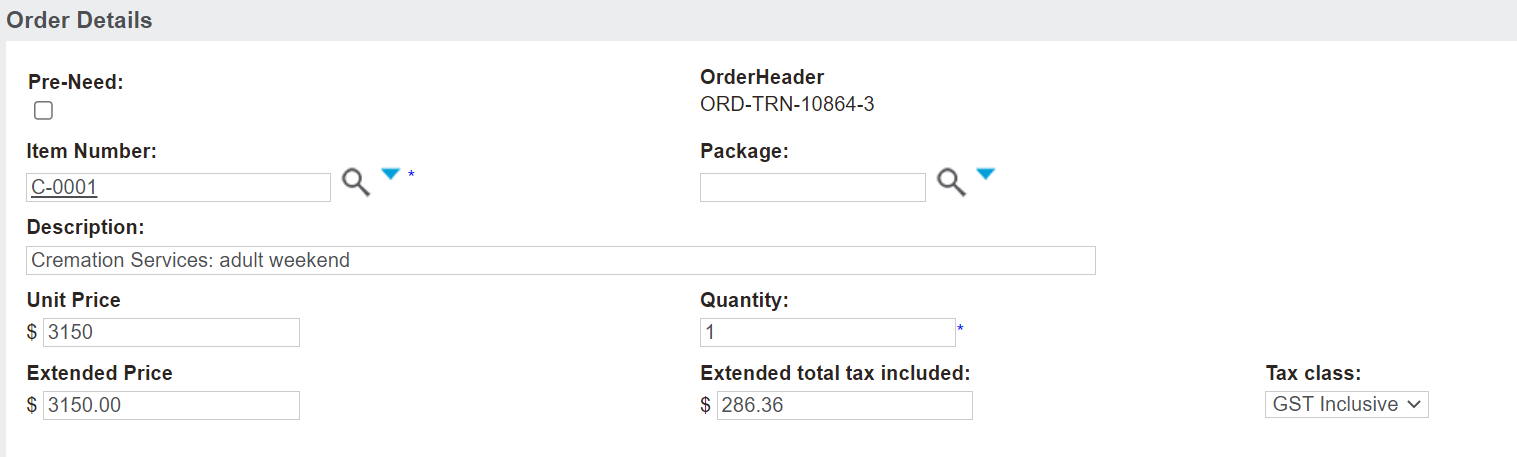
Add the new item which was to be charged, starting with choosing the Add Item button.
Once the item has been added, it will display in the Sales Details information block.
Choose Add Item again, or if already on the pop-up window, press Save and New.
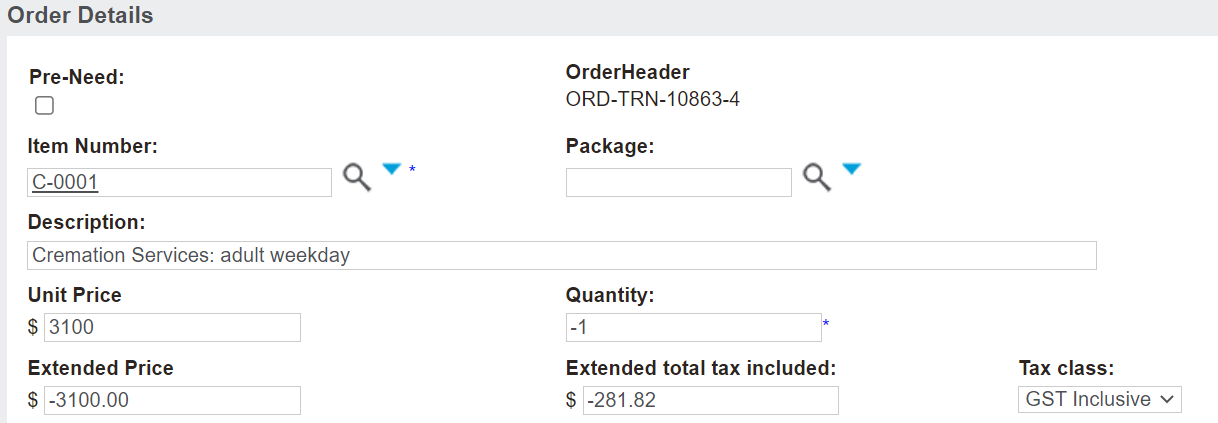
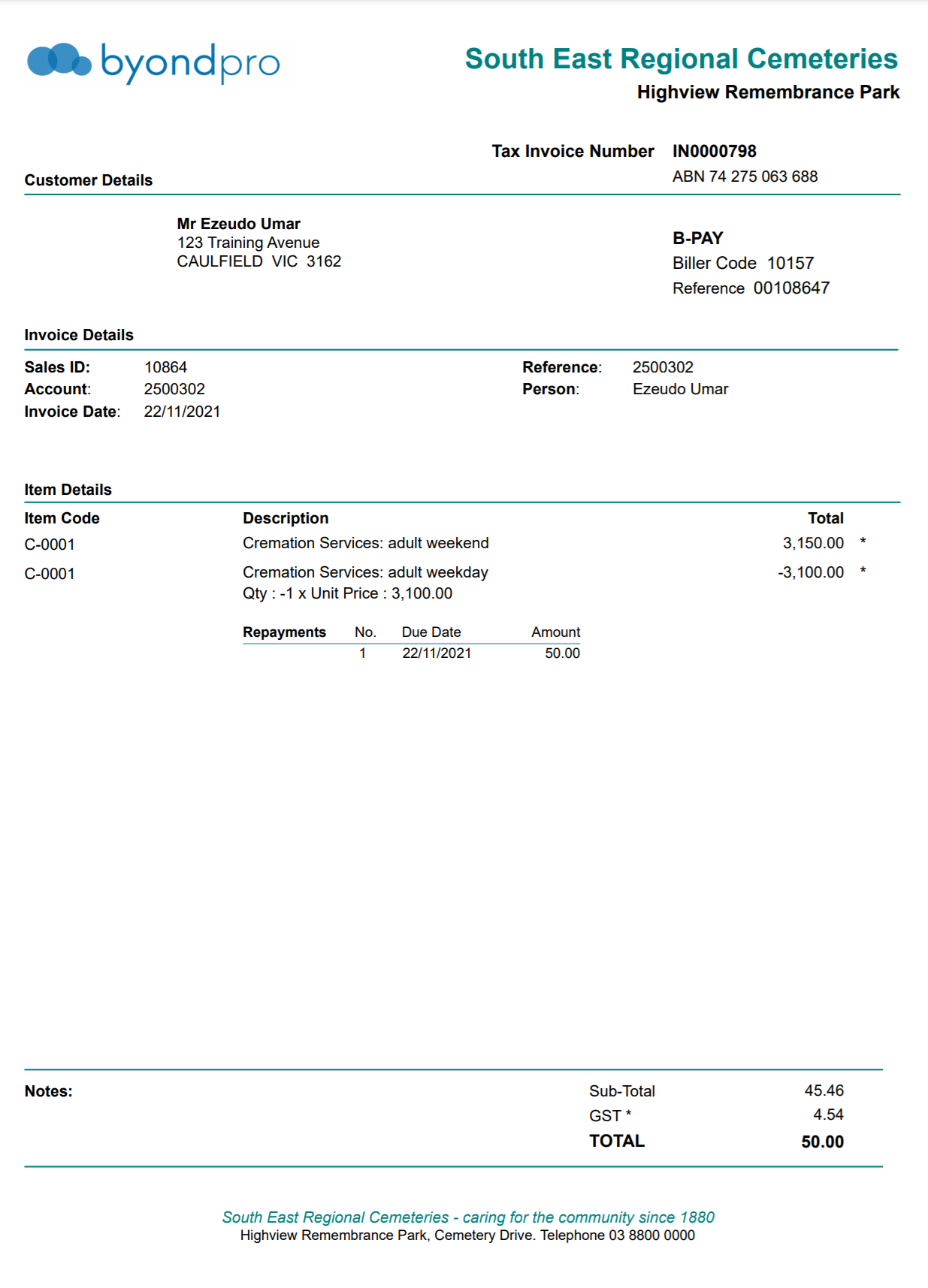
Add the original item being credited back, and update the Quantity field to a negative.
Alternatively, you may update the Unit Price to a negative figure.
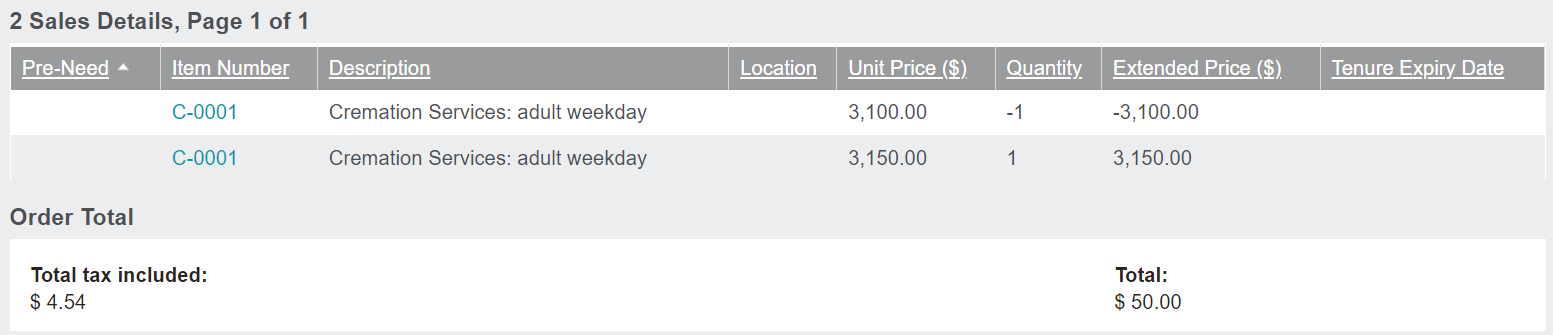
After pressing Save and Close, both the new item and the item being credited will display, with the Order Total being the difference of the item prices.
It is important to note the invoice cannot go into a negative value, this will only work where the net result is positive.
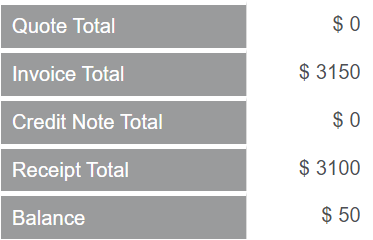
Once you have created the invoice, the Finance block on the Summary tab of the Sales & Booking will display the updated Invoice total and the extra balance the customer is to pay.
Be sure to print out the new invoice from the Sales Order, starting with the Print Invoice button.
We suggest a note is placed on the location and person record indicating a credit note has been applied to explain the transactions that have taken place.