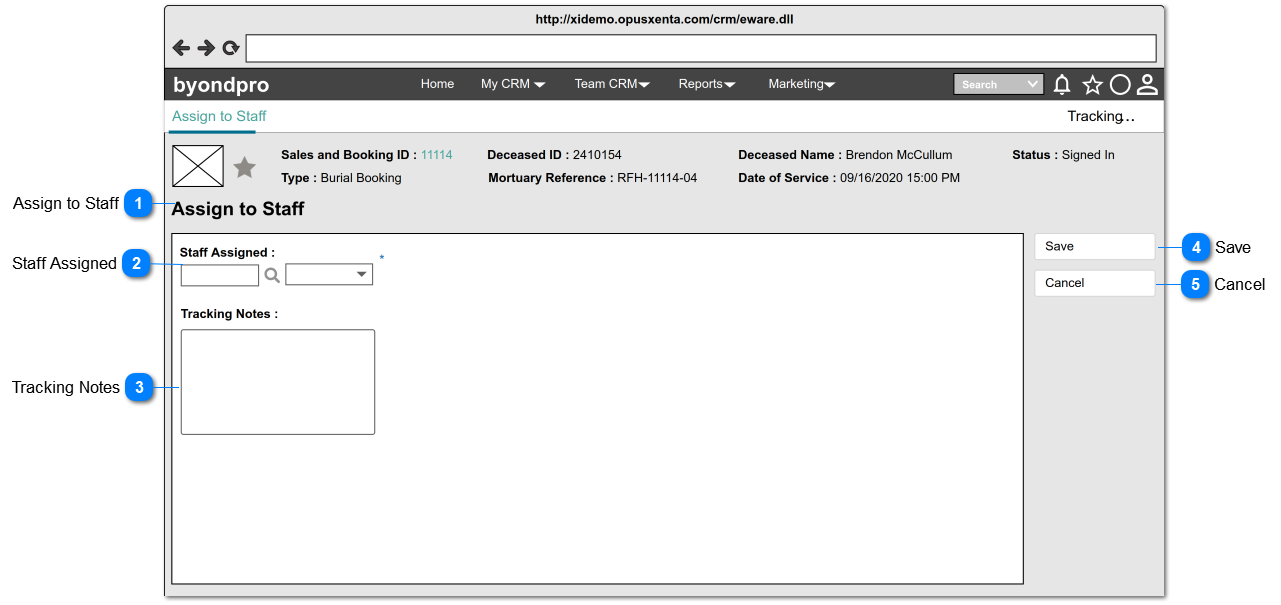
Assign to Staff page can be accessed by clicking on the Workflow step: "Assign to Staff/ Reassign Staff" on the Summary screen.
When the user navigates to this screen, initially screen will be in view mode (summary mode). Upon clicking the "Change" button, screen will be changed to edit mode as follows.
Pre-conditions: 1. There should be at least one person (will be an employee of FH) created underneath the funeral home, in order to list down as the options.
1. By default, the logged in user's name will be set as the value of the selection list.
2. List the full names of the persons (will be employees of FH) created underneath the funeral home and order by ASC.
3. This element allows the user to search/ filter and select a value from the list.
4. This allows to enter any characters including numbers, letters and special characters.