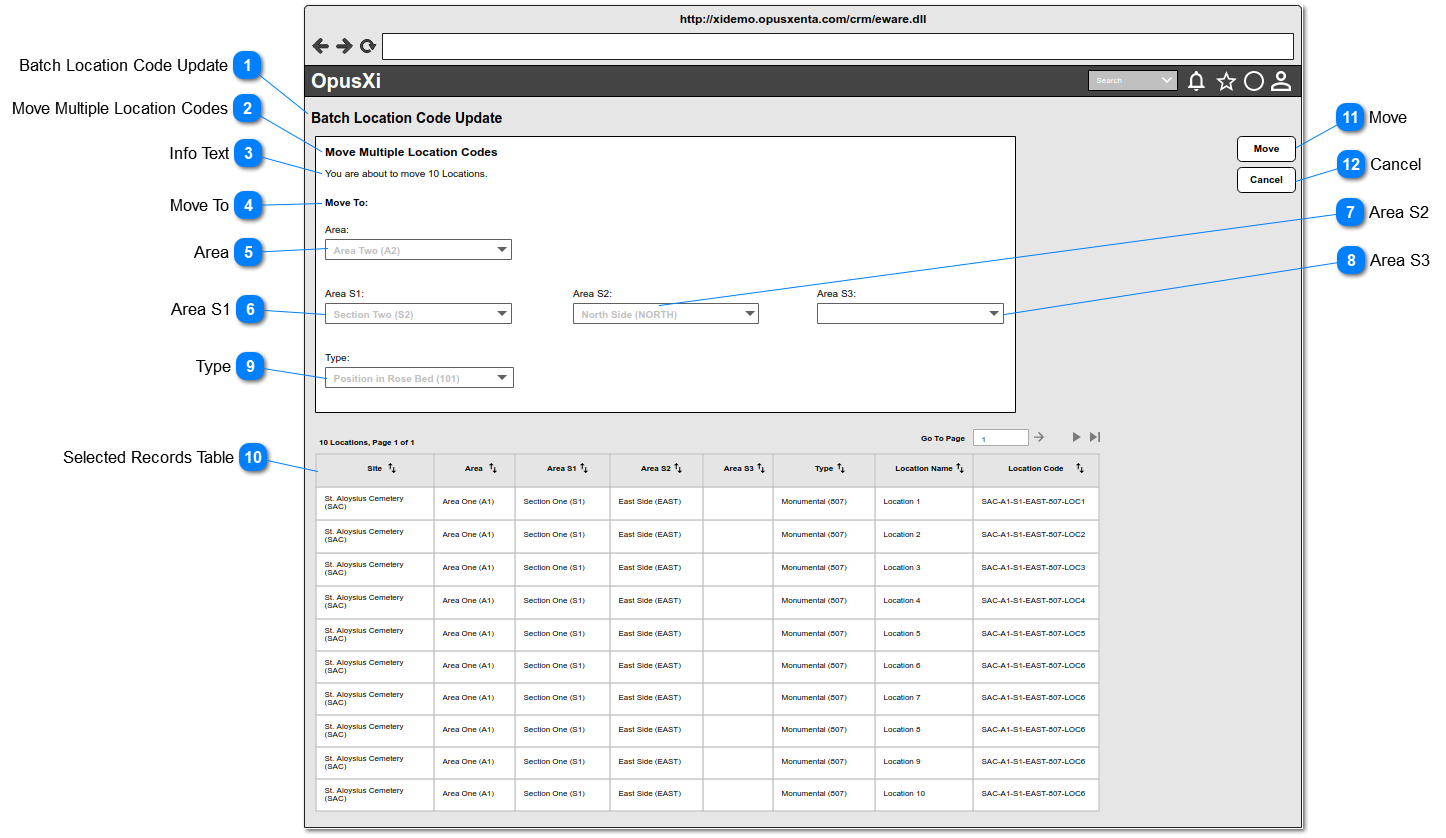
The system will navigate the user to this page, when the user selects more than one record (including "Select All") from the Results Table and clicks on the Move Multiple Location Codes button.
This table includes ONLY the selected record from the Results Table. Refer Results Table for the functionalities of the table and refer the column details of it.
Post-conditions: 1. Retain the user in the same page.
2. Clear values from the input elements
3. For a successful location codes move, the current location codes will be updated to the newest location codes.
4. The new location code will be displayed in Current Location Code, Location Code and Location Code column in the Results Table and any where in the system.
5. The following fields can be changed as per the selection of each code segments of all the location records.
LOCA_AREAID
LOCA_AREAS1ID
LOCA_AREAS2ID
LOCA_AREAS3ID
LOCA_TYPE
6. The track/log record/s should be added to the "Tracking" list.
1. This button will be enabled/active, when the user selects value for at least one input element.
2. This button will be disabled/inactive, when the user clears/resets all the input elements.
3. If location code/s is/are already exists based on the selected value, show an error message (refer - 3a)
4. While the location code move task is being processing, it will show a message box - see Message Box 1.
5. For a successfully completed task, It will show a message box - see Message Box 2.
6. For a not completed task, It will show a message box - see Message Box 3. (This might be shown when the server timeouts occured).
-
-
-
-
-
Inactive / disabled
3a. The location code/s already exists.
<<List down all the location code/s which are already exist>>
Message Box 1 - Processing...
<<count of the remaining records goes here>> out of <<count of selected records goes here>> location codes remaining to be processed for location code move task.
Message Box 2 -
Location code move task is completed.
<<count of location records goes here>> location codes are moved.