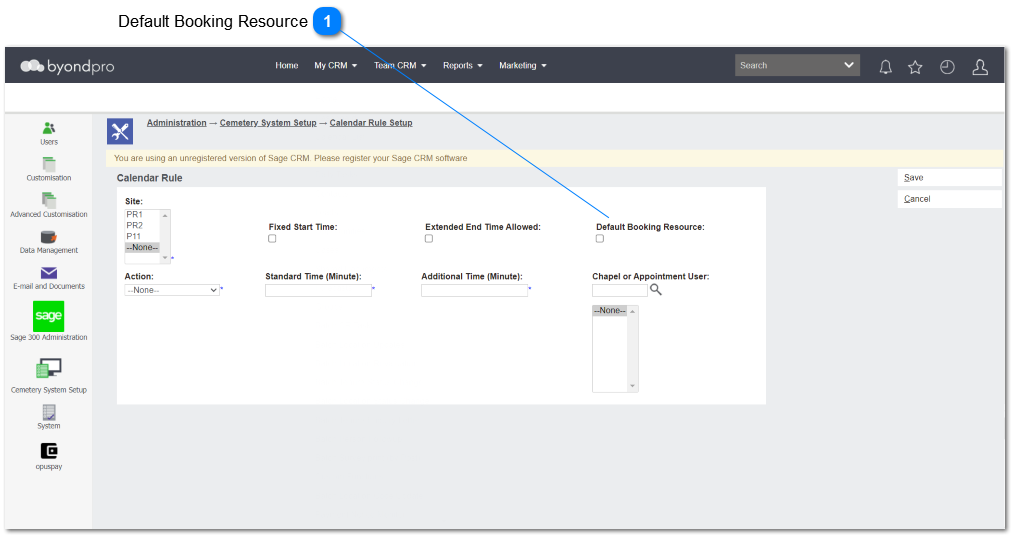
Calendar rule screen is added with default booking resource checkbox which allow user to add quick bookings form resource calendar. This will open the Communication screen with minimal field values.
Default Booking Resource
Type
Notes
Rules
Compulsory
Placeholder
Format
Edit
Size
Default
Messages
Check Box
-
This checkbox activated for Site and Action combination, only 1 Calendar Rule can have Default Booking Resource = Y
Default Booking Resource = Y will be only used for 1 site in the Calendar Rule.
If above conditions are not met error message will be pop-up from the screen.
"Unable to use this entry as the Default Booking Resource. Please ensure that only 1 site has been selected, and that no other Calendar Rule has been marked as Default, with the same Site + Action settings."
OK: returns user to Calendar Rule screen / edit mode.