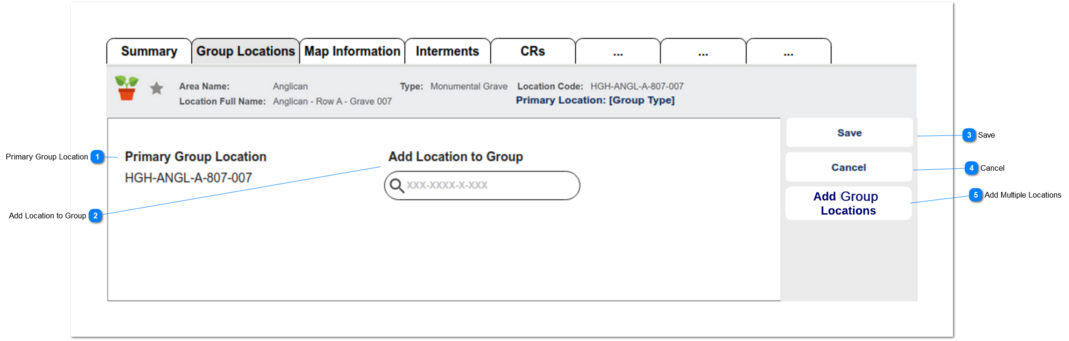
1. If screen is opened using Add Group Locations button - field is empty.
2. If screen is opened using Edit feature - field is pre-filled with component location.
2a. screen displays in view only mode (do not show CHANGE button)
3. User clicks on the Add Group Locations button - need to view the Add group liocation (V2) screen in a pop-up window.
Search options to be restricted:
4. Do not include Primary Location, i.e. the originating record.
5. Restrict to locations list with SiteID matching the Primary Location. That is, within the same cemetery.
6. Restrict to Locations with sales status NULL or Available for Sale.
7. Need to look for location code matches based on the first segments of the location code and no need to considervthe last segment. (Ex: Group location is KC-10-00005-001*PL. The look up should drop - 001*PL and present a list of other possible matches of KC-10-00005 (already not attached to the Primary Group Location)