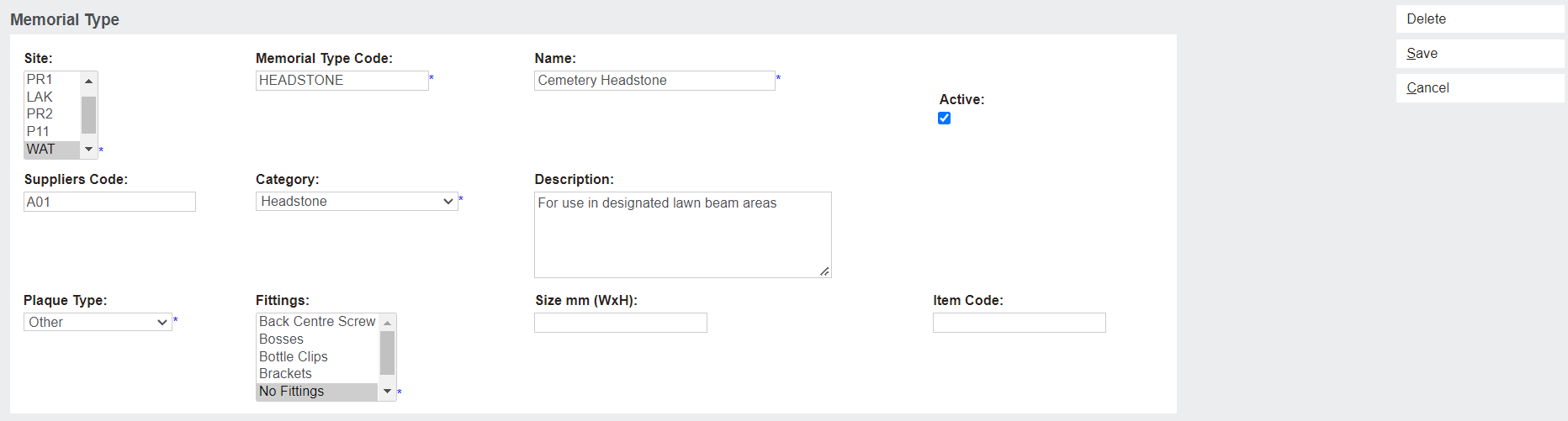
Memorial Types
When creating a new Memorial Order, the Memorial Type field displays a drop-down selection of pre-configured types. The selected Memorial Type then dictates several other fields and functions of the Memorial Order. This topic will show users how to search, delete and edit those phrases.
New Memorial Type
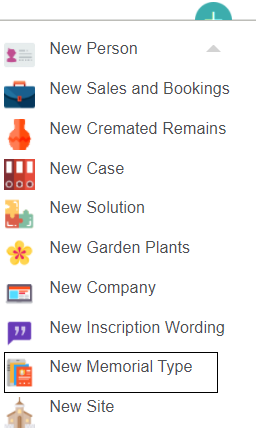
To create a new Memorial Type, open the New drop-down and click New Memorial Type.
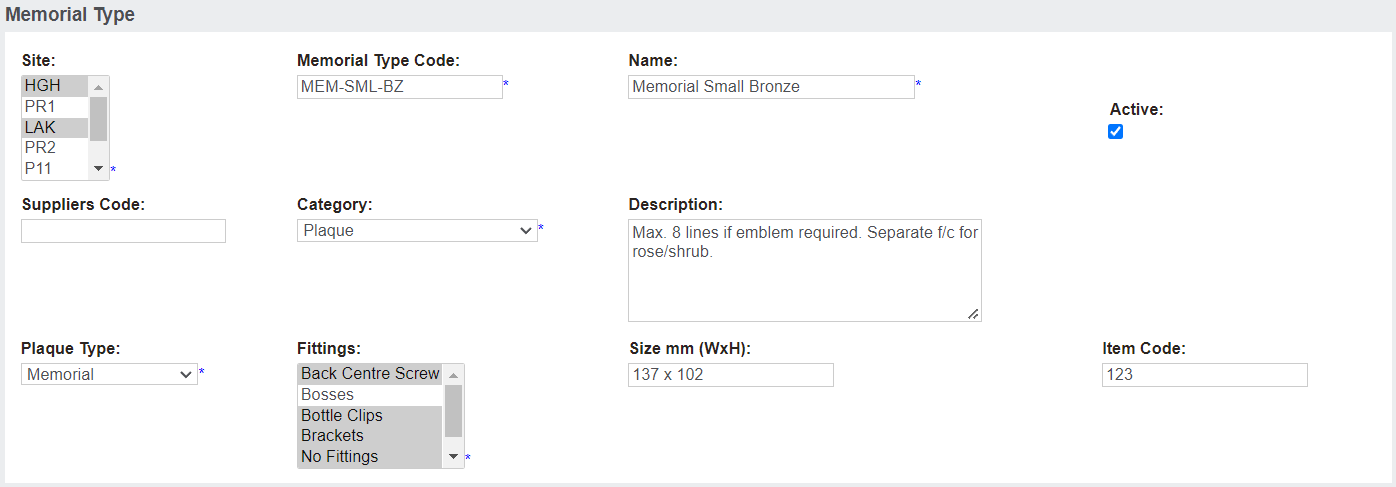
The resulting page allows users to configure a new Memorial Type.
The Memorial Type block contains information pertaining to the kind of memorial being created, and where that memorial is available.
The Site field allows users to select which site /s the memorial type is available at. Multiple sites are selected by using Ctrl-Click on a PC, or Command-Click on a Mac.
The Memorial Type Code is the code that is selected from the drop-down list when creating a new Memorial Order. Once selected, the rest of the fields on this page will automatically apply to the new memorial order.
Ticking Active is required for the Memorial Type to be used.
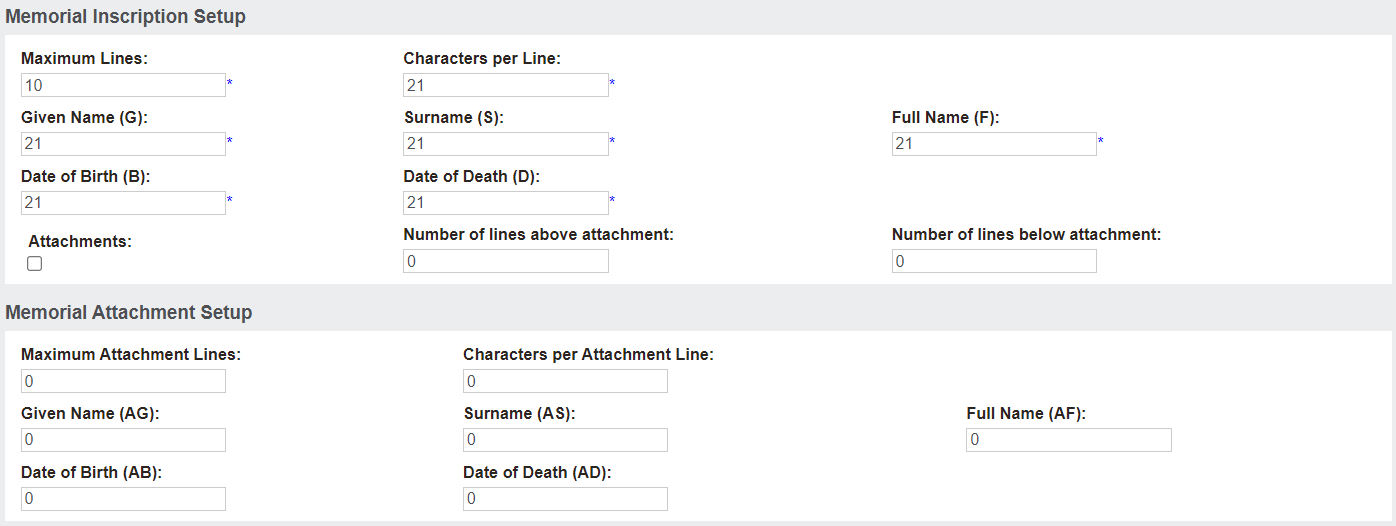
The Memorial Inscription Setup and Memorial Attachment Setup blocks are where inscription and attachment specifics are defined.
The maximum lines per inscription/attachment, and the maximum characters on each line are listed here.
If the memorial includes attachments, tick the Attachments box. If this box isn't ticked, then no attachment inscription can be added on the Memorial Order Summary page.
Memorial Type Search
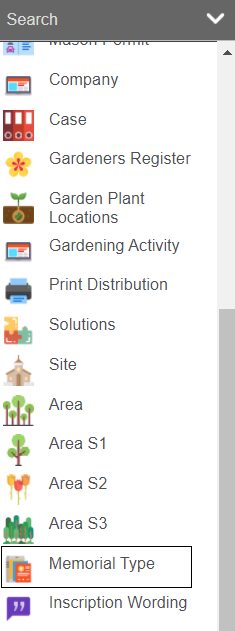
To find existing Memorial Type entries, open the Search drop-down then click Memorial Type
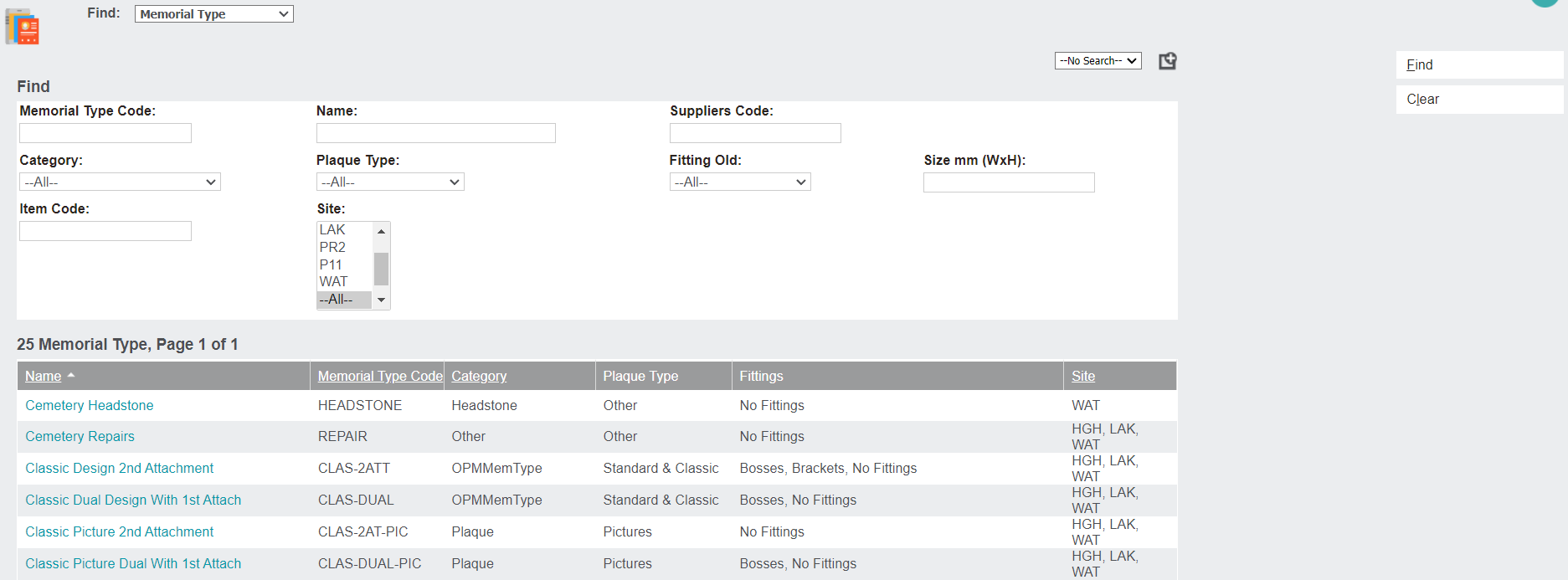
The Find: Memorial Type page allows users to filter search options by numerous filters, including Category, Site, and Plaque Type.
Once the fields have been completed, click Find to display a filtered list. Otherwise, leave the fields blank to display a list of all Memorial Type entries.
Click the Name hyperlink to open the Memorial Type Summary page.
This page displays all the information configured on the Memorial Type.
Click Change to open the page in edit mode.
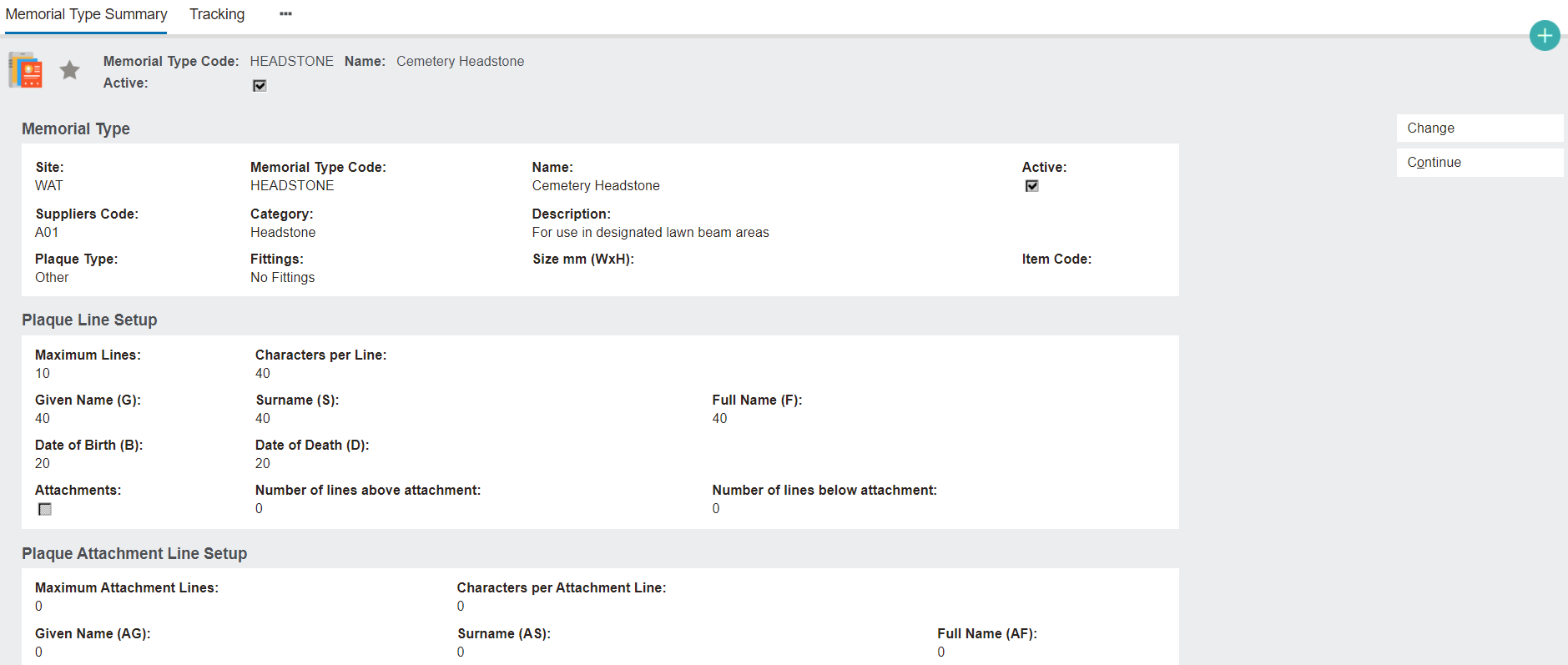
This allows any of the information on the Memorial Type to be edited.