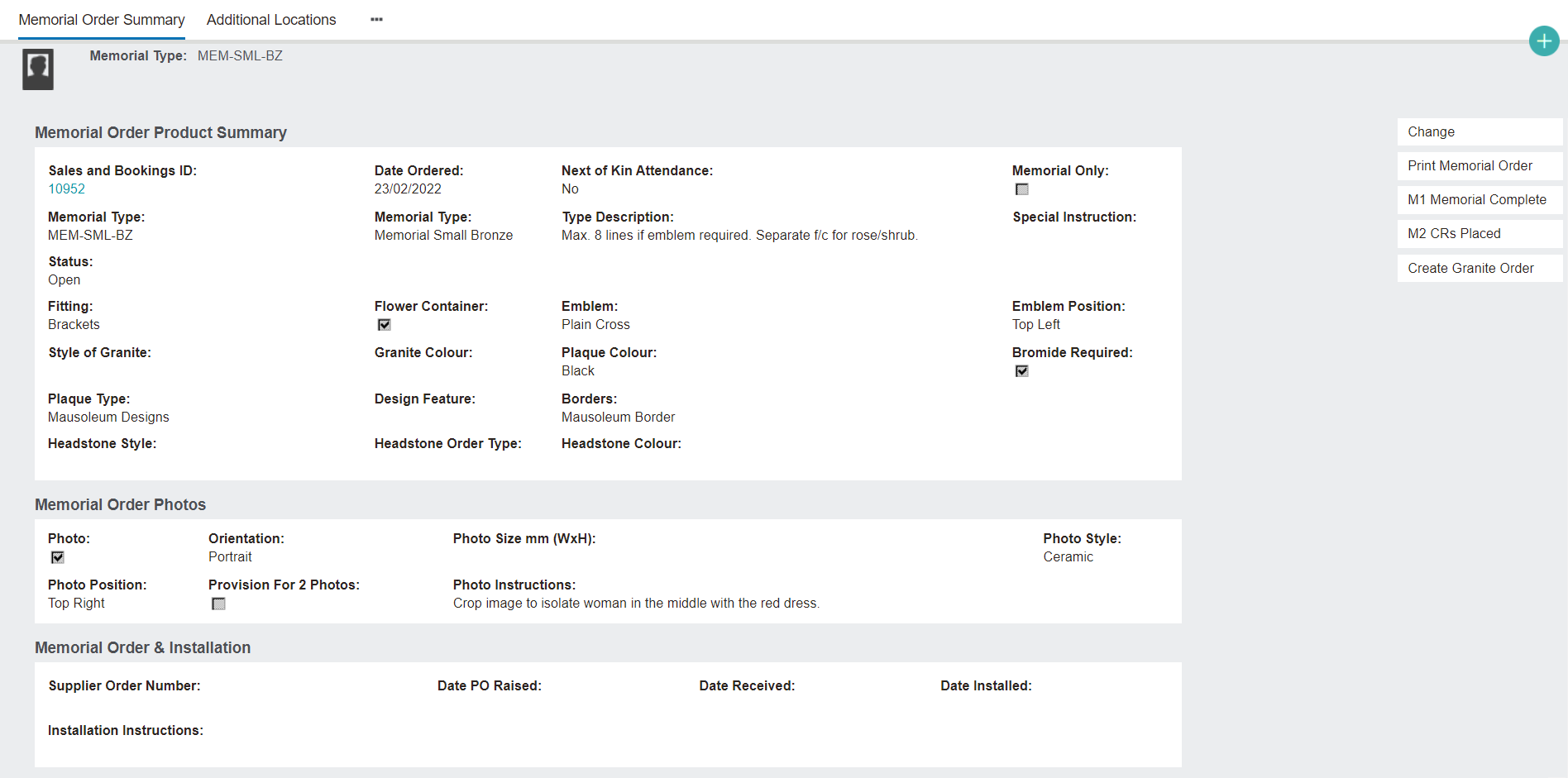
Once the memorial order has been saved, the Memorial Order Summary page will display.
This page shows all the information that was entered while creating the memorial order.
It also has a function to add details of the inscriptions to the memorial.
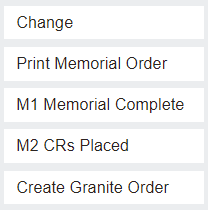
On the right-hand side of the screen, there are several buttons.
Change opens the memorial order in editing mode, allowing the user to add or change information as required.
Print Memorial Order creates a printable PDF of the memorial order. Some suppliers may need a memorial order sent in this way, rather than a foundry that already has a portal. Cemetery staff may also print the memorial order to keep in a file to manage and track.
M1 Memorial Complete/M2 CRs Placed create letters that can be sent to the family/next of kin.
Create Granite Order: Some cemeteries will have a stock of granite supply on hand in a storage shed or facility. If cemetery staff are looking for a certain type of granite, they would check their stock. If they do have stock available, they can click Create Granite Order. This will create a new memorial order on the Sales & Booking's Memorial Order tab with summary information automatically filled in and receipted.
If the granite is not in stock, then it will be ordered from outside the cemetery. This requires a new memorial order or a granite order to be created.