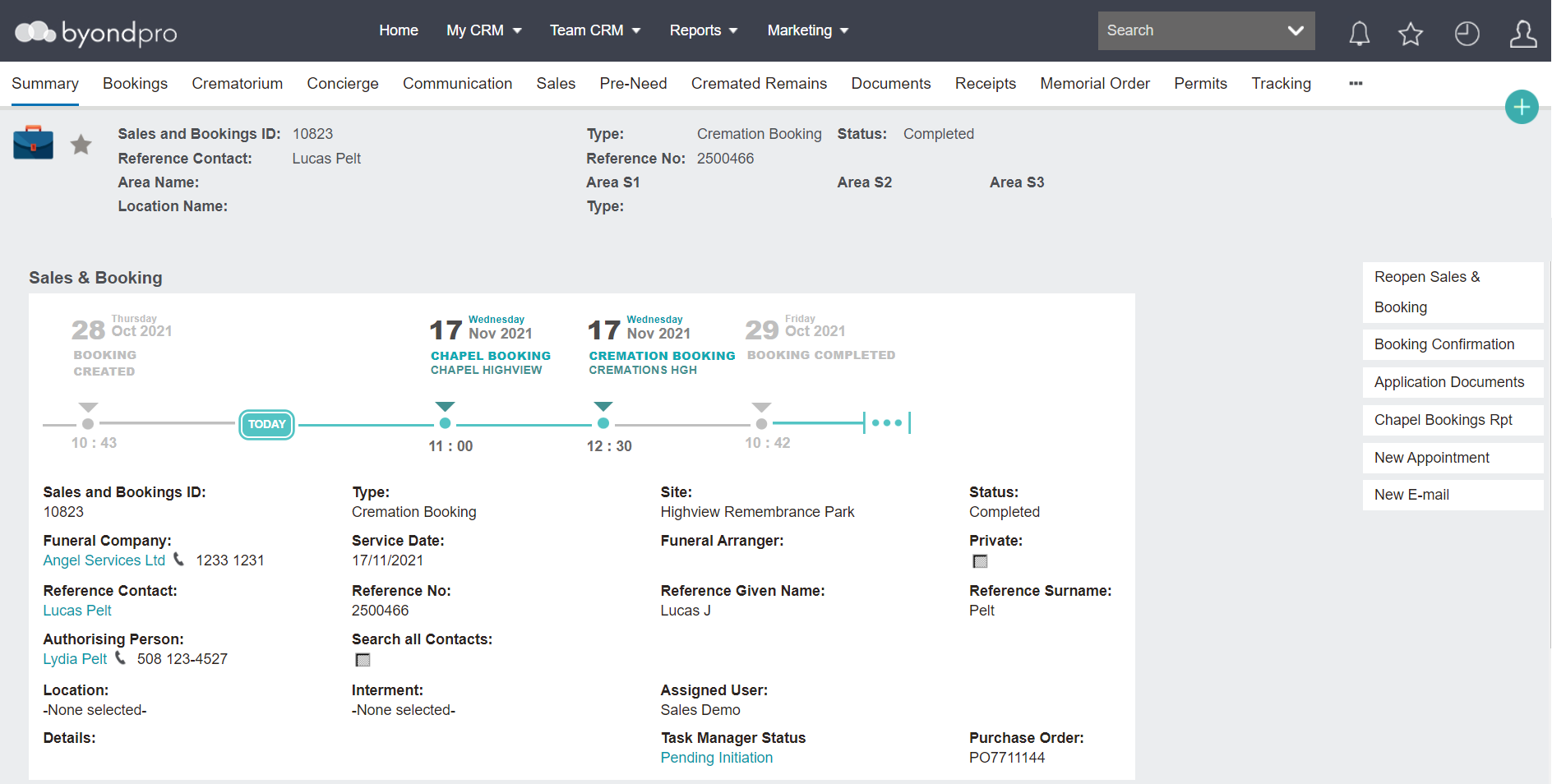
Once the record has been created, users can review information, create appointments, make sales, and organise information in relation to planning any of the services for the cremation.
The status of the Sales & Booking record will help the user monitor the progress of the service.
A cremation sales & booking resembles that which is shown in the Sales & Booking Record section of this guide.
As such, this section will focus on the differences of a cremation booking.
The Type will display as Cremation Booking
In our example, Location details are empty.
A location may not be required as part of a cremation booking as the family may not know what they want to do with the remains at this stage or the cremated remains may be collected by a funeral director or next of kin, to be taken off the cemetery site.
Bookings Tab
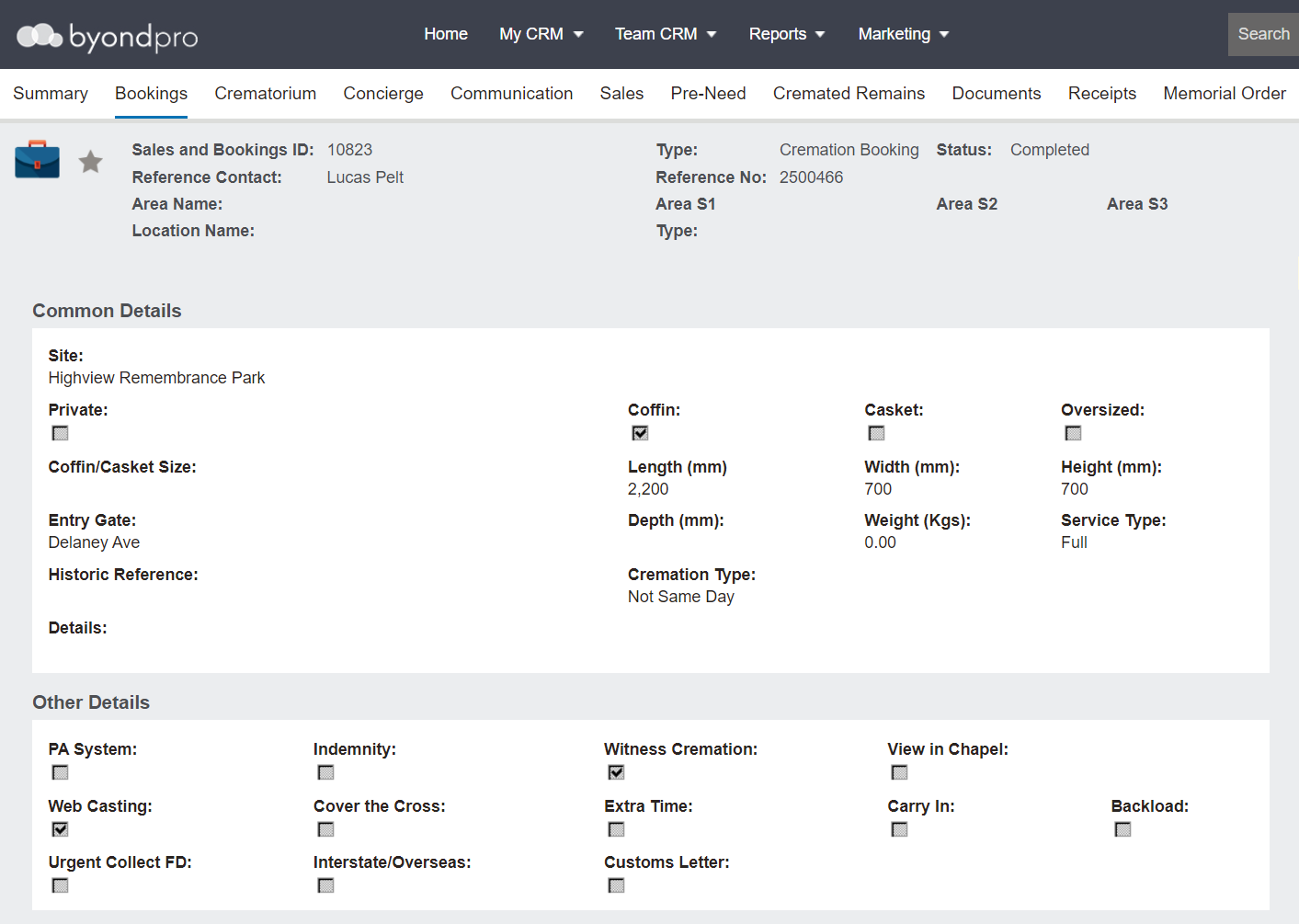
The Bookings tab can be used to add relevant information regarding the cremation and other services booked.
The bookings tab for a Cremation Sales & Booking is divided among two different Information blocks of information to complete, with the Burials Details information block suppressed.
Information provided in this tab is included in Service Schedule reports and Booking Confirmations.
The fields detailed below relate to the out-of-the-box byondpro. However, many of the fields can be customised to meet the customer’s needs. Fields can be customised to display as tick boxes, drop-down lists and free form text.
To add or change any booking details, press Change on the right-hand side of the page and complete the fields.
Crematorium Tab
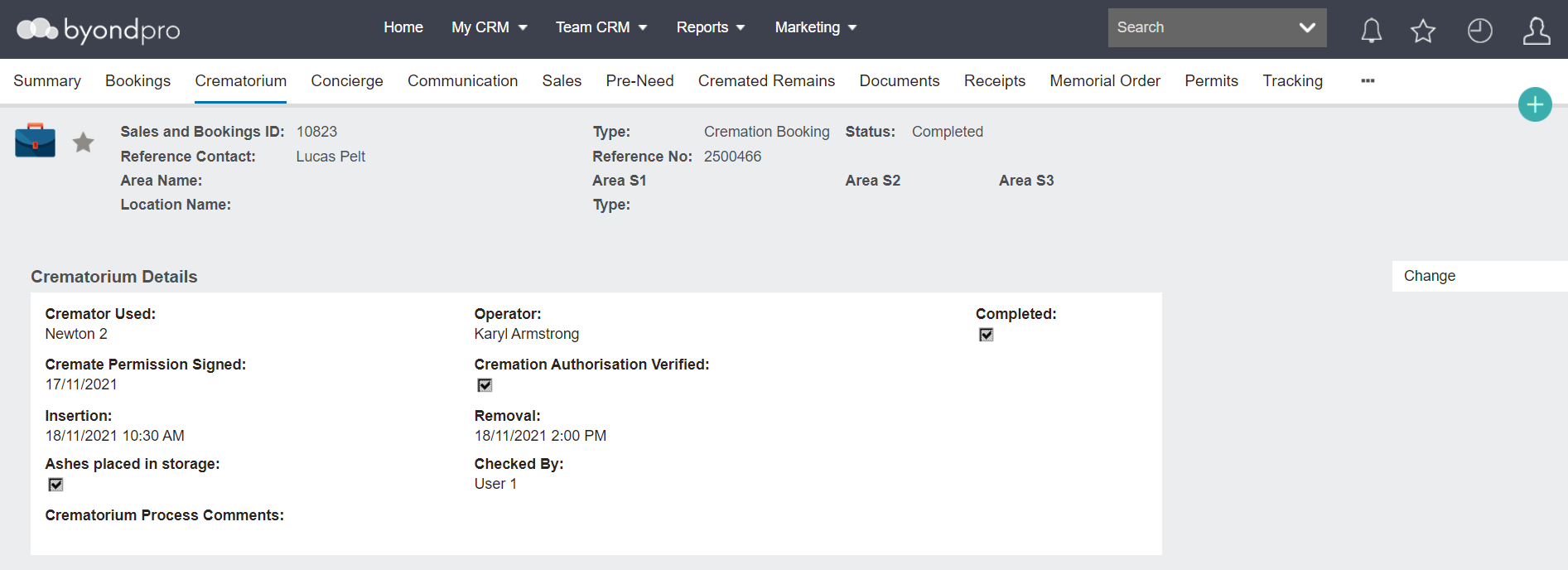
A new tab labelled Crematorium exists and is intended for use by the crematorium staff to track and monitor the cremation service.
More information on this tab is explored in the
Crematorium Tab section of this guide.
Cremated Remains Tab
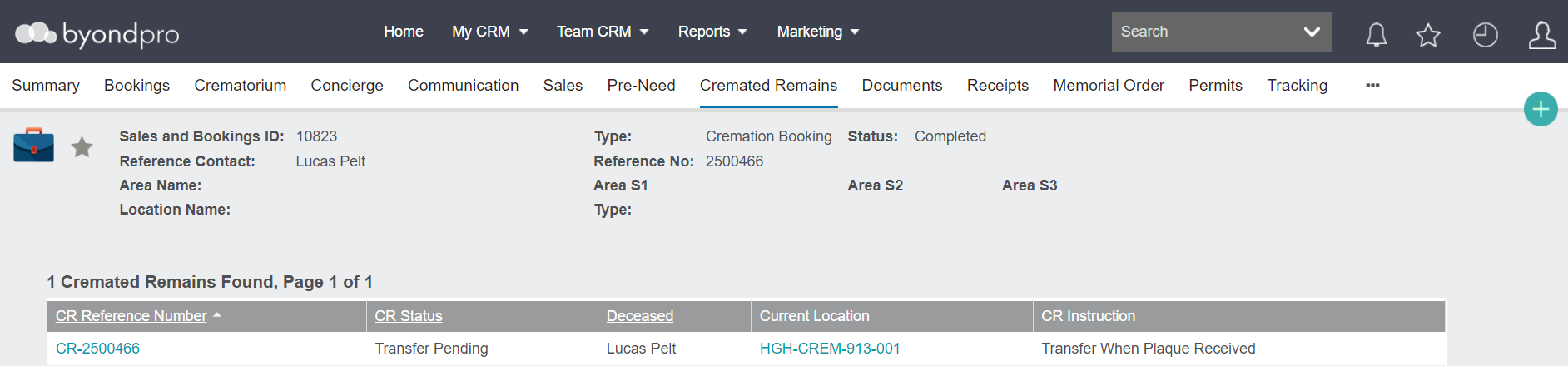
A new tab labelled Cremated Remains is available.
This tab is where users can
create the cremated remains record and once the cremated remains record is created, hyperlinks to the record and current location will display.
The below additional details about the CR record also display: