Before a booking is completed, our cemetery customers will have steps to follow to ensure that all steps required have been completed.
Tabs such as the Receipts tab are editable after the booking is completed, therefore you may choose to close the Sales & Booking before they are completed.
However, tabs such as the Bookings tab cannot be edited after closing.
Once all checks have been completed, choose Change Status on the right-hand side of the Summary tab of the Sales & Booking.
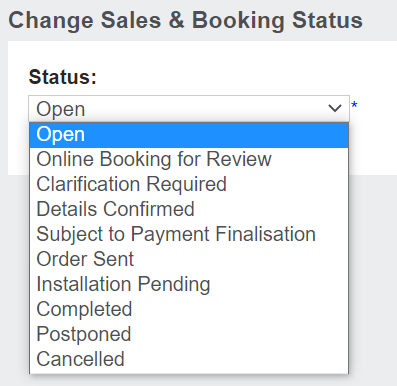
On the screen which appears, drop-down options will be available in the Status field.
To complete a booking, choose Completed.
.
Then, press Save on the right-hand side of the page.
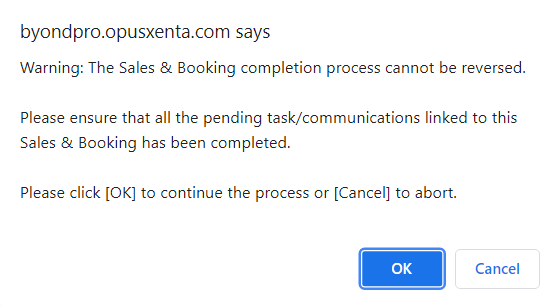
A warning message will appear advising this process cannot be reversed and to ensure all pending tasks and communications linked to this record have been completed.
If all checks are completed, press OK to the message.
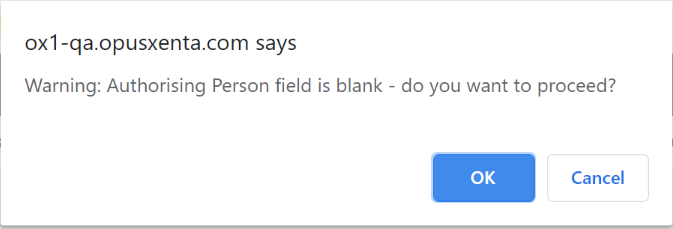
Note that if the authorising person field is blank on the reference person record, a warning will be displayed prompting the user with ‘do you want to proceed’.
This gives the user the opportunity to cancel out of the booking completion process and add an authorising person to the reference person record.