byondpro Configuration
& Processing Guide
×
Menu

Add Musicians or Providers

 
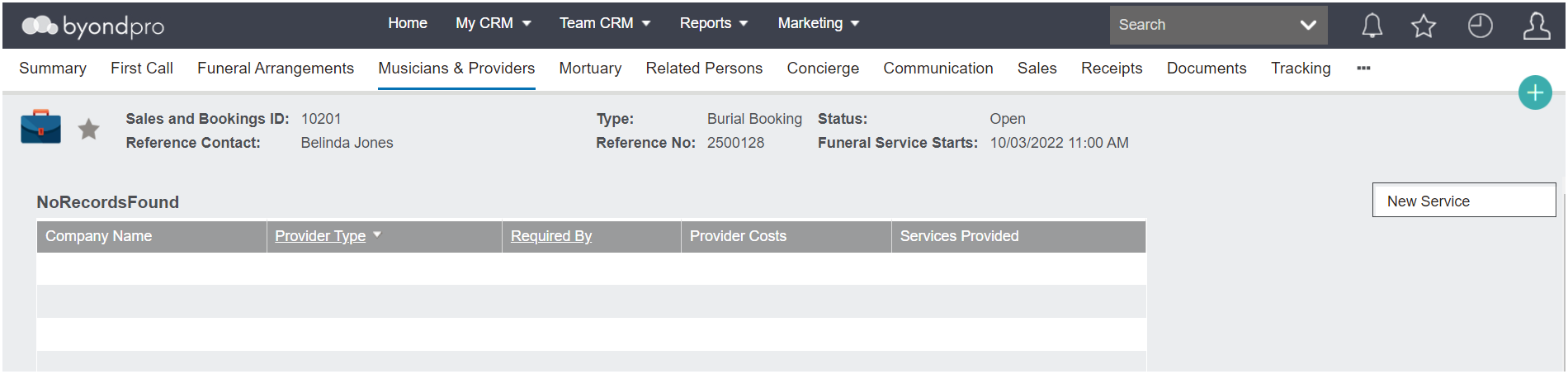
The Musicians & Providers tab allows you to track the service providers and know which providers to communicate with in relation to the funeral service.
 
To add a new service provider, select the New Service button on the right-hand side of the Musicians & Providers tab.
 
 
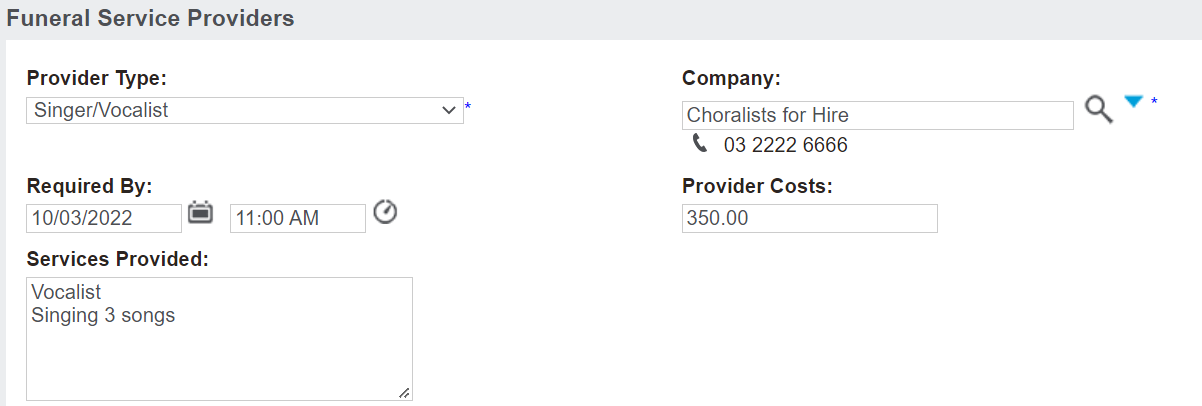
Complete the desired fields on the new pop-up window which displays.
 
 
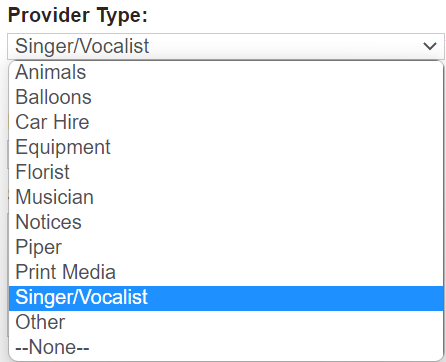
In the Provider Type field, select the kind of provider from the selection list.
 
 
In the Company field, use the search select field to locate the company providing the service.
 
Please note that if a provider is not in the selection list, the company will need to be added as Vendor.
 
Enter the Date & Time the services are needed in the Required By field.
 
In the Provider Costs field, enter in the cost of the services being provided from the third party.
 
Please note that these costs are not integrated anywhere. These costs can be used to pass back to the family by adding them to the Sales Invoice.
 
Enter in details of the services in the Services Provided field.
 
Once completed, press the Save button on the right-hand side of the page.
 
The online help was created with Dr.Explain