Objective: People of Jewish faith celebrate Yahrzeit which is the anniversary of the date of death. The objective of this development is to develop a mechanism that will allow current and future byondpro users to view dates based on a Gregorian date (byondpro’s normal date system) and see an equivalent date based on the Hebrew Calendar.
Background: The Hebrew calendar is based on lunar cycles and its difference to the Gregorian calendar means that anniversaries and religious holidays will fall on different (Gregorian) dates each year. Following example will explain how the dates vary widely each year, Chanukah (i.e. Jewish festival) for 2020 is Dec 10 – 18. For 2021, it is Nov 28 – Dec 6. In 2022, it is Dec 18 – 26. The example reflects how the dates vary widely each year.
Purpose: People of the Jewish faith celebrate the anniversary of their loved ones passing. In the Jewish faith, the date of death is dependent on the time of sunset because the Jewish day begins at sundown on the previous night. For an example: If someone dies After Sunset on the 4th December 2001, the Hebrew date of death is recorded as the 5th of December 2001.
The Yahrzeit anniversary of that death is dependent on the Jewish lunar calendar, and will fall on a different (Gregorian calendar) date each year. For example:
Resources: Refer to the website https://www.hebcal.com and the tool provided: Date Converter. This feature demonstrates how to convert a Gregorian date to a Hebrew date, or the reverse.
The system will automatically updateYahrzeit Anniversarydate from NEXT (or upcoming) Yahrzeit Anniversary date by performing a nightly routine (i.e. time-based job scheduler), when the previous-selected date < current date.
IF this time-based job scheduler fails, send an email notification to the admin account stored in Cemetery Setup.
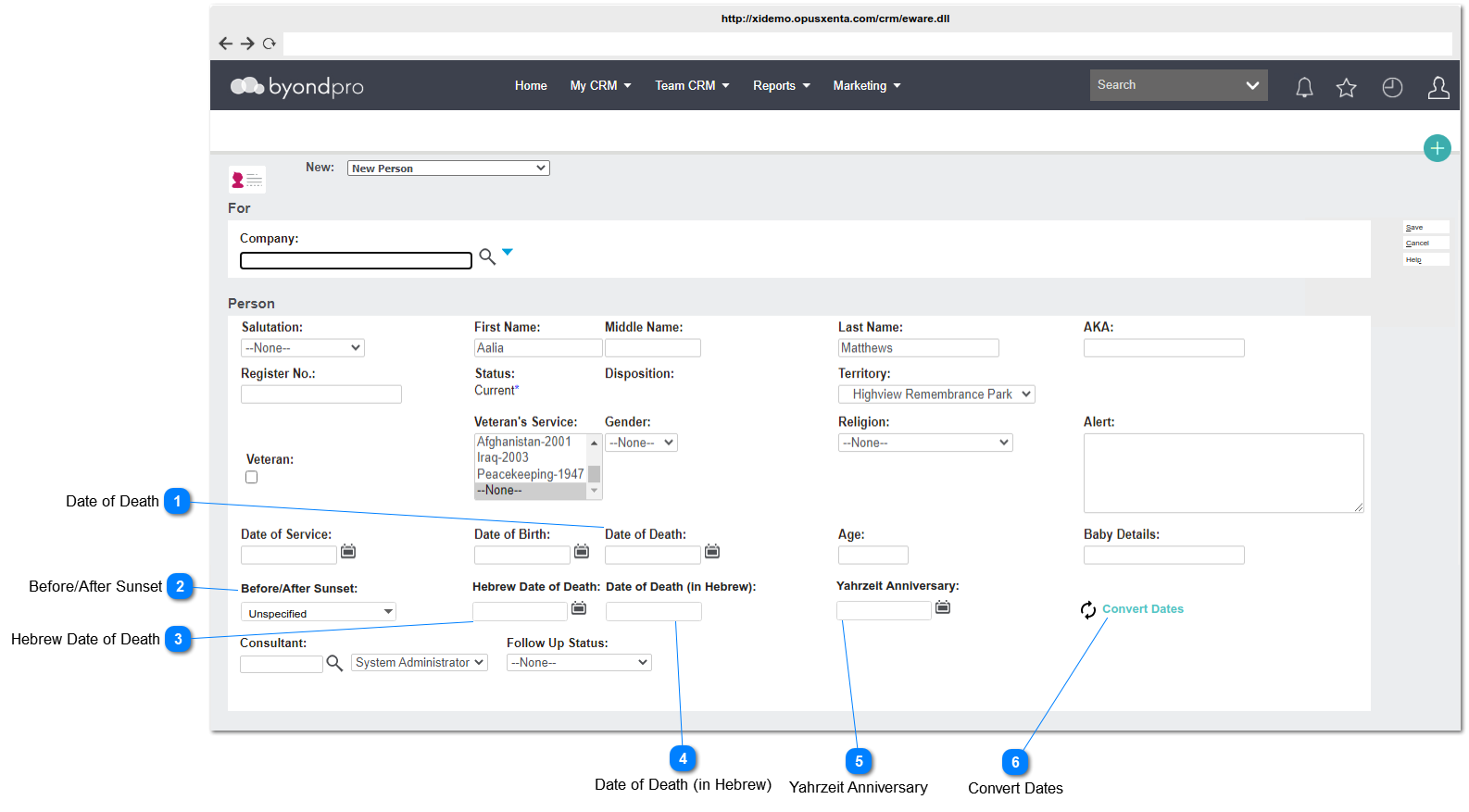
New Person Screen
Date of Death
This field and it's existing functionalities will be considered for this requirement as well.
In order to display the following elements in this screen (i.e. New Person Screen) and Person Summary Screen (FYI: In Person Summery Screen the values given for the following fields will be read-only), it is required to set YahrzeitFunctionto Y;
1. The user will be able to enter a value for this element
OR
the user will be able to convert and see the date in Hebrew format; corresponding to the date selected for Hebrew Date of Death.by clicking on the Convert Dates anchor text.
2. Even if the user has entered a value for this element, but it will overwrite by the converted value to the corresponding date selected for Hebrew Date of Death when the user clicks on the Convert Dates anchor text.
3. This element will be added to Tracking (audit) tables.
1. The user will be able to select/set a date for this element
OR
the user will be able to convert and see the NEXT(or upcoming) Yahrzeit Anniversary date; corresponding to the date selected for Hebrew Date of Death by clicking on the Convert Dates anchor text.
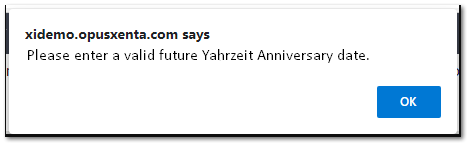
2. IF the user selects a PAST date (PAST date = less than the current date), show an Alert message (see the mockup below).
3. Consider
Profile Menu -> Preferences -> Date/Time Preferences
for the date format.
4. Even though the user has selected a date for this element, but it will overwrite by the converted NEXT Yahrzeit Anniversary date to the corresponding date selected for the Hebrew Date of Death, when the user clicks on the Convert Dates anchor text.
5. The system will automatically update this date from NEXT(or upcoming) Yahrzeit Anniversary date by performing a nightly routine (i.e. time-based job scheduler), when the previous-selected date < current date. (For an example, if the Yahrzeit Anniversary date is today,18th Jan 2021 and the user will be able to see the NEXT Yahrzeit Anniversary date from 00:00:01 AM of 19th Jan 2021).
IF this time-based job scheduler fails, send an email notification to the admin account stored in Cemetery Setup.
6. This element will be added to Tracking (audit) tables.
Optional
-
Date
Y
-
-
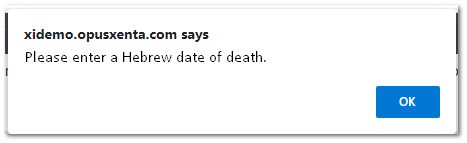
2. Please enter a valid future Yahrzeit Anniversary date.