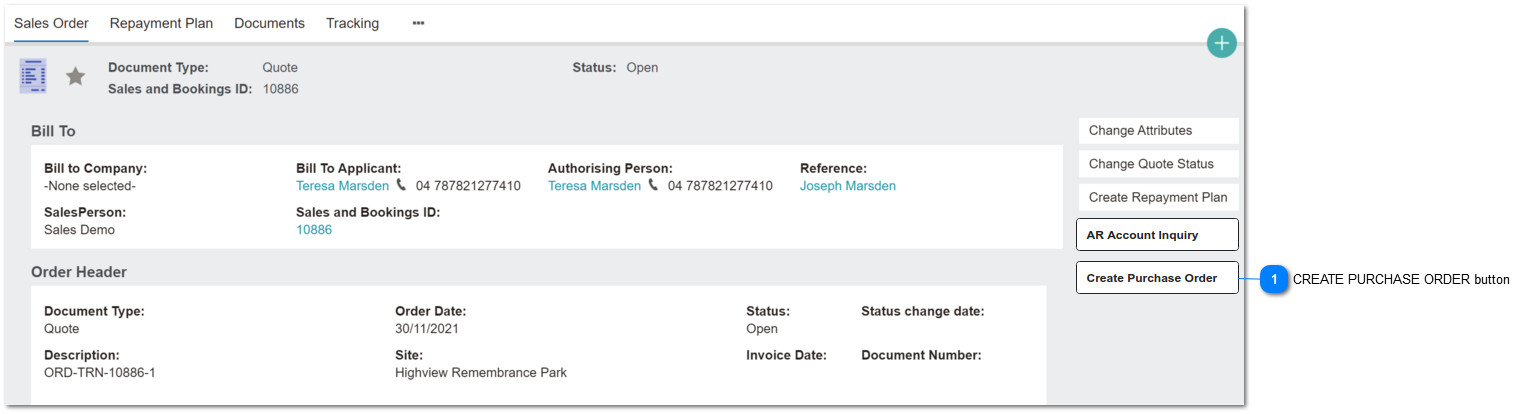
Sales Order: Create PO button
The button to call the CREATE PURCHASE ORDER screen & functions will be placed on the Sales Order Summary screen.
It is visible to Document Types: Quote and Invoice.
 CREATE PURCHASE ORDER button
This is an action button to open the Create Purchase Order screen.
|
Type
|
Notes
|
Rules
|
Compulsory
|
Format
|
Edit
|
Size
|
Default
|
Error Message
|
|
Button
|
|
1a. Auto-fills field values described.
2. Button is visible if Sales Order TRANSACTION TYPE = Quote or Invoice.
|
Y per rule 2
|
|
N
|
|
|
| |
|