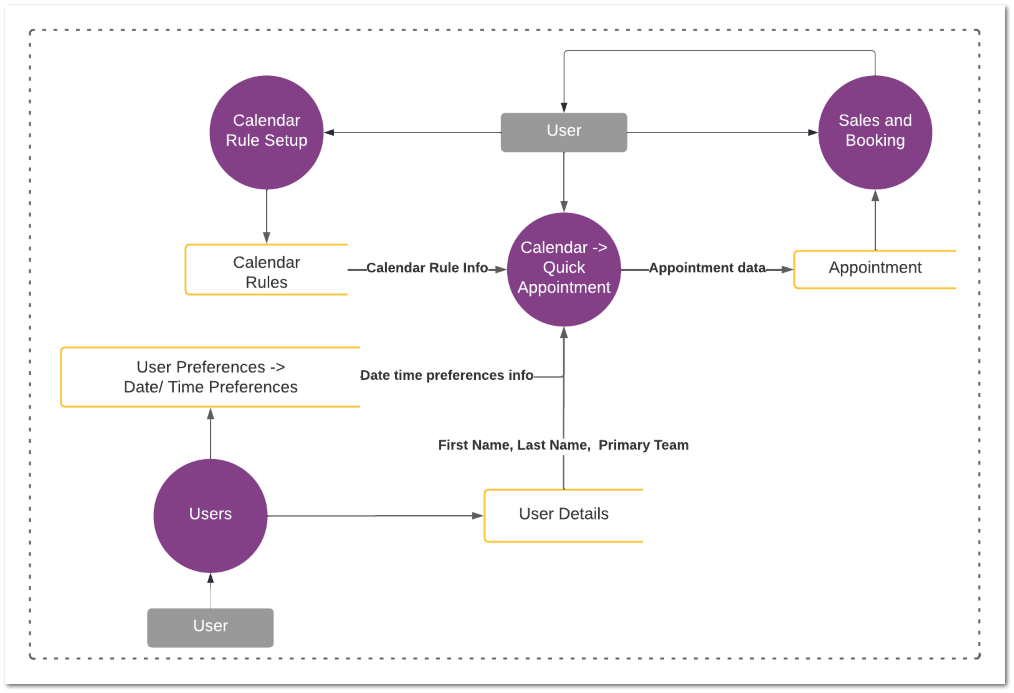
This feature replaces the existing quick booking functionality in byondpro.
User can do a quick booking by using following three options.
1. Calendar View -> Double clicking on a time slot/ date on the Calendar
2. Calendar View -> Click Resource Availability Button -> Resource Availability screen -> Double clicking on a time slot
3. Sales and Booking Summary Screen -> Click Resource Availability Button -> Resource Availability screen -> Double clicking on a time slot
Changes to existing screens
1. "Resource Availability" button should be added to the Calendar View screen, which will facilitate the user to access the Resource Availability screen.