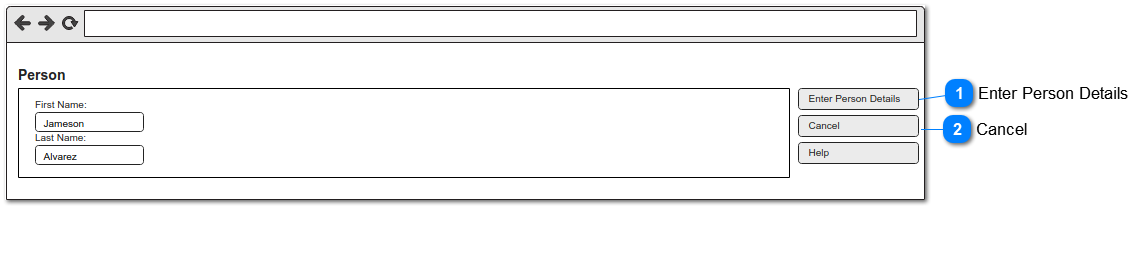
This function will allow users to update or confirm the authorizer's first name and last name populated as a result of mapping from the previous screen before continuing the person creation process.
Enter Person Details
Type
Caption (UK)
Rules
Compulsory
Format
Edit
Size
Default
Error Message
Button
Enter Person Details
-
-
-
-
-
-
-
Scenario Outline: Duplicate and same person exists
Given the person's First Name, Last Name is populated as result of mapping when the user clicks the button then the standard CRM de-duplication function will list all existing person records found as result of successful match against the person's First Name, Last Name entered and if the user is able to identify an existing person to be the same person being created then they can select that person record to be assigned to the 'Authorizing Person' field on the Sales & Booking Summary screen.
Scenario Outline: Duplicate but same person does not exist
Given the person's First Name, Last Name is populated as result of mapping when the user clicks the button then the standard CRM de-duplication function will list all existing person records found as result of successful match against the person's First Name, Last Name entered and if the user confirms the existing person to be not the same person being created then they can proceed with the creation of the new person record by clicking 'Ignore Warning and Enter Individual' button.
Scenario Outline: Duplicate person does not exist
Given the person's First Name, Last Name is populated as result of mapping when the user clicks the button and the CRM de-duplication function is unable to return any existing person record based on the person's First Name, Last Name entered then the user will be navigated directly to the 'New Person' creation screen.
Given the user is on the person entry screen when the user clicks this button they will be navigated back to the Sales & Booking Summary screen from where they have initiated the action.