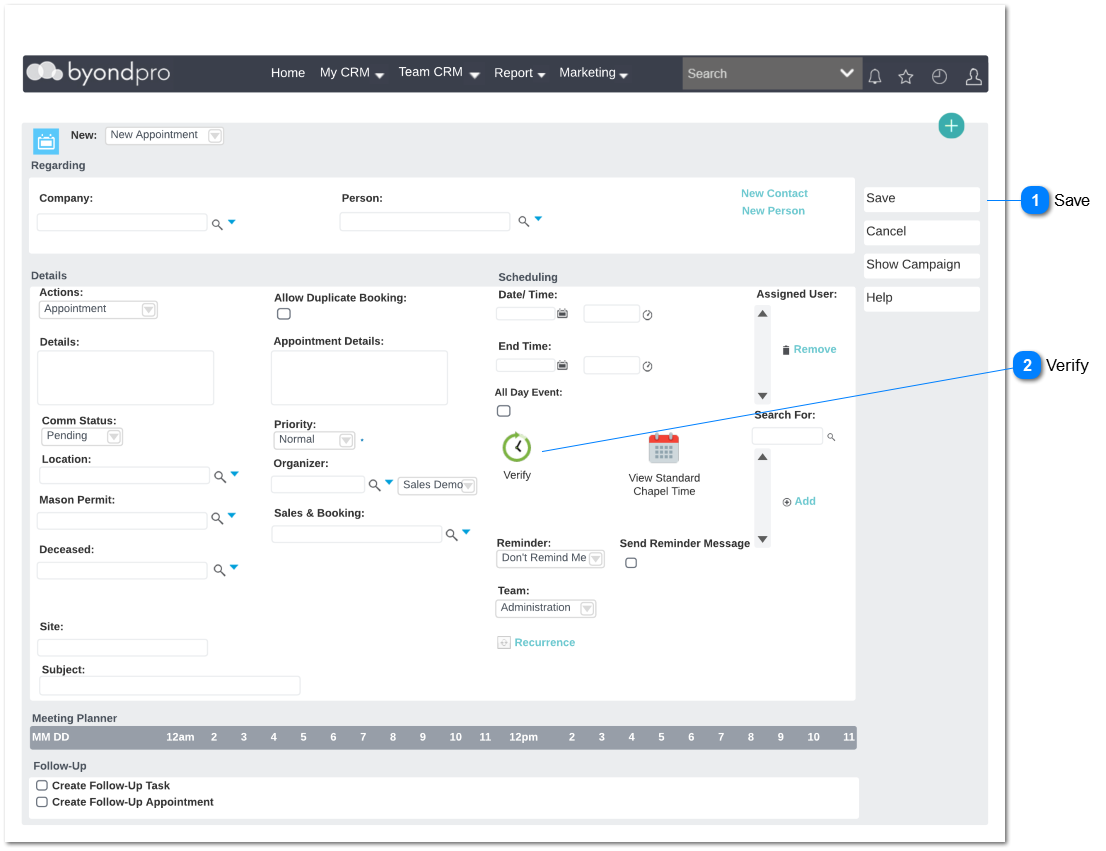
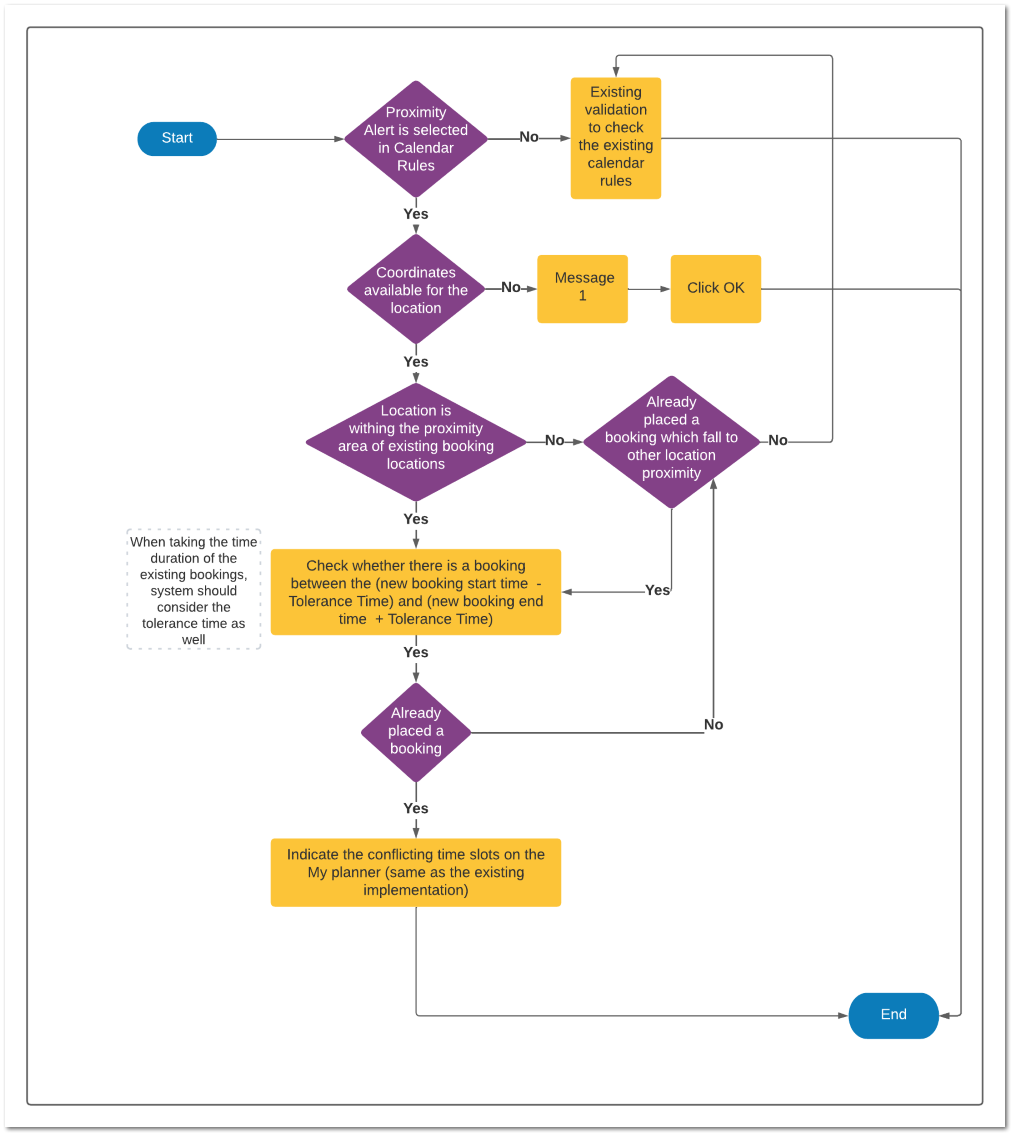
This section is added to implement the Geo-spatial calendar rules for the existing New Appointment screen. All the existing rules will be remained as it is.
Configurations need to be set up
Set up a new configuration to configure the alert type that the user required.
Administration -> Cemetery System Setup -> Custom Configuration -> New
Name : SalesAndBookingProximityAlert
Description: Define Alert Type for proximity alerts in the Sales and Booking -> Appointment
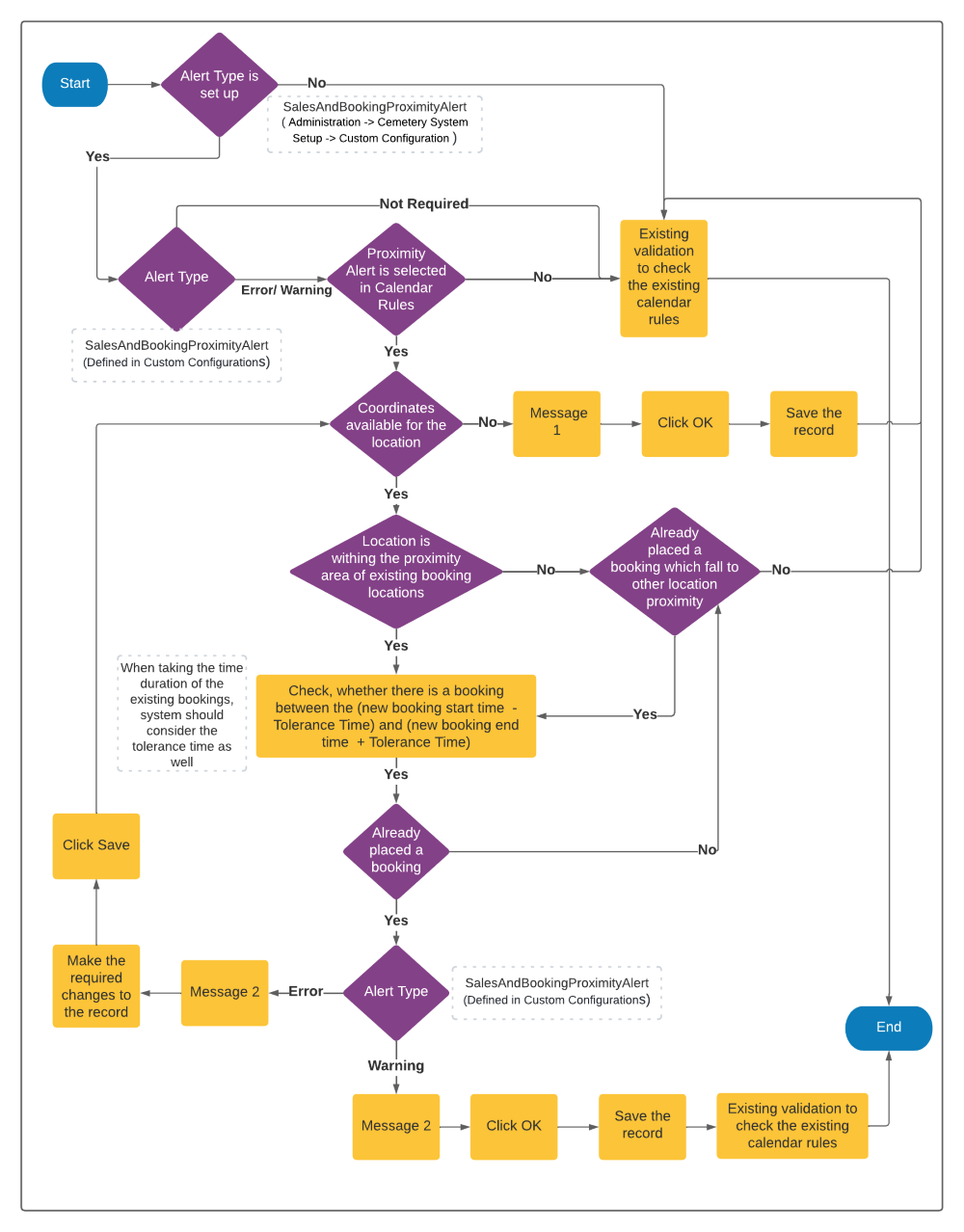
Detail: This section is added to implement the Geo-spatial calendar rules for the existing New Appointment screen. Error/ warning is generated based on selected alert type at the point saving a new appointment
Options: Error, Warning, Not Required
Default Value: Not Required
Note: If there is a typo error in the above mentioned option values, system will taken as "Not Required"
Dependencies with the other modules
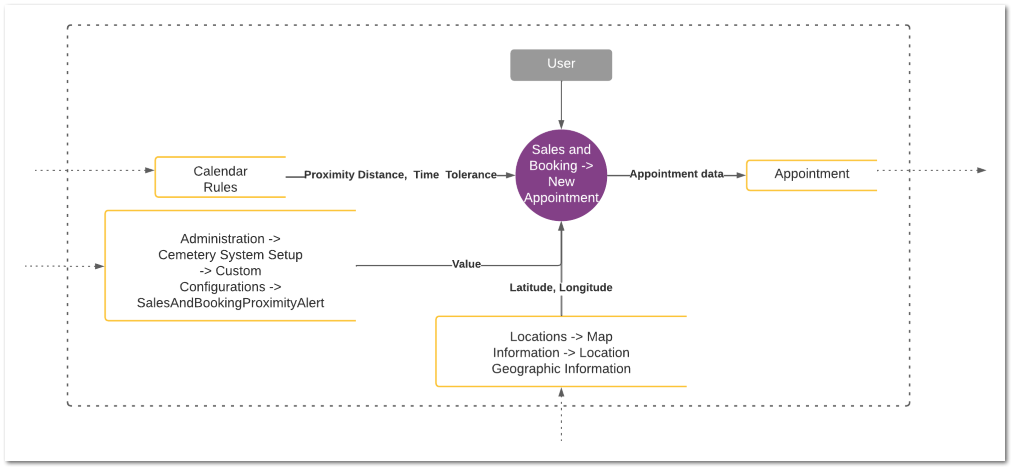
Cemetery System Configuration -> CSC Version 3.0 -> Calendar Rules
Administration -> Cemetery System Setup -> Custom Configuration -> SalesAndBookingProximityAlert
Data flow
Below data flow diagram illustrate how the data of the other modules is being used for this Geo-spatial calendar rule setup.
This booking is conflicting with one of the existing appointment(s) scheduled from (<date> <start time - Tolerance time>) to (<date> <end time + Tolerance time>)and within the near proximity of
This booking is conflicting with one of the existing appointment(s) scheduled from (<date> <start time - Tolerance time>) to (<date> <end time + Tolerance time>)and within the near proximity of