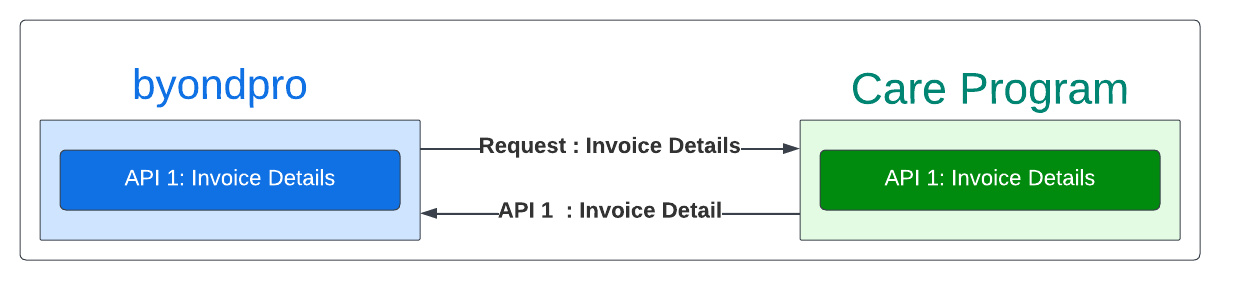
Invoice will be created via sales order in sales tab (Home> Sales and Booking> Sales and Booking record > sales Tab). The information fields will be sync from invoice screen in care program. field mapping to sync invoice will be as follows;
byondpro Field Name (Sales Order)
byondpro Table (Sales Order)
Care Program (Invoice)
Remark
Invoice
Authorising Person
orhe_AuthorisingPersonId
Customer Name
Bill to applicant will be matched from global person sync.
If not create person using global person sync where byondcloud sales and booking information is used.
Document Number
Orhe_DocumentNum
Invoice Number
Invoice Date
Orhe_InvoiceDate
Invoice Date
Terms
orhe_termsCode
Defualt immediate payment
Credit Note invoice ref
orhe_CreditNoteInvoiceNumber
Invoice Number (upon raising a Credit Note)
Document Type (Credit Note/ Invoice)
orhe_SalesTransactionType
Document Type (Credit Note/ Invoice)
Total tax included
Orhe_TotalTax
Tax (GST%)
Invoice Detail
Quantity
orit_quantity
Number of Units
Unit Price
orde_UnitPrice
Price
Tax Rate
orde_rateTax
Tax (GST%)
Extended Price
orde_ExtPrice
Extended Price
Item Code
orde_item_code
Care Program/ Item Number
Care Program Item will be mapped against the byonpro item
Item Decription
orde_item_codeDesc
Care Program/ Item Name
Total Tax
Orhe_totaltaxbase
Tax (GST%)
following sync statuses are maintained for ERP sync once the invoice is raised in byondpro
If ERP Sync status (cemetery system setup > configuration) = Y, then please set orhe_syncstatus = 1 (pending). the invoice will be integrated to the financial.
If ERP Sync is not Y, then set the orhe_syncstatus = 2 (completed). Nothing to happen.