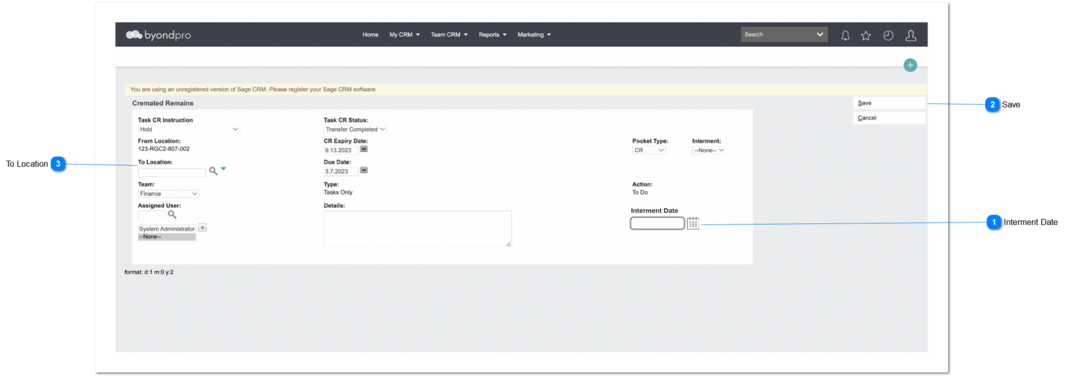
Purpose of this enhancement is to specify the actual interment date and insert that to the interment entry.
User can navigate to the screen using Cremated Remains -> Tasks Tab -> New Task method and Sales & Booking -> Cremated Remains Tab -> Select -> CR record -> New Task method.
Interment Date
Type
Notes
Rules
Compulsory
Placeholder
Format
Edit
Size
Default
Messages
Date Field
1. Need to add the date of interment into the OPLINTER record.
1. Need to auto-fill the interment date as 'current date' and user can change the interment date by clicking on the calendar icon.
2. If user leave the interment date field empty, (and save,) CR task completion date should be display here.
3. Once the user clicks on the calendar icon (placed next to the date text field), it will show a Date Picker and the user will be able to select a date from it (including previous dates)
4. Ensure date display and insertion to interment record considers the user/regional settings for the date format.
User Profile Menu -> Preferences -> Date/ Time Preferences
No
-
Date Field
Yes
-
Need to display the 'current date' as date of interment.
1. When user adding a location, check the rules for available interments [Administration → Cemetery System Setup → Custom Configuration → CheckAvailableInterments] and accordingly follow the rules to check if the Location has interment space (Dataloca_availablepositions).
2. If 'Yes', can proceed and if not, an error message need to prompted.