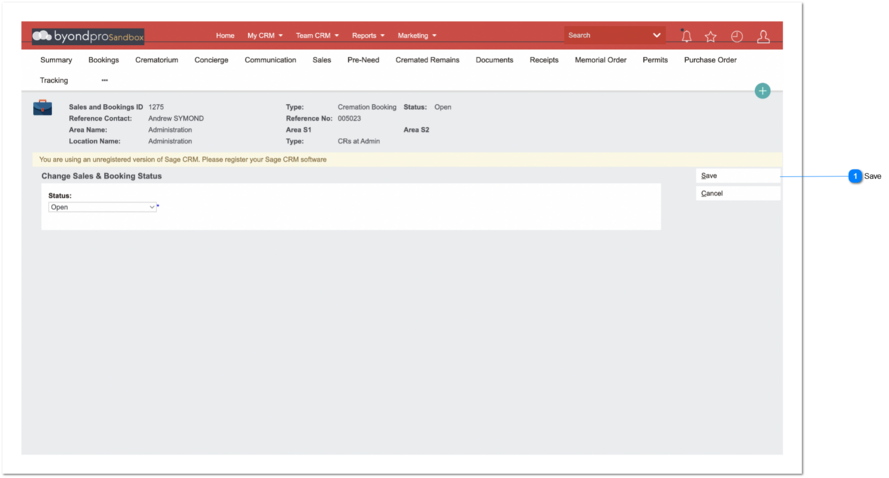
CR Interment - Completed Status
Overview
-
This is for smaller cemetery-only operators. purpose of this is to avoid complex CR task creation for CR records.
-
In addition to the above mentioned rules, all the existing rules will be remained as it is.
 Save
|
Type
|
Notes
|
Rules
|
Compulsory
|
Placeholder
|
Format
|
Edit
|
Size
|
Default
|
Messages
|
|
Button
|
-
|
1. Upon clicking the save button,
IF status = completed,
1a. Following records need to be created automatically.
-
-
-
Location - Interment Record
1b. Following records need to be updated automatically.
|
-
|
-
|
-
|
-
|
-
|
-
|
| |
|
NOTE - These fields are applicable for Sales & Booking - Cremated Remain record creation and direct Cremated Remain record creation.
Cremated Remain - Summary Tab
-
Booking ID - Booking ID value entered/ generated in S&B screen should enter here
-
Deceased - Deceased Value entered in S&B screen should enter here.
-
Current Location - Location value entered in S&B screen should enter here.
-
CR Expiry Date - Tenure Expiry Date value entered in Location summary screen should enter here.
-
No: of Containers - No: of Containers should be 1 by default.
-
Reference Number - Deceased reference number value entered in S&B screen should enter here. (
Follow all the normal rules of creating CR reference number) -
Authorizing Person - Authorizing Person value entered in S&B screen should entered here.
-
CR Status - CR Status should update automatically as '
Transfer Completed'.
-
CR Instructions - CR Instructions should update automatically as
Memorial Installation.
-
Foreign CR - Foreign CR value should be selected (Foreign CR=Y)
Cremated Remain - Location Tab
-
Location Record -
Location record should create automatically.
Location - Interment Tab
1. Site - Site value entered in S&B screen should enter here.
2. Area - Area value entered in S&B screen should enter here.
3. Area S1 - Area S1 value should update here based on the Location value entered in S&B screen.
4. Area S2 - Area S2 value should update here based on the Location value entered in S&B screen.
5. Area S3 - Area S3 value should update here based on the Location value entered in S&B screen.
6. Location - Location value entered in S&B screen should enter here.
7. Interment Date - Interment Date Value entered in Sales & Booking status completion date should enter here.
8. Interment Status - Interment Status value should be 'Interment'.
9. Deceased - Deceased Value entered in S&B screen should enter here.
10. Cremated Remain - Based on all the normal rules of creating CR reference number, CR Reference Number should displays along with links to the relevant CR record.
11. Interment Code - Interment code value should be [location code]-01. (auto-increments +1 with each interment code)
12. Interment Status - Interment Status value should update automatically as 'Interment'
13. Pocket - Pocket value should be selected (Pocket=Y)
14. Pocket Type - Pocket Type value should update automatically as 'CR'
1. Person module attached to Sales & Booking record:
-
Person module -> Summary screen -> Disposition = Cremated
-
Person module -> Summary screen -> Date of Service = <Sales & Booking
Date of Service>
2. Location module attached to Sales & Booking record:
-
Location module -> Location Summary screen -> Operation Status = Interment