The Refrigeration Movement action allows for refrigeration or cooling units to be assigned and released when no longer in use.
From the
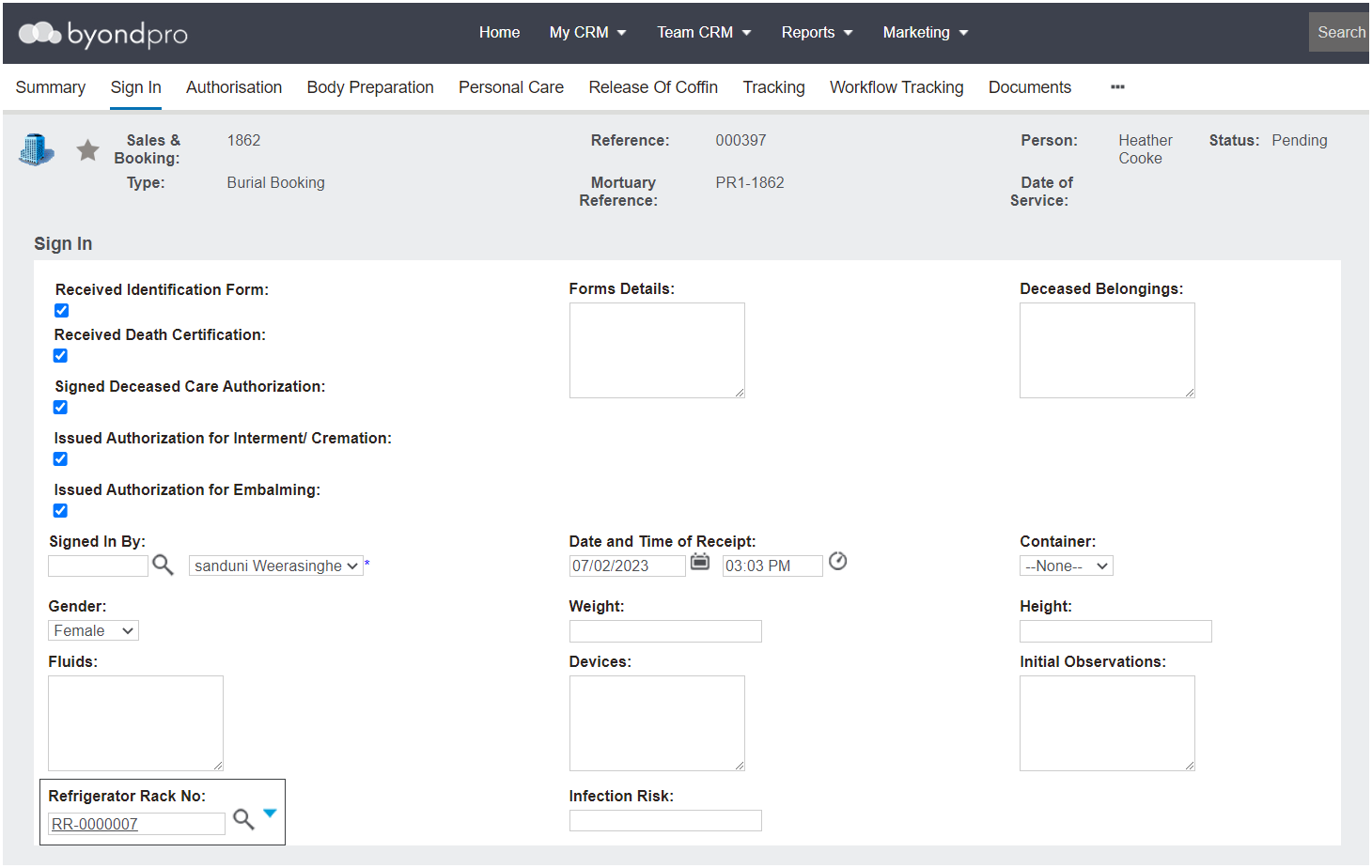
Sign In stage of the Mortuary workflow, users can select the cooling unit from the selection list in the
Refrigerator Rack No. field.
Cooling unit records are
configured in the Administration area of byondpro.
Once competed with the Sign In, select the Save button.
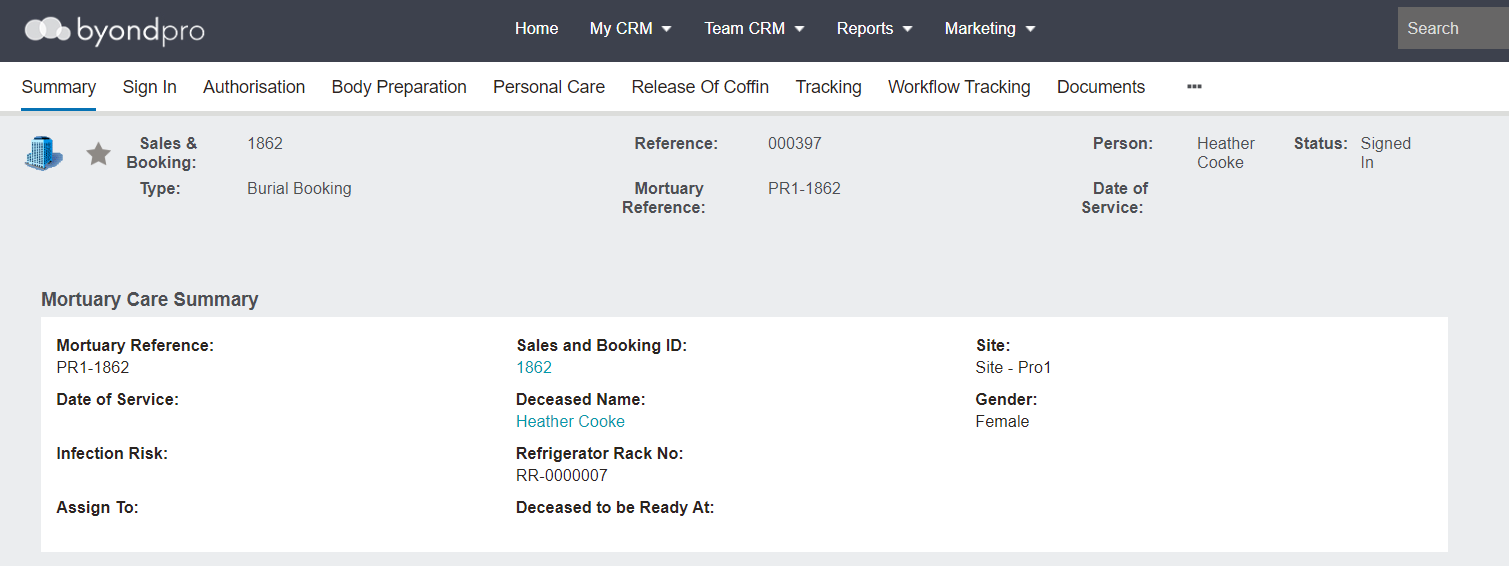
On the Summary tab of the record, the rack will display in the Refrigerator Rack No. field.
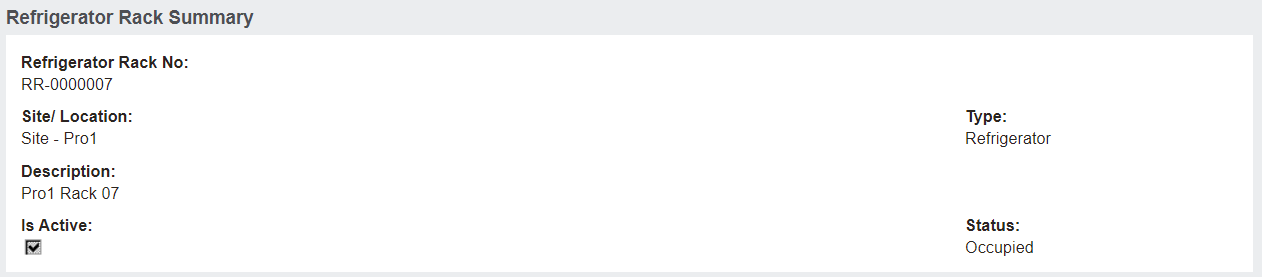
Within the Administration section of byondpro, the rack will now have a Status of Occupied and the rack will not be available as a selection to assign another mortuary record to.
Change Cooling Racks
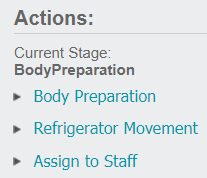
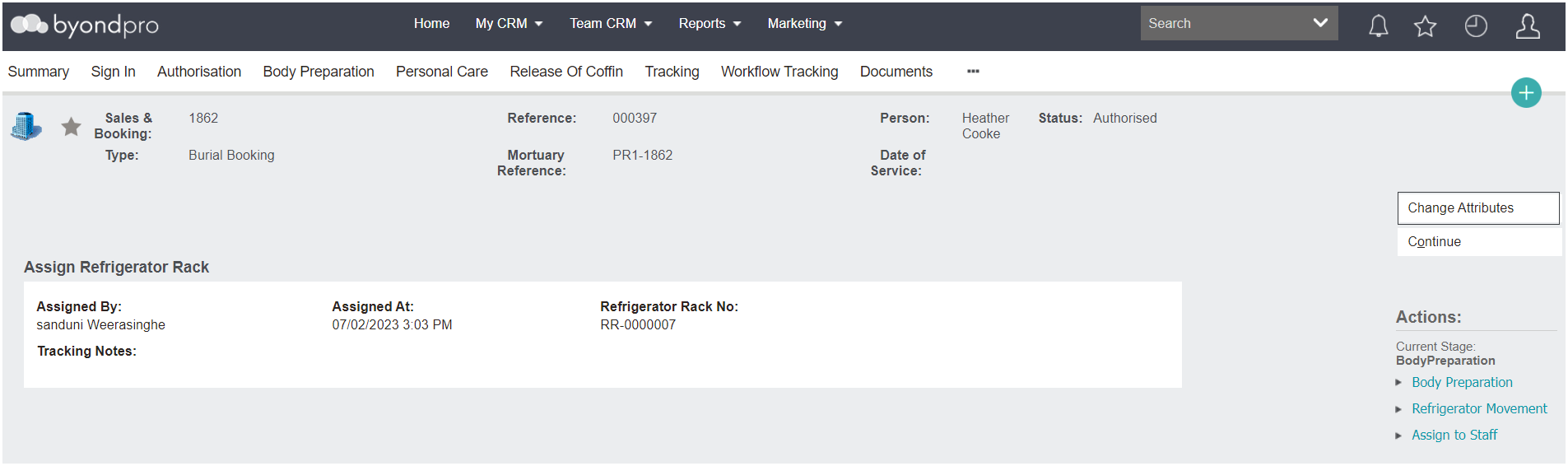
When the body is moved from one rack to another or taken out of a cooling unit to prepare the body, for example, select Refrigeration Movement from the Actions list on the right-hand side of the page.
A new screen will display showing the current rack, who and when assigned the rack.
To make changes to the rack, select the Change Attributes button.
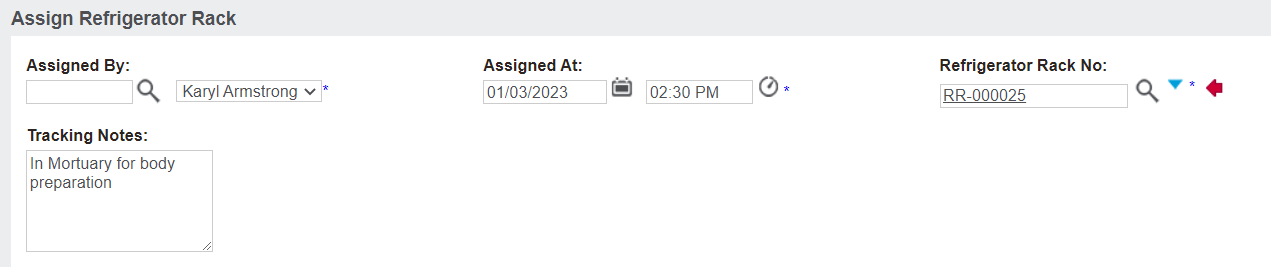
Update the fields to reflect the new location of the body.
For our example below, the Refrigerator Rack No. field has been cleared and a new rack has been selected from the cooling list.
Add any applicable Tracking Notes.
Once completed, select the Save button on the right-hand side of the page.
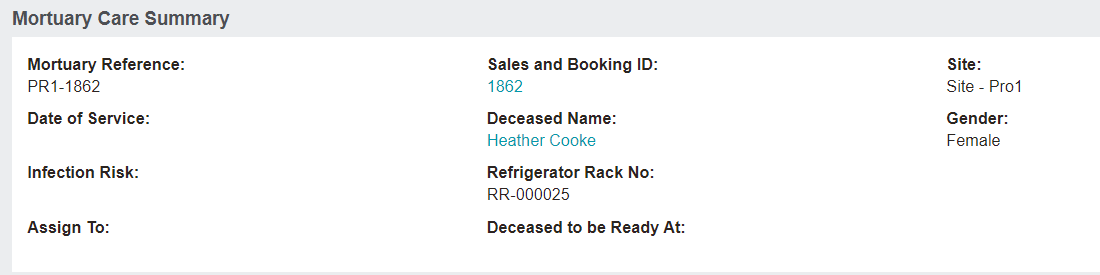
The new rack now displays in the Refrigerator Rack No. field on the Summary tab of the record.
In the Administration area of byondpro, the new cooling unit now has a Status of Occupied and the rack will not appear as a selection to assign another mortuary record to.
The previous cooling unit now has a Status of Available and can be selected from the selection list to assign another mortuary record to.
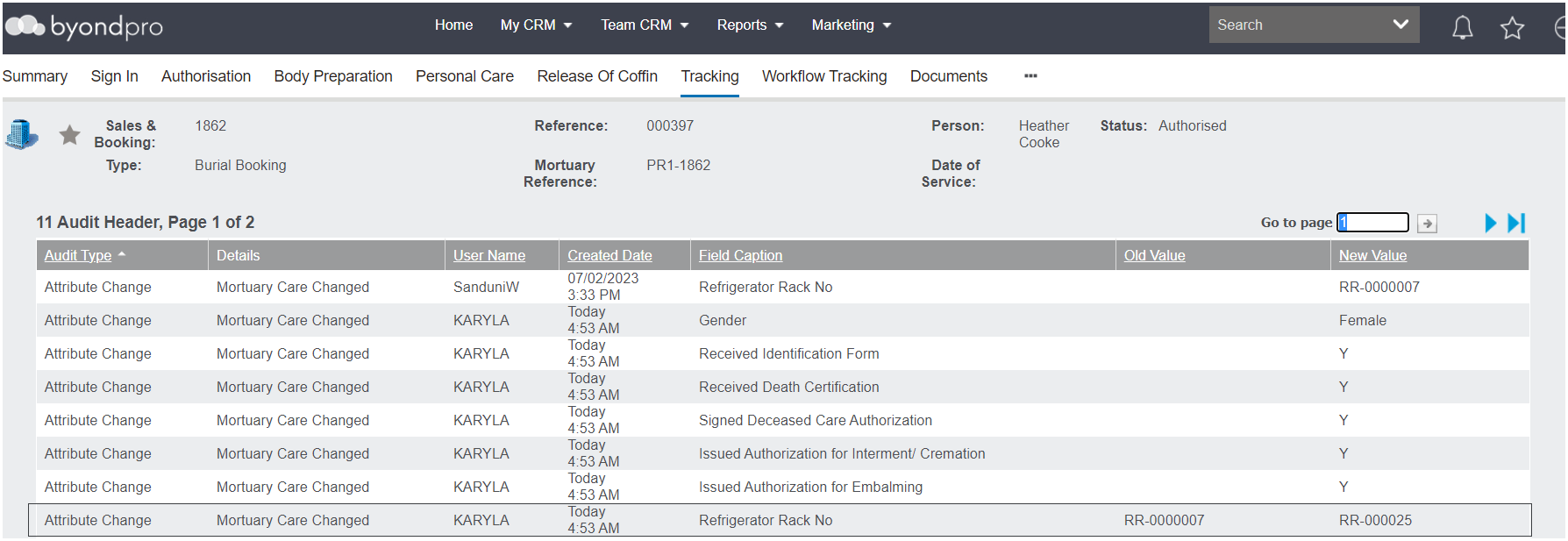
The
Tracking tab will record the update to the cooling unit as well.