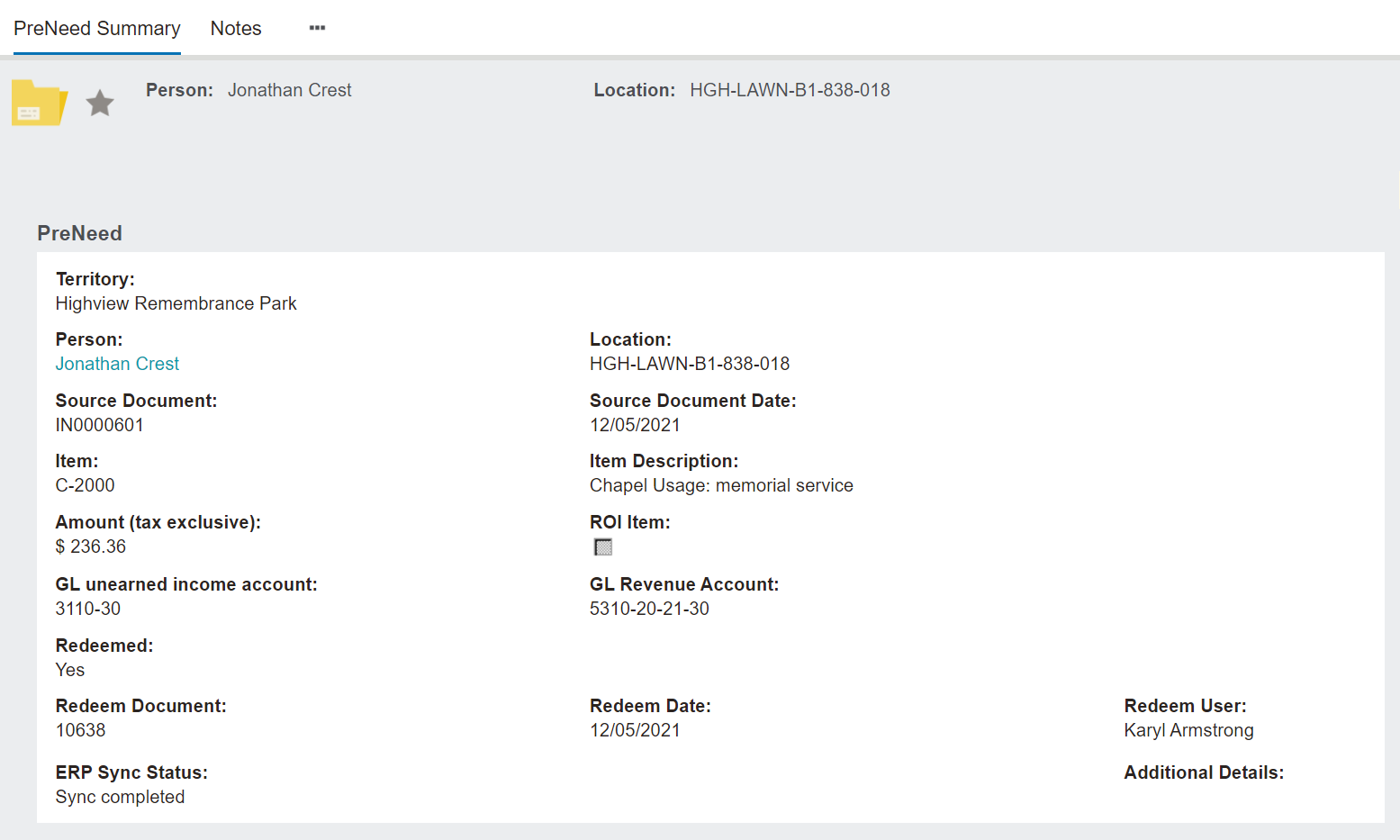
The Pre-Need Record will appear as per the screenshot below.
Header
The Pre-Need Record has a header which includes the:
By clicking on the star, users can mark the record as a favourite.
Pre-Need Information Block
The Pre-Need information block includes the:
-
-
Hyperlink to the person record
-
Location linked to the record, if applicable.
-
Source Document & date of document
-
Item code, description, tax exclusive cost, and whether the item is ROI
-
GL unearned income account & GL Revenue Account from the item category
-
Redeem Document, if applicable, along with redeem date and user
-
ERP Sync Status, if applicable
-
-
User who made the item redeemable
-
-
Date & time stamp of the item being made redeemable.