Memorial Inscriptions
At the bottom of the Memorial Order Summary page, there are options to add the details of inscriptions to the memorial and memorial attachments.
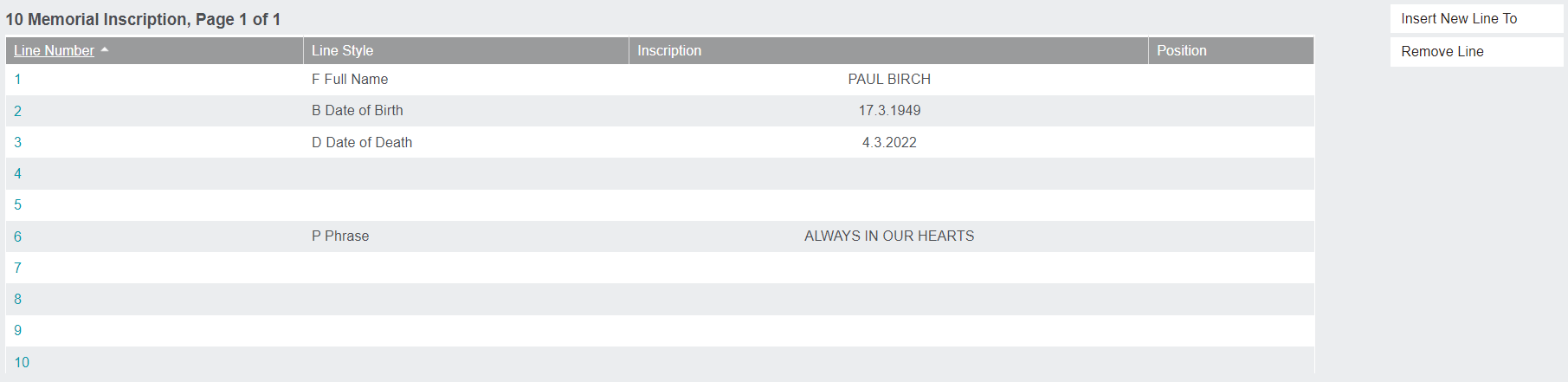
The buttons on the side allow the user to Remove Line and Insert New Line To.
The number of lines and characters per line can be preconfigured in the admin settings. This ensures that the correct number of lines and characters for the chosen memorial type are entered.
To add information to a line, click the line number hyperlink on the left-hand side. The screen that opens allows you to enter the Inscription details.

Inscription: The words/numbers that will be inscribed on this line.
Line Style: The type of information that is being inscribed on this line. It could be the deceased persons first, last, or full name; a phrase, or the dates of birth and/or death.
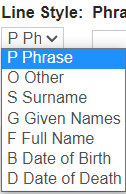
Each of these styles will automatically fill the inscription with certain information, with two exceptions. The Phrase style will display a search field that allows the user to choose from a set of phrases created in the byondpro system. To learn how to create, edit, or delete these phrases, refer to Inscription Wording.
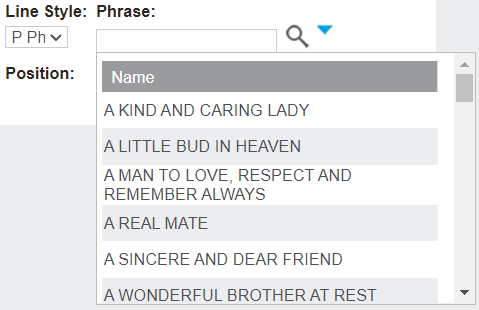
There is also an option to add free form text with the Other style.
Memorial Attachment
This section allows the user to configure the inscription details for a memorial attachment. It works in the same capacity as the Memorial Inscriptions above.
Please note, these attachment lines can only be edited if the Memorial Type is an attachment memorial or includes an attachment.
