Location Records
A location record represents physical graves, cremation memorials or mausoleum crypts within your cemetery.
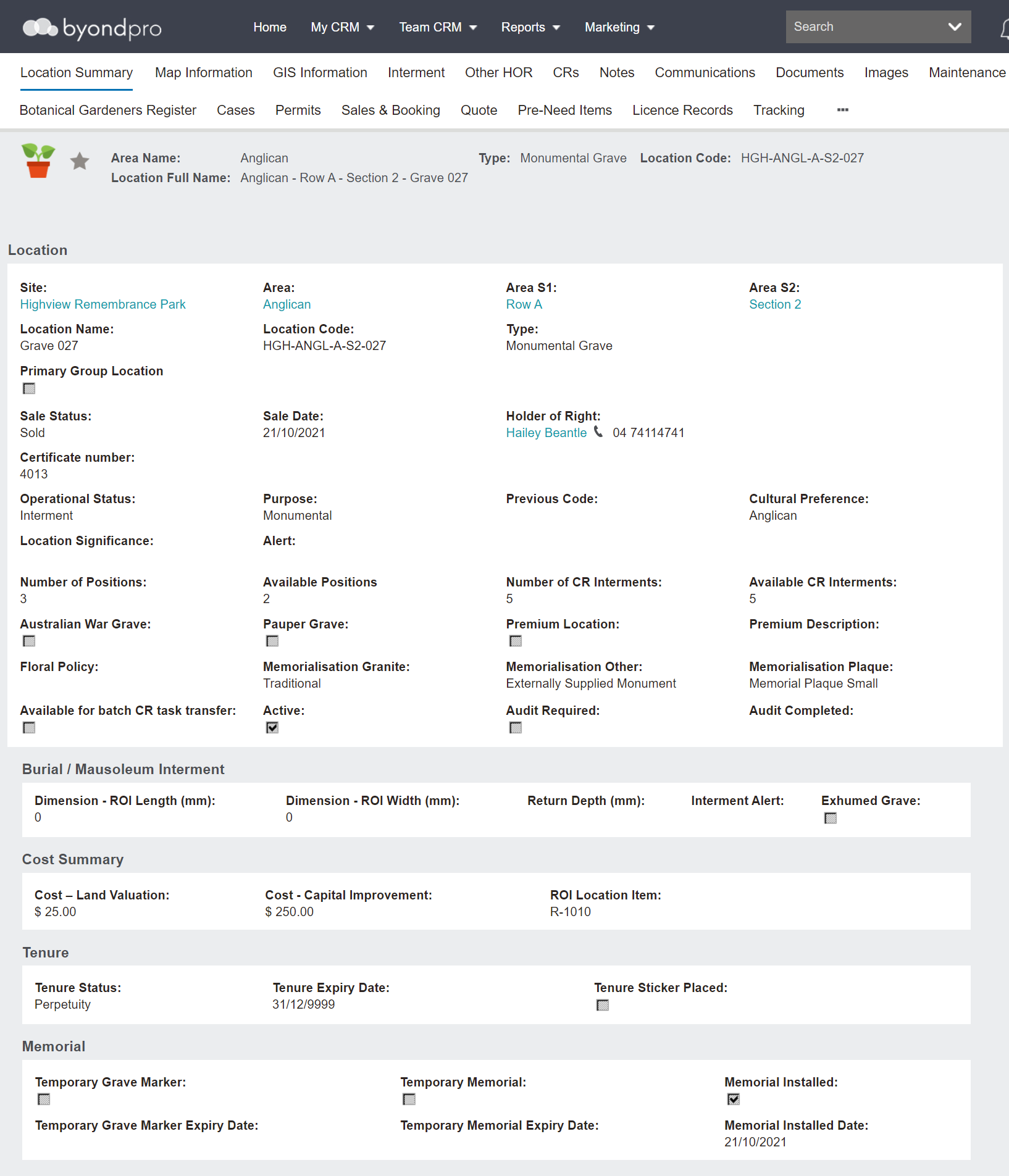
Header
The header includes:
-
Area name
-
Type
-
Location code
-
Location full name
-
Star to mark the record as a favourite

Location Information Block
The Location information block includes hyperlinks to :
-
Site
-
Area
-
Any applicable sub-area / s
-
Primary Holder of Right, if sold.The following fields also display:
-
The location name
-
The location code
-
The type
-
The sale status and date of sale, if applicable.
-
Certificate number, if generated
-
The operational status
-
The purpose
-
An alert to record any matters of concern to which staff should be alerted
-
Cultural preference
-
The floral, granite, and plaque policies, which flow through from the area record
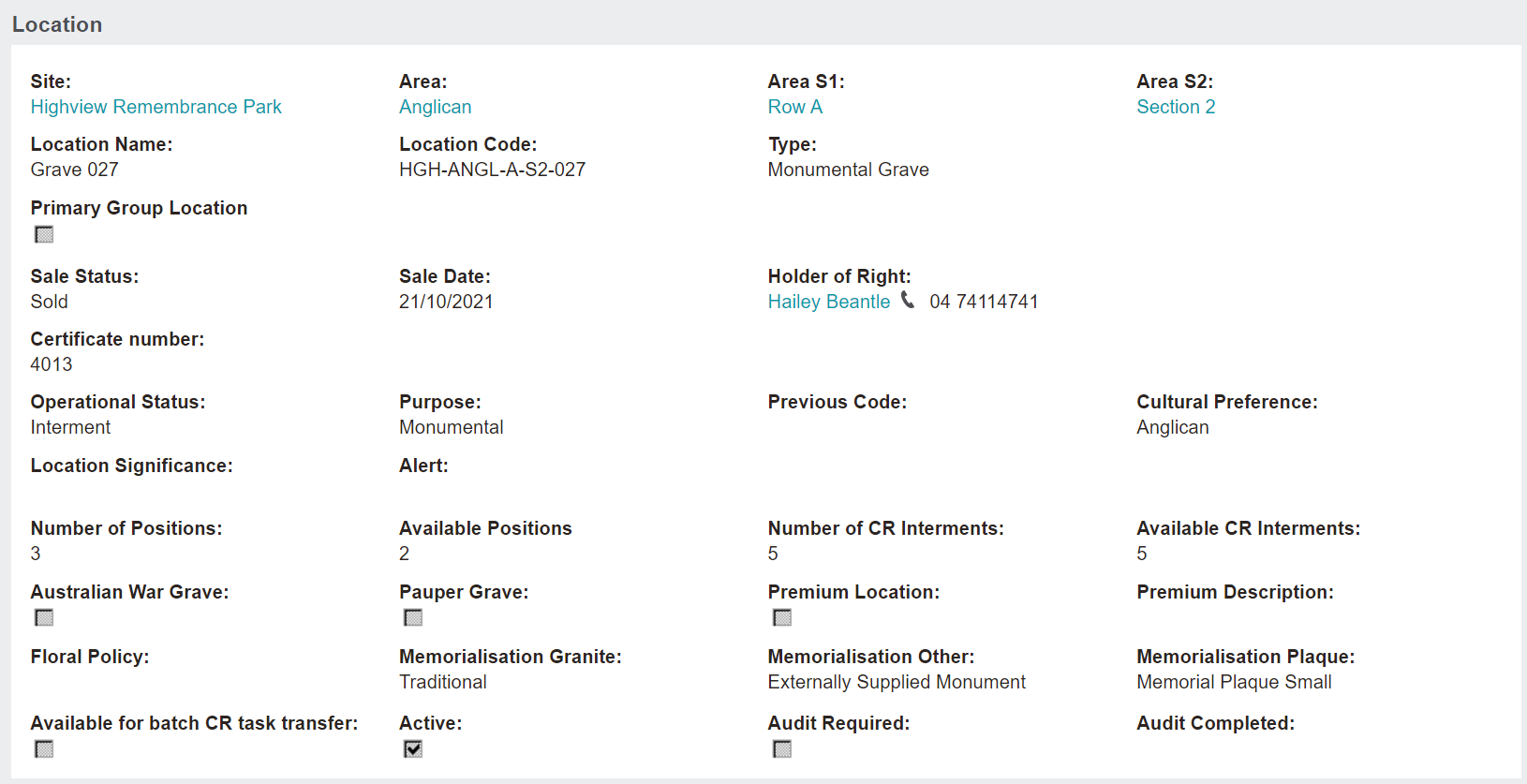
The Number of Positions and Available Positions displays how many burial interments are intended in this location and how many of those interment positions are still available.
If the location has a place for cremated remains, the Number of CR Interments field displays the total the location can manage and the Available CR Interments field displays how many of those CR locations are still available.

Below customisable tick boxes may display to mark if the location is:
-
An Australian War Grave
-
A Pauper grave
-
Active
-
A Premium Location, accompanied by the Premium Description text box to add more information as to why the location is premium.
-
Available for batch CR task transfer, to determine if the location can be used in the Cremated Remains Batch Tasks tool
-
Audit required, accompanied by the Audit Completed field to be filled with the date that audit was performed
Burial / Mausoleum Interment Information Block
The Burial or Mausoleum Interment information block is where dimensions on the maximum grave size can be set using the Dimension - ROI Length, Dimension - ROI Width and Return Depth fields.
The Interment Alert field is a text field that can be used for reporting purposes. It will print on burial schedules to alert grounds staff to potential site issues.
If the location is a grave where someone has been exhumed from, it will be noted with a tick in the Exhumed Grave tick box.

Cost Summary Information Block
The Cost Summary information block details
-
The cost of the land
-
The cost of capital improvement
The ROI Location Item field drives the mechanics behind selling the location. The item code recorded here indicates the item that will sell this location.

Tenure Information Block
The Tenure information block refers to how long the rights to the location last, if tenure is applicable.
The Tenure Status will display, in our example there is a status of 'Perpetuity.'
The Tenure Expiry Date auto populates based on the tenure of the location.
If the expiry date is approaching or has passed, there may a sticker placed on the physical location as a reminder to the family. On the location record, you can note this sticker being placed in the Tenure Sticker Placed field.

Memorial Information Block
In the Memorial information block, the Temporary Grave Marker field auto populates on completion of a burial booking when a first interment occurs.
The Temporary Grave Marker Expiry Date field will populate based on the settings in your byondpro.

If a temporary memorial is installed, the Temporary Memorial tick box will be ticked along with the system generated Temporary Memorial Expiry Date field.
Once the memorial has been installed the Memorial Installed tick box will be flagged accordingly, along with the Memorial Installed Date.

Action Buttons
On the right-hand side of the page are the action buttons for what can be performed on the location record.
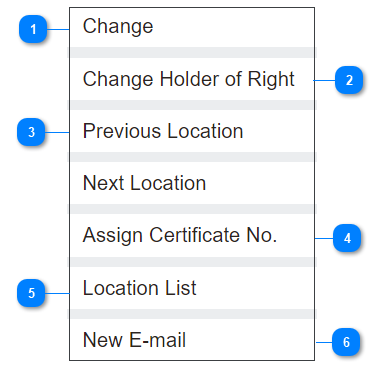


 The Change Holder of Right button will allow the user to change the holder of right on the location record.
 Use the search select field to search via a list of contacts to the original holder of right or tick the Search all contact tick box to be able to search the whole database.
 |



 The Assign Certificate No. button will allow users to add a certificate number to display on the ROI Certificate.
This configuration will be completed in the Administration section of byondpro.
 |