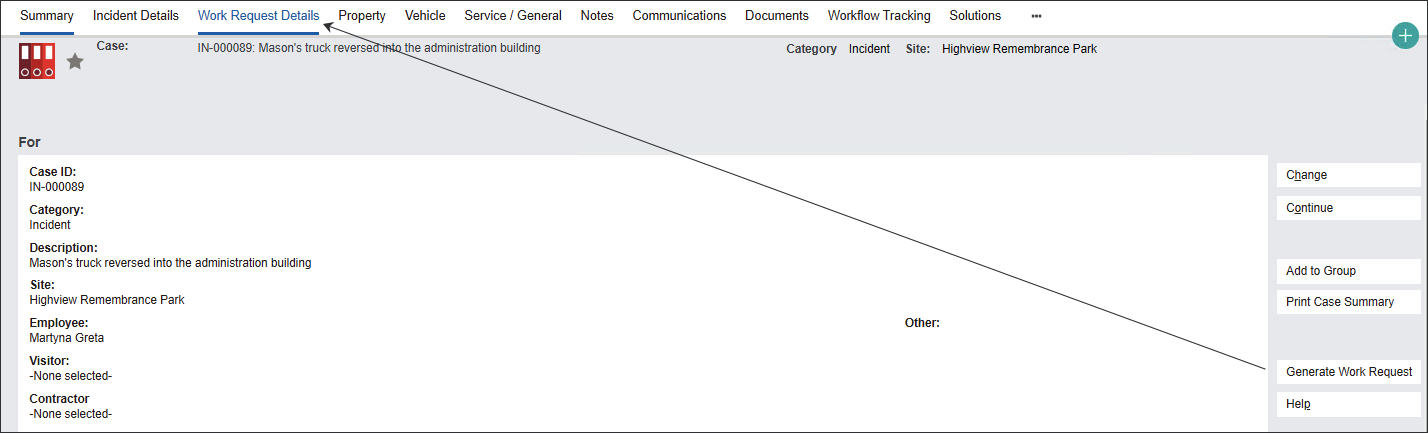
The Generate Work Request feature allows users to create a maintenance activity following up on a Client Feedback or an Incident.
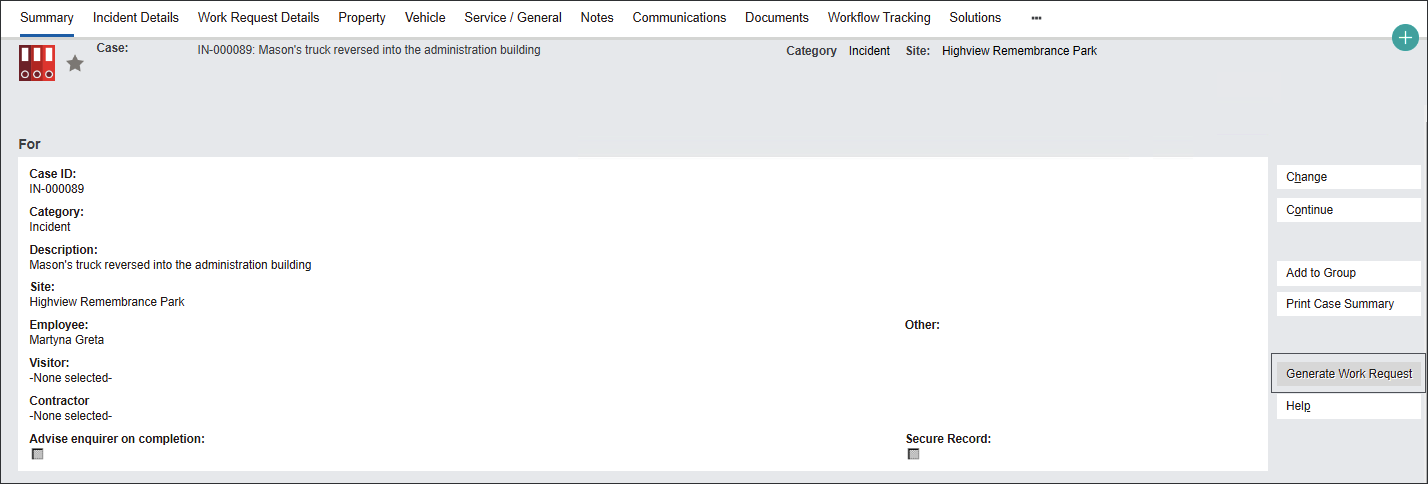
Press the Generate Work Request button from the Summary screen of a Client Feedback or an Incident.
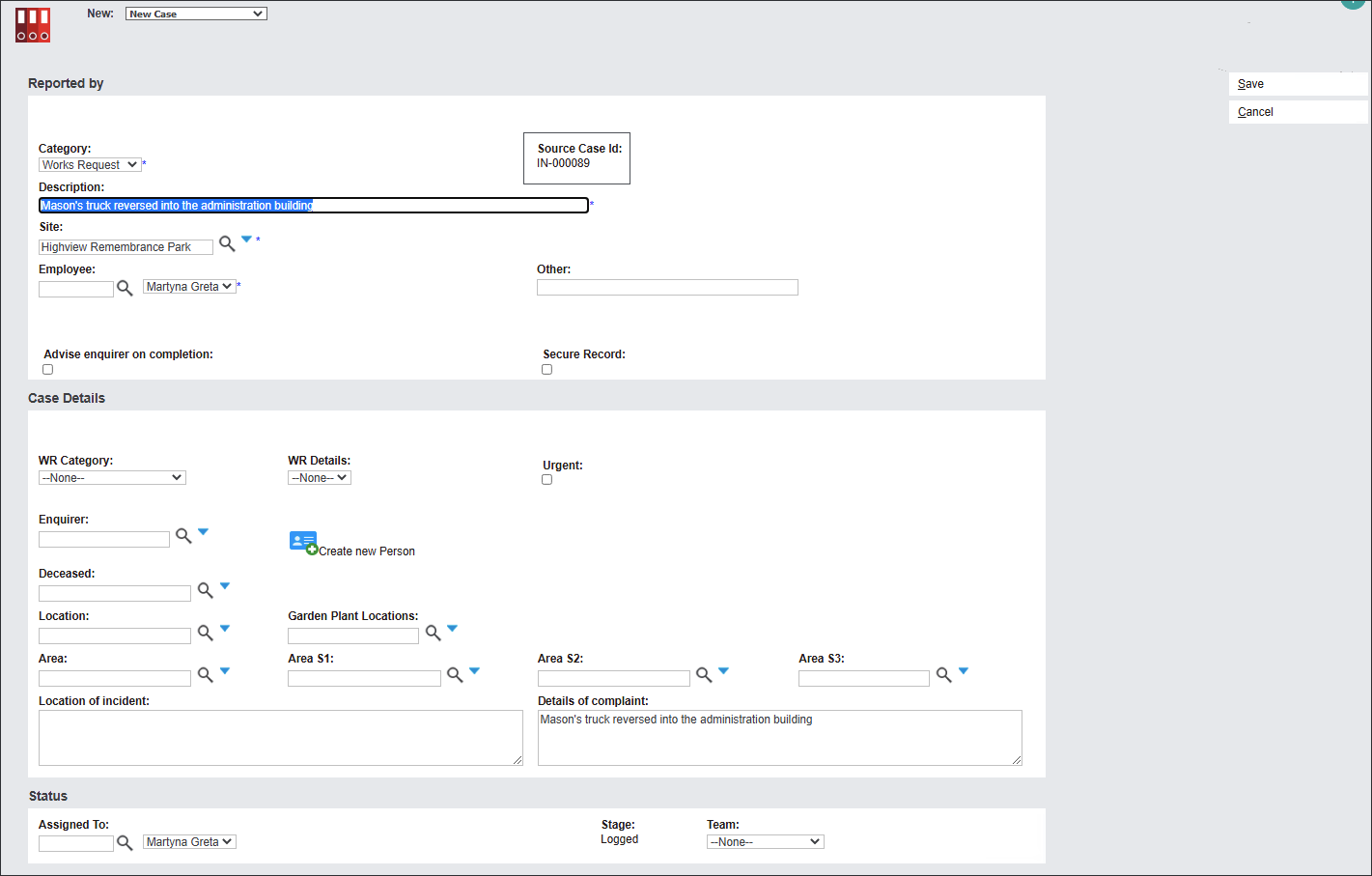
The system navigates you to a New Case screen populating the filled fields from the Source Case. In our example the fields are Description, Site, employee and Details of complaint.
The Source Case ID is noted at the top of the screen, in our example IN-000089.
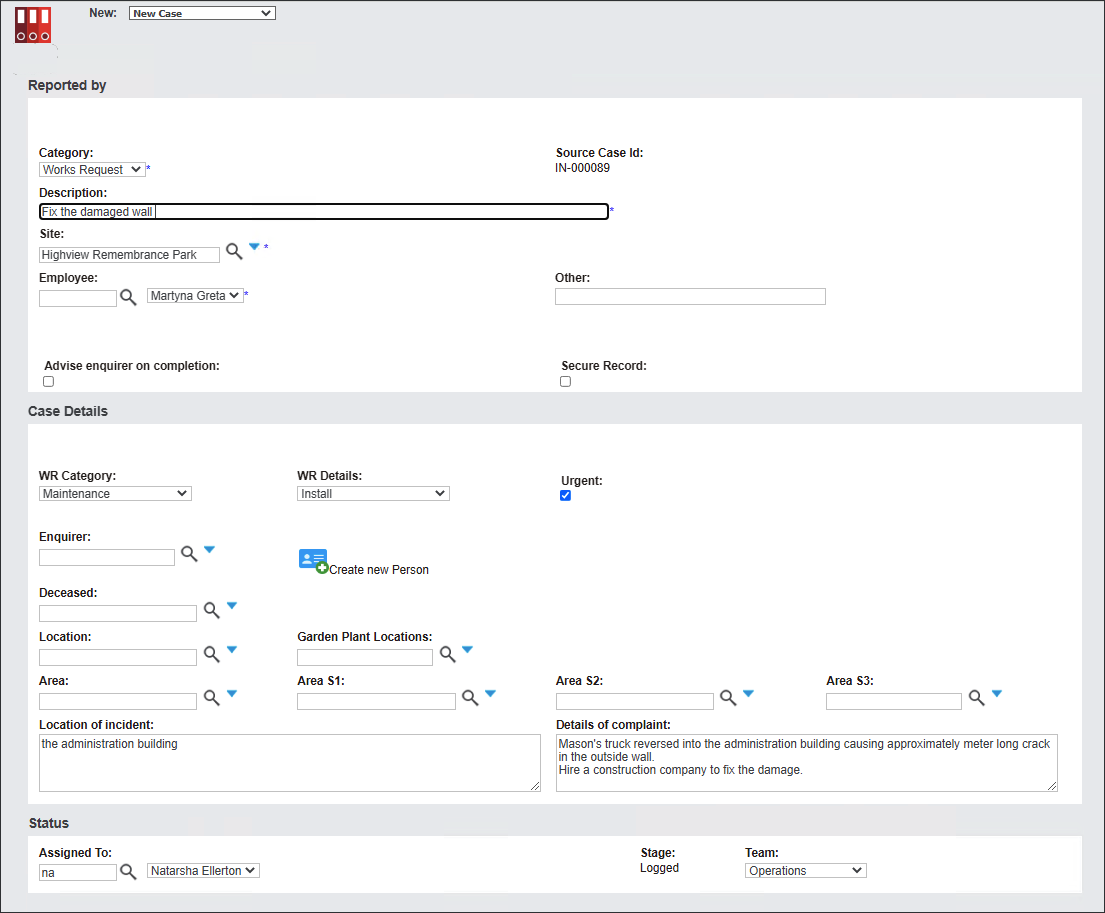
Edit the available fields to create a new Works Request by following the approach outline in the Create new Works Request section.
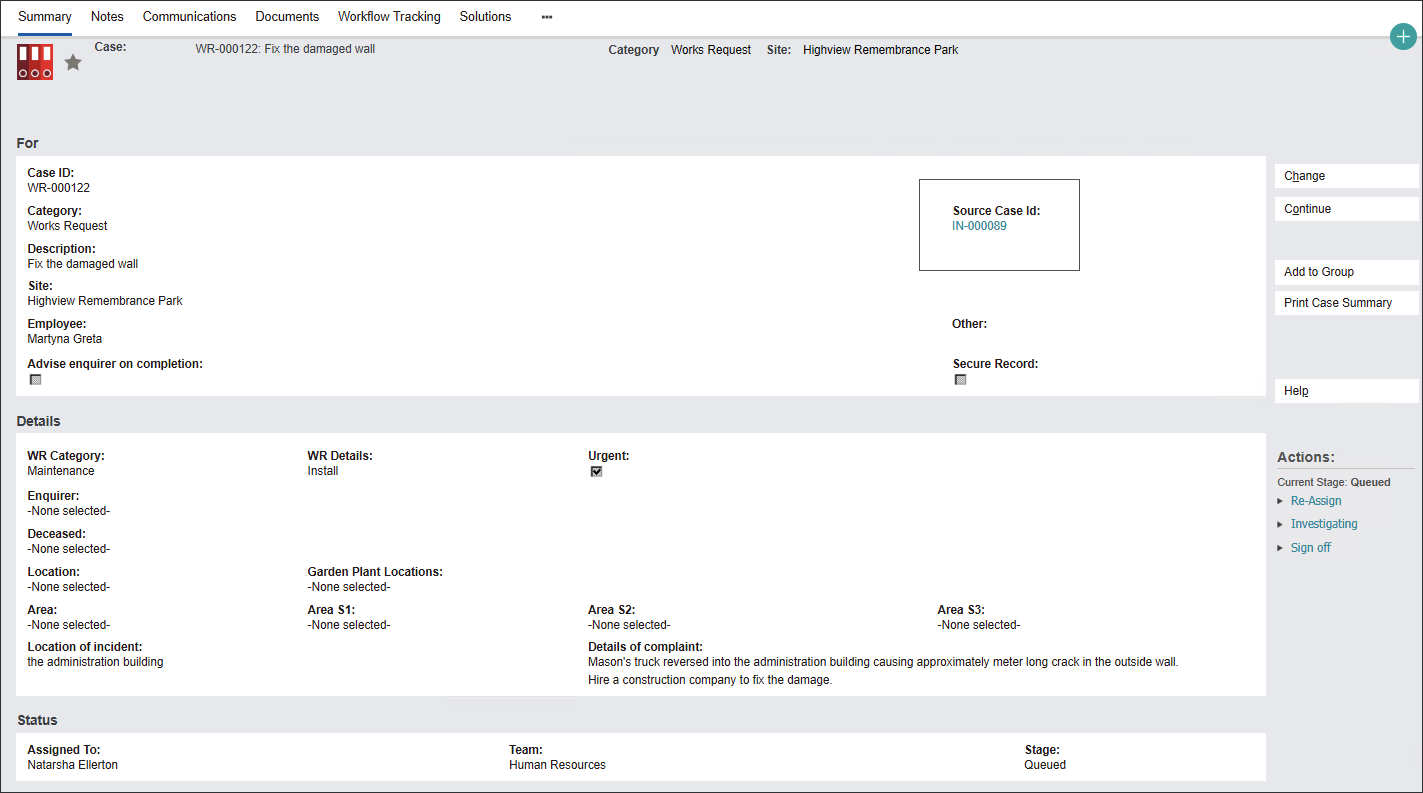
The new Works Request has been created.
The Source Case ID is permanently marked on the record highlighting their connection.
You can access the original Case by clicking on the blue hyperlink.
The Works Request generated from a particular Case is stored in the Work Request Details tab.
The Works Request records, created by using the Generate Work Request button, are managed in the same manner as the records created using the New icon.