Creating a Sales Order
The process of creating a Sales Order is outlined in the Creating a Sales Order section of this guide, however, we have outlined a few steps specific to burial bookings.
From the Sales tab of the Sales & Booking, choose the New Sale button on the right-hand side.


Complete the fields as necessary.
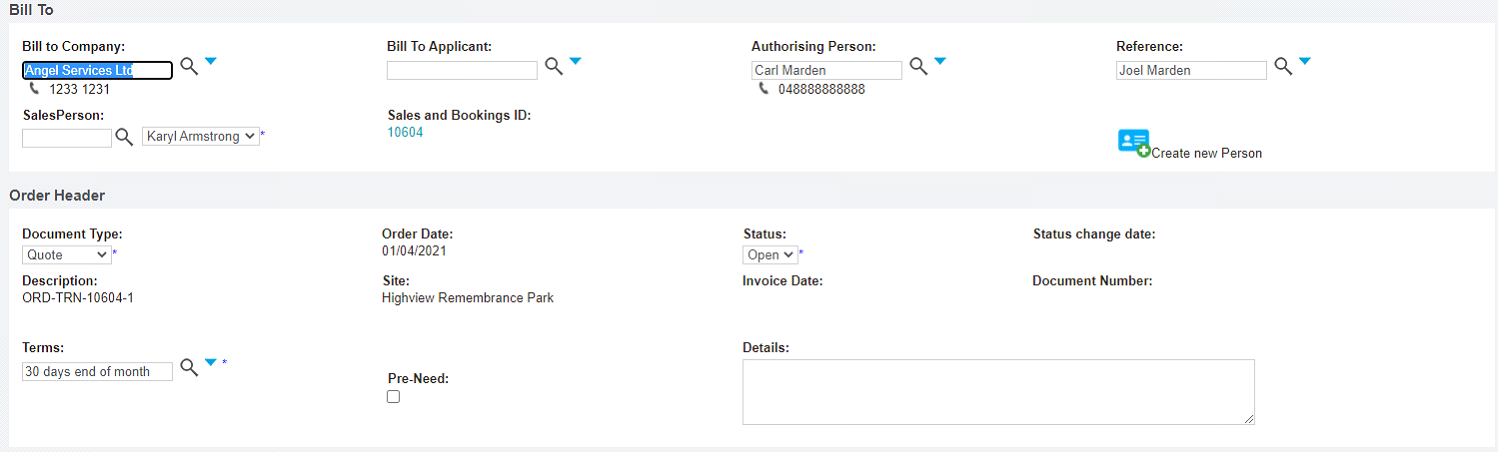
Choose between the Bill to Company or Bill to Applicant field and populate accordingly.
Choose the Document Type as Quote.
Update the Terms, if necessary.
The Pre-Need tick box will be left un-ticked as all the items in the burial booking will likely need to be sold as at-need.
If there were to be any pre-need items purchased at this time, the individual items can be marked as pre-need as part of the sales order preparation.
Once completed, press Save on the right-hand side of the page.
