Creating a Sales & Booking
A Sales Order can only be created from a Sales & Booking.
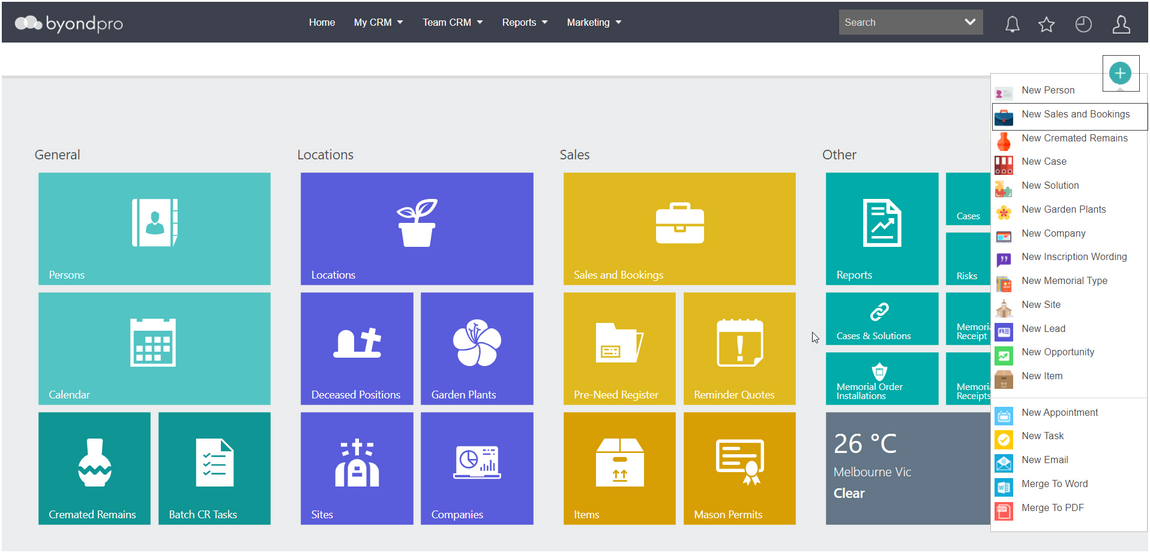
To create a Sales & Booking, click on the Plus symbol on the top right-hand side of the page.
Choose New Sales & Booking from the drop-down list.
OR
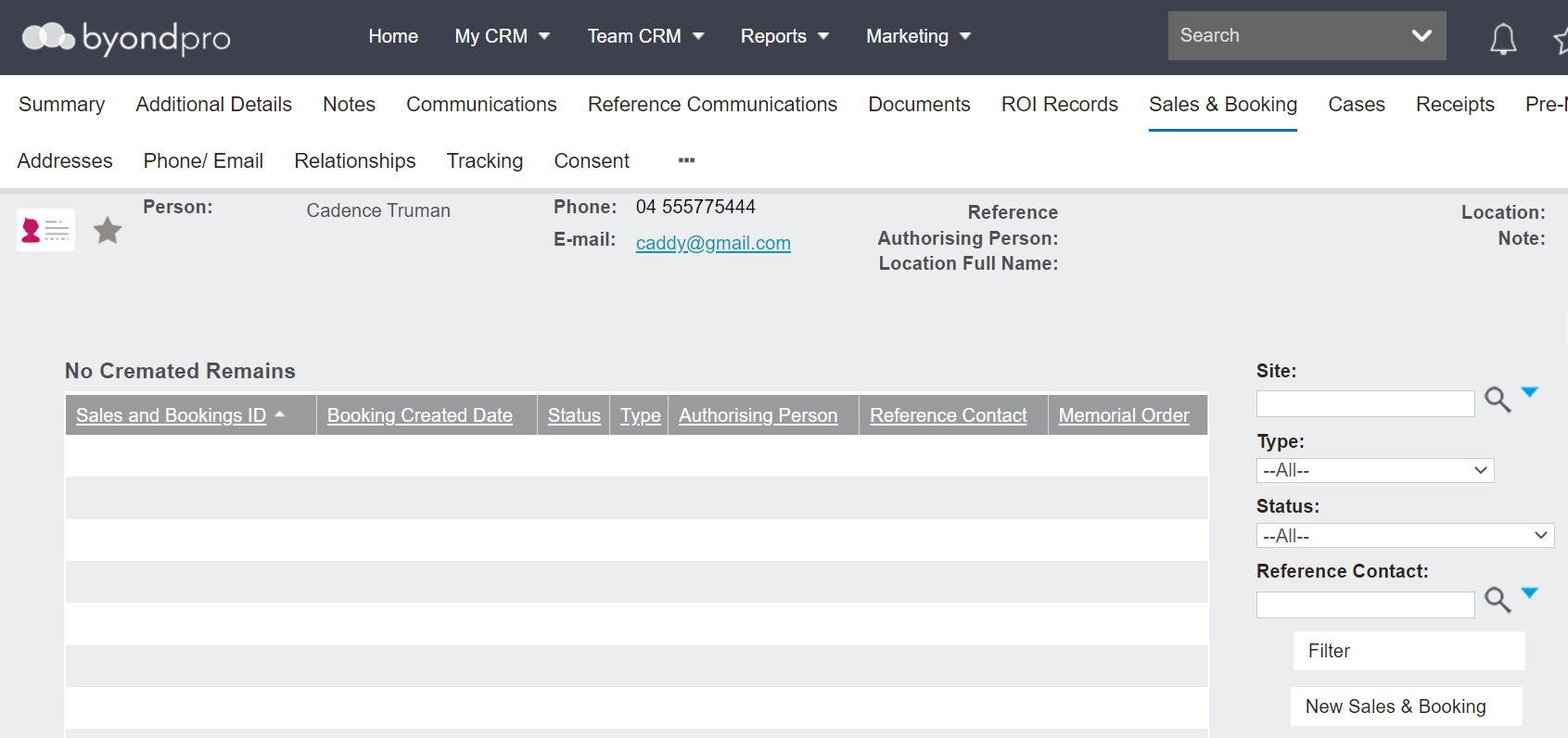
If the reference contact is already in the database, click on New Sales & Booking from the Sales & Booking tab of the person record.
This will populate the Sales & Booking Reference Contact field with the person record.
Following is an image of the Sales & Booking page. Complete the fields with as much information as possible.
The fields and what is required to complete at the start may vary based on each customers’ database, their internal processes, and the information the user has at the time of creating the booking.
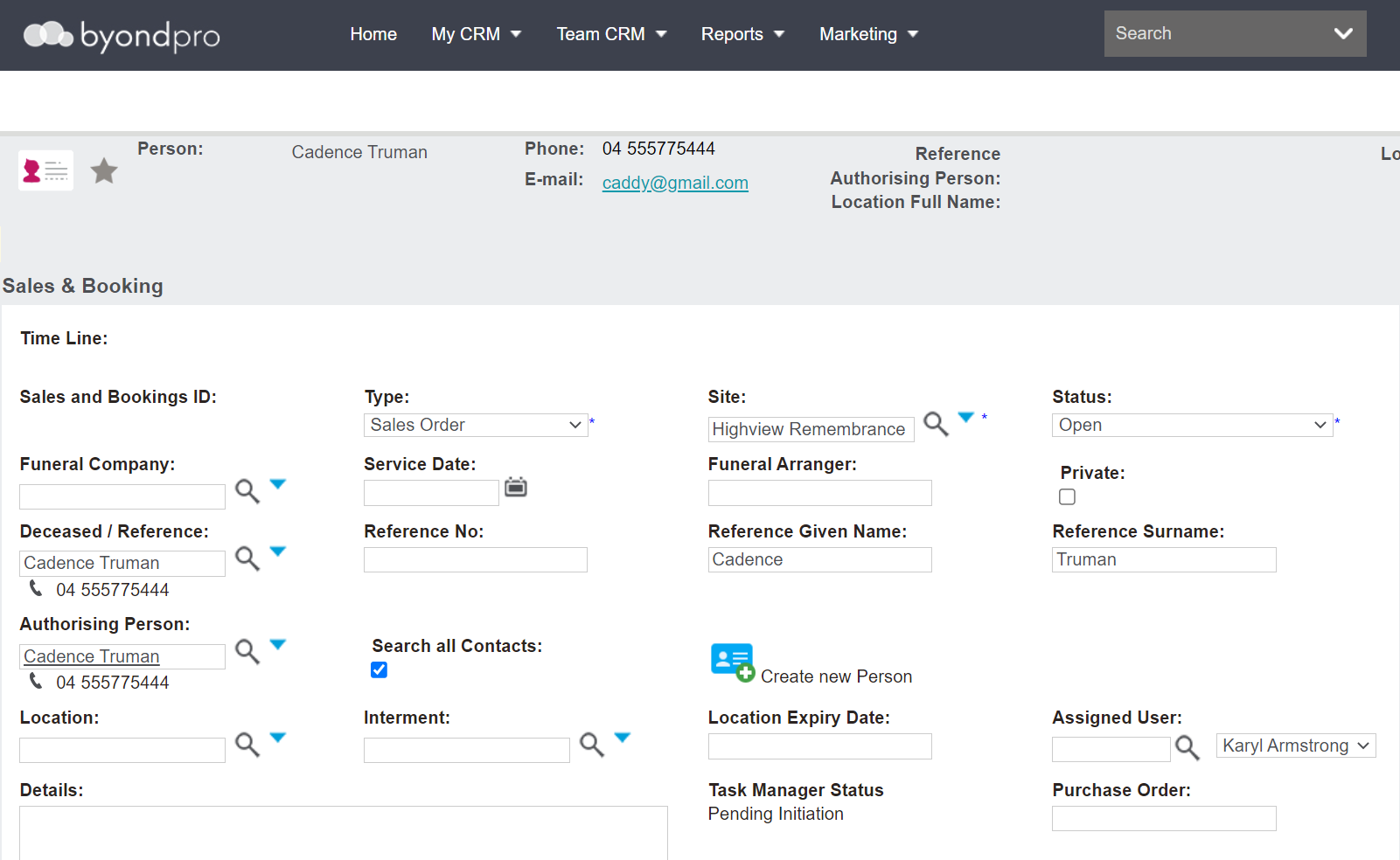
In a pre-need scenario, a user would likely choose
-
The Type of Sales Order
-
The Site field as the site the items are being purchased from
-
The Reference Contact and the Authorising Person as who will have authorisation over the items purchased.
-
The Location field as the location the reference contact is purchasing pre-need. In our example, this field has been left blank and will populate upon adding the location to the sales order.
Once completed, choose Save on the top right-hand side of the page.
