Ensurepayments made to date are in line with terms of invoice
Ensure the deceased record is marked as deceased
Many of the Sales & Booking tabs are editable after the booking is completed, so your Funeral Home may choose to close the Sales & Booking before all tabs and all services are completed.
However, the deceased record must be marked as deceased to be able to complete the booking.
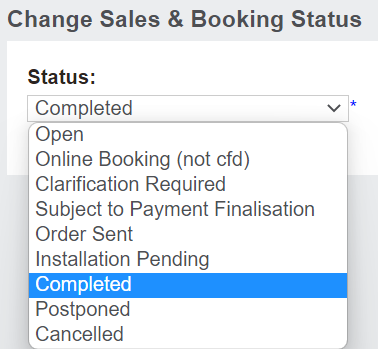
Once all checks have been completed, choose Change Status on the right-hand side of the Summary tab of the Sales & Booking.
Change the status to Completed, as outlined in the Completing the Booking section of this guide.