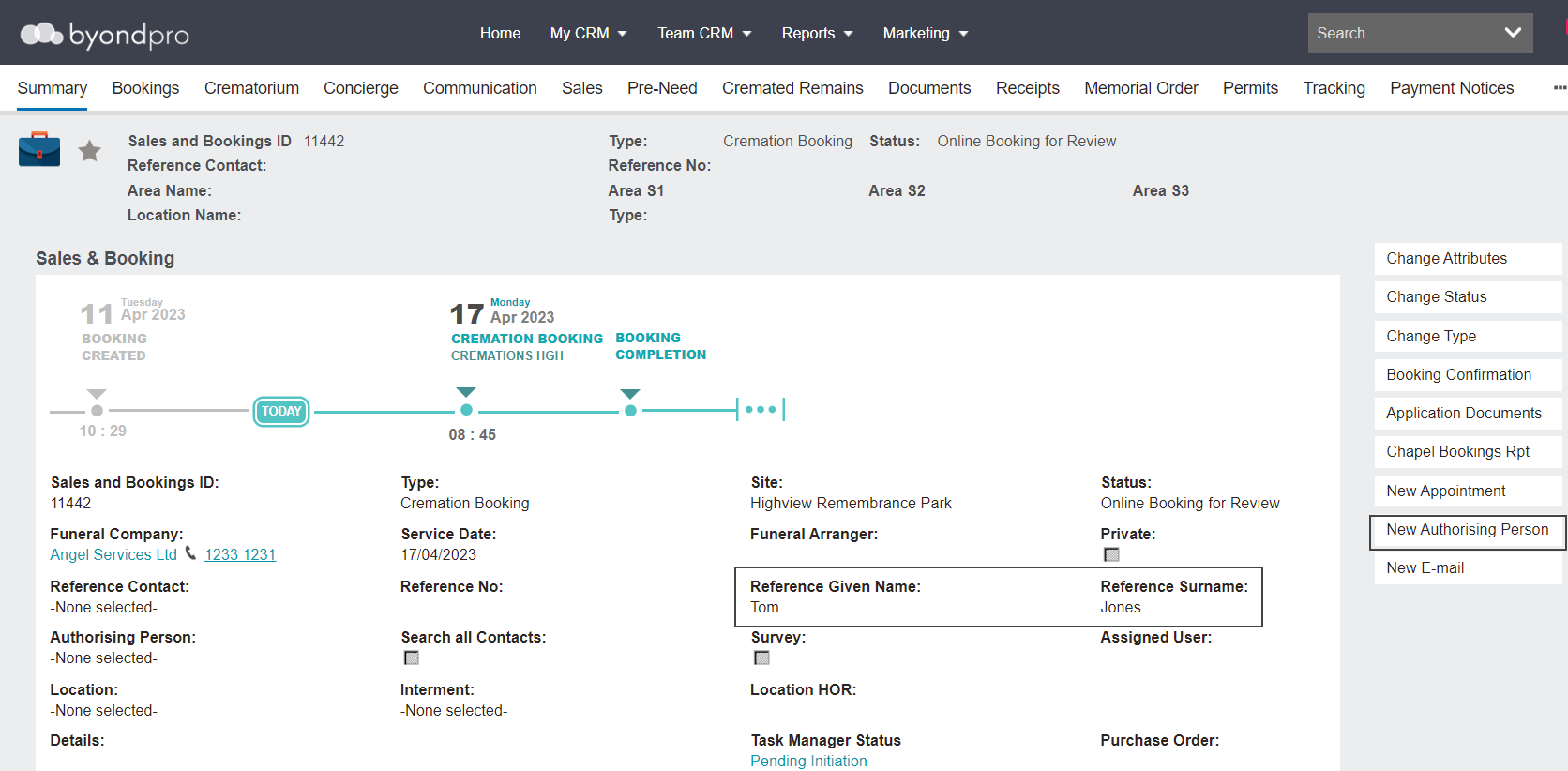
For use when an authorising person name & address details are added by the funeral director to the byondcloud online booking and passed direct to your byondpro Sales & Booking entry.
This Create Authorising Person feature is a quick create function that runs the usual de-duplication process to check against existing person records.
From byondcloud, the Funeral Director adds the Authorising Person and their details to a new booking.
When the booking lands in byondpro, users can review the booking and select the New Authorising Person button on the right-hand side of the Sales & Booking Summary.
The First Name and Last Name fields populate as per what the Funeral Director placed on the booking in byondcloud.
Upon save, the deduplication process is run.
Contact details added to the booking from byondcloud, such as phone number and e-mail address, populate in the new person screen.
Once completed, the Authorising Person provided by the Funeral Director now exists as a person record and populates the Authorising Person field on the Sales & Booking.