Area Records
The different zones of your cemetery will be added into byondpro during the initial deployment phase.
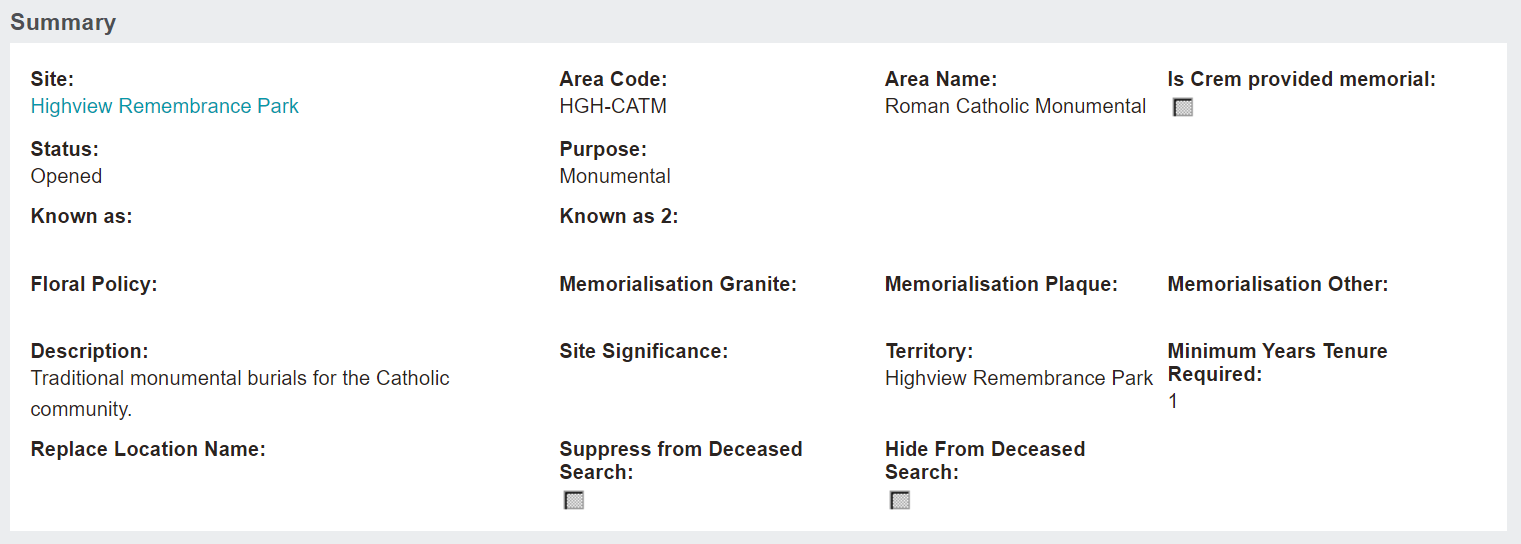
For our example, we will look at the Roman Catholic Monumental area record.
Header
The header of an area record consists of :
-
Area code
-
Area name
-
Star to mark the record as a favourite

Summary Information Block
The Summary information block is completed when adding an area record and can be updated by pressing the Change button on the right-hand side of the page.
This information block includes:
-
A hyperlink to the Site record
-
Area Code
-
Area Name
-
Whether the area is a temporary cremated remains memorial provided by the cemetery
-
Status of the area
-
Purpose of the area
-
Known as Name for the area
-
Floral and Monumental Policies for the area
-
Description and Significance of the area
-
Minimum Years of Tenure Required
-
If the area is being hidden or suppressed from the Deceased Search
The following fields related to the API / website options for the deceased search are available:

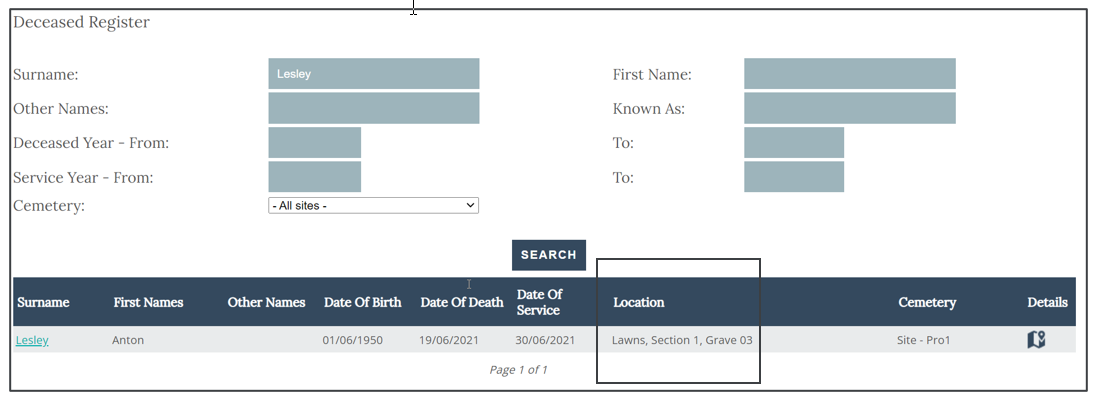
As an example, we will look at Anton Lesley’s location Lawns, Section 1, Grave 03.
The deceased search with no changes on the area summary would display as below.
Cost Information Block
The Cost information block includes the Cost of the Land and the Cost of Construction in that area.
These costs do not report to the general ledger and are purely for information purposes.
