The tab will enter an edit mode for the personal effects.
To continue adding a personal effect, select the Add New button.
The Cancel button will take you out of edit mode.
Complete the fields to compile the details of the item.
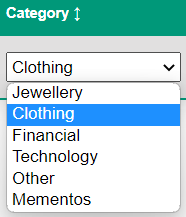
Select the Category from the drop-down selection list.
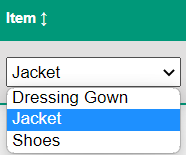
The category selected will determine the list of items you can select from the in the Item header.
In our example, we have selected 'Clothing' as the category, and have Item selections of Dressing Gown, Jacket, and Shoes.
Type in more details of the item under the Description header.
Type in the colour /s of the item under the Colour header.
Enter the number of the item with the deceased under the Quantity header.
Once completed, select the Save button.
A message will display confirming the item has been saved. Press OK.
The item will now display on the Personal Effects list.
Complete the process for all items that are with the deceased at the time of transfer.
Once all items are added, select the Cancel button to leave edit mode.