Add a New Refrigerator Rack
To add a new Refrigerator rack, visit Profile Menu > Administration > Cemetery System Setup > Refrigerator Rack Numbers.
Select the New button on the right-hand side of the page.

Complete the fields as necessary.
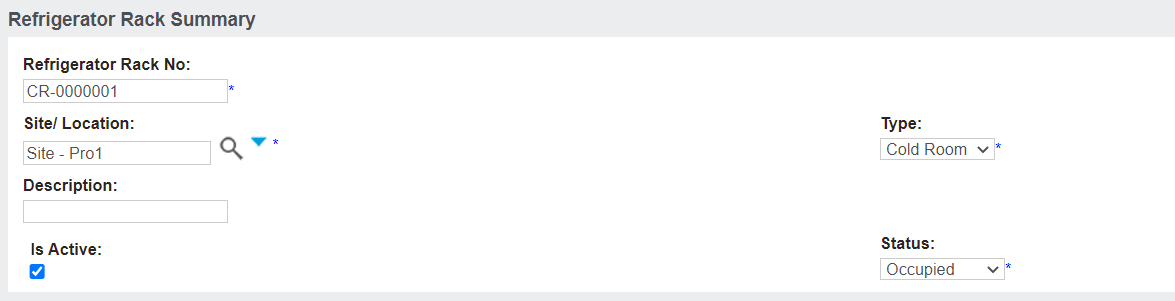
In the Refrigerator Rack No. field, enter in the number for the new rack. We recommend following a logical naming convention for your ease.
In the Site/ Location field, select the site that the refrigerator rack is linked to. If the rack can be used across all sites, select the trust level / territory.
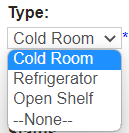
In the Type field, select from the selection list.
Options are available:
-
Cold Room
-
Refrigerator
-
Open Shelf
Type in details of the rack in the Description field.
Ensure the Is Active tick box is selected to allow the rack to be used.
Select the Status from the selection list.
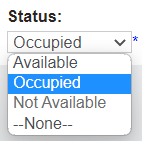
As a record is assigned to the unit, the status will change from Available to Occupied.
When the rack is released, the status will return to Available.
Once completed, select the Save button.