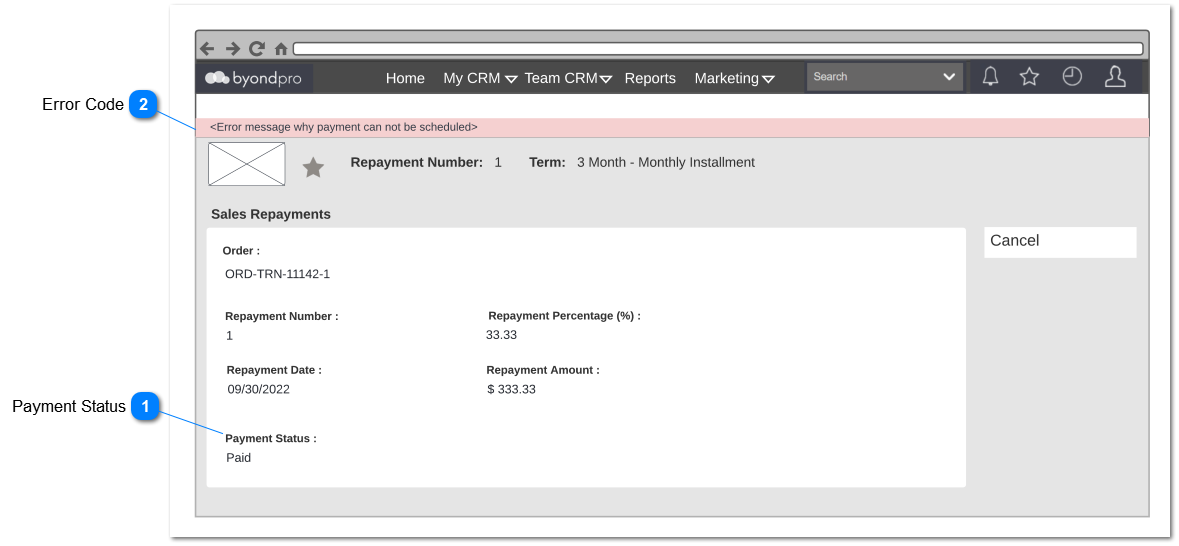
This screen is used to view the repayment details which includes Payment status, Payment Hold Until Date. It is also used to show errors related to the process payment. Following field and notifications will be also apply for contracts.
Payment Status
Type
Notes
Rules
Compulsory
Placeholder
Format
Edit
Size
Default
Messages
Read Only
Display the status of the payment to the user to review
Payment Status will be as follows;
Unpaid - This status will be the default status once a payment is created. Payment status will be pending until the payment is paid in full by customer.This status will change based on Credit Note and Manual Receipts raised
Notice sent - This is the status in which change from unpaid to notice sent once the payment notice sent to customer whom selected payment notice method. payment notice sent 7 days prior payment due date. An reminder will be sent 3 days prior payment due date. This status will change based on Credit Note and Manual Receipts raised
Paid - Payment status should automatically changed from Payment Pending to Completed once the customer pay the full installment and a receipt is raised to the full amount due.This status will change based on Credit Note and Manual Receipts raised
Failed - This payment is maintained if there any error with regards to payment processing as per error messages passed from opuspay.
Credited - This payment status is maintained based on Credit Notes raised against the invoice.