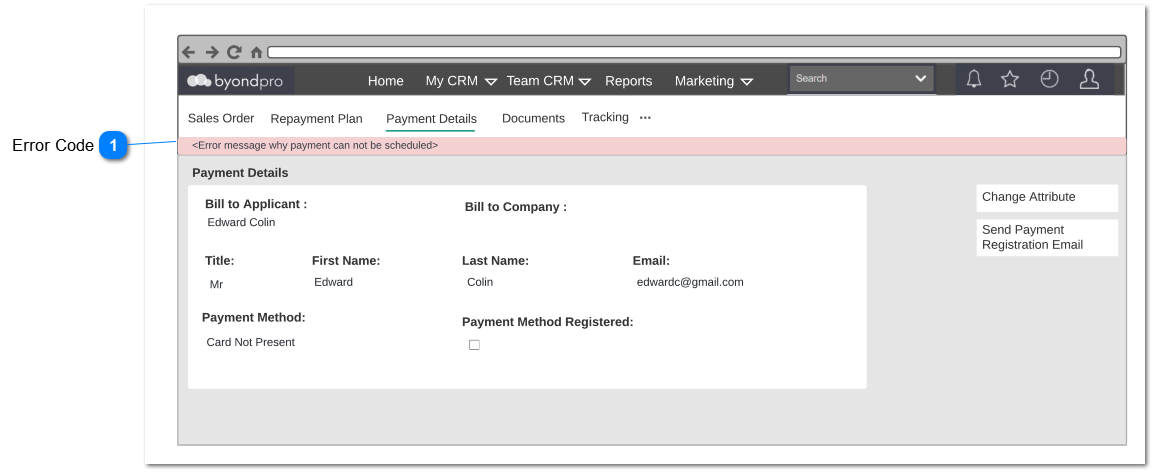
Purpose of this screen is to notify the user error on processing payment in opuspay. The Notification will appear on View - Payment Detail screen. Following field and notifications will be also apply for contracts.
Error Code
Type
Notes
Rules
Compulsory
Placeholder
Format
Edit
Size
Default
Messages
Notification
System should notify user if the payment method registration is not complete.
If the card is close to the expiry date, the user should be notified to renew card details registration.
If the Credit / Debit card is registered for recurring payments then the system will check its expiry date when the system process the payment.
The system should check if the card is going to expire within next 2 months. if so the card registration renewal Email will be sent immediately. Reminder emails will be sent 1 month prior and then 1 week prior to the expiry date if the card details have not been updated. Reminder mail would be Credit / Debit Card Renewal Email subject title renamed as "Reminder - Add your new card details "