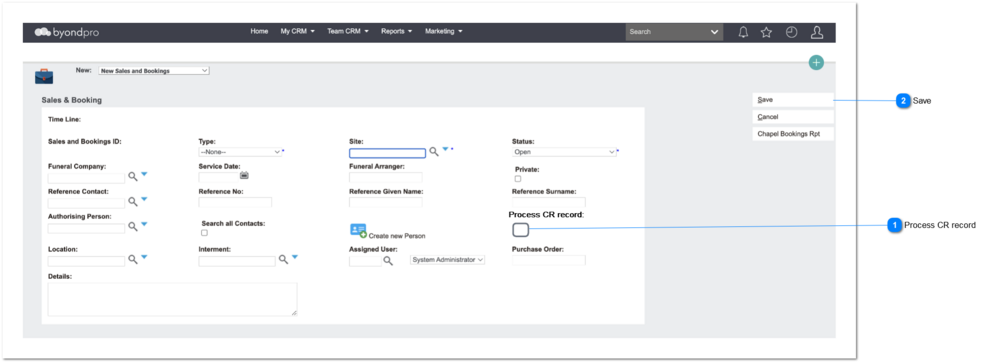
This screen is located in the Dashboard -> Sales & Booking Screen.
All the existing rules will be remained as it is.
Process CR record
Type
Notes
Rules
Compulsory
Placeholder
Format
Edit
Size
Default
Messages
Check box
-
Pre Condition:
1.Only if the SalesAndBookingSimpleCRValue =Yes (Administration -> Cemetery System Setup -> Custom Configuration -> SalesAndBookingSimpleCR) and S&B Type = CR Placement then, this simple CR checkbox will enable here.
Post Condition:
1. If the Simple CR checkbox selected then, upon the S&B status Completed, system will create the CR record automatically and update other related modules automatically.