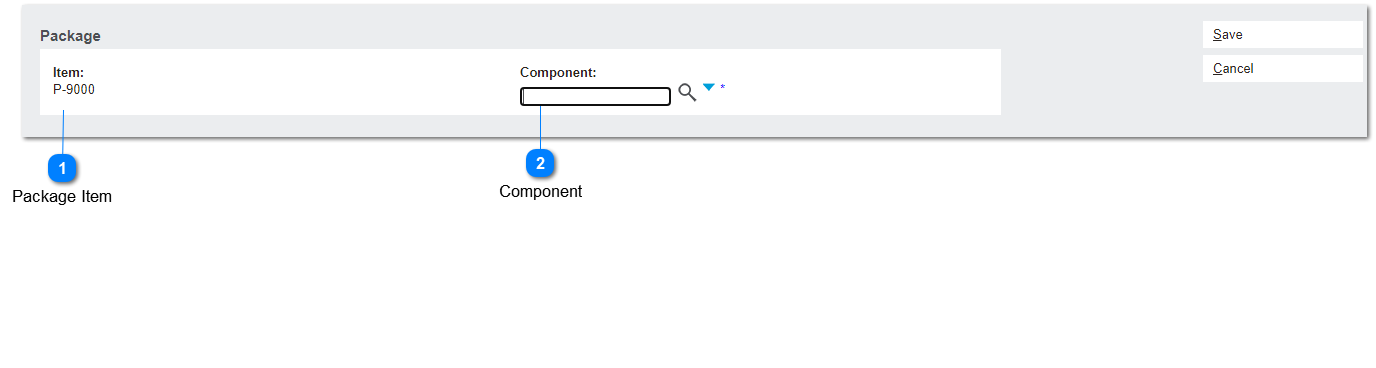
This screen allows the user to add a new package component using the "New Package Component" button placed on the Components tab header.
 Package Item
|
Type
|
Notes
|
Rules
|
Compulsory
|
Format
|
Edit
|
Size
|
Default
|
Messages
|
|
Text
|
Pre-conditions:
1. This item has been marked as a package item
Item_ispackageitem = Y
|
1. Displays "parent" item code, auto-filled.
|
|
Text
|
Read Only
|
-
|
|
-
| |
|
 Component
|
Type
|
Notes
|
Rules
|
Compulsory
|
Format
|
Edit
|
Size
|
Default
|
Messages
|
|
Combo Box
|
Pre-conditions:
1. There should be at least one item marked as "package code".
|
1. List all item codes.
2. The combo box allows the user to either input a value directly or select a value from the options list.
|
Required
|
Text
|
Y
|
-
|
Active
|
-
| |
|