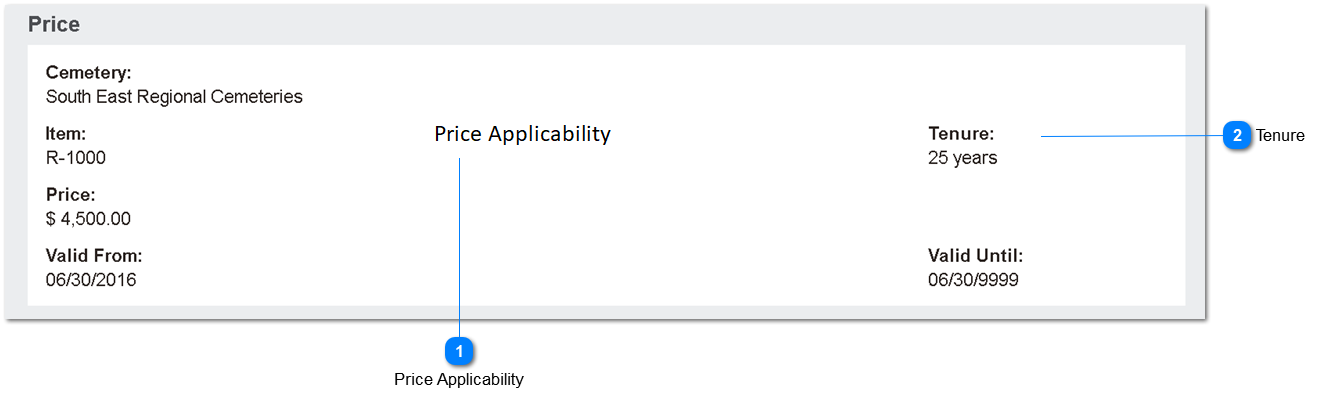
For every item configured in OpusXi it's possible to set up prices that apply organisation wide or that relate to a specific cemetery.
General Information
Prices are maintained directly against the item code, on the linked Prices screen.
When used in sales orders, OpusXi inserts the current ruling price applicable, checking by site and validity date ranges. If the price cannot be determined, an error message is presented to the user.
For Right of Interment items (relating to the sale of cemetery locations), the tenure period can also be used to specify different price levels.
Other Field List
Field
Description
Territory
Parent territory or individual site for which price applies
Item
Link to item record
Price
Numeric field for price
Valid From
Date field to control first date price applies
Valid Until
Date field to control last date price applies
Price Applicability
This will be used to indicate whether the price entered is to be used in at-need and/or pre-need sales orders.
This will be used to indicate for what period of tenure the item price applies. This relates only to items marked as ROI = Y, that is, cemetery locations.
Type
Notes
Rules
Compulsory
Format
Edit
Size
Default
Error Message
Selection
1. Show if Item ROI = Y
2. On save validation, if item ROI = Y, must contain a value. Else display error message.