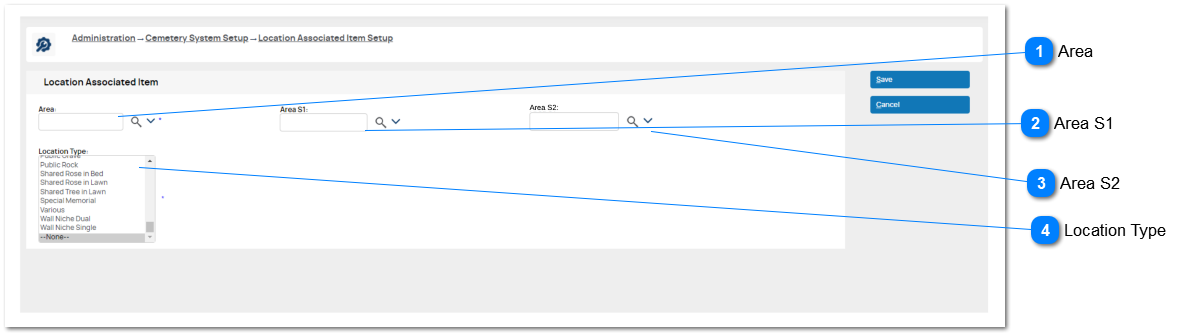
August 2023: This update to the existing Item Association feature corrects the current requirement to create a configuration entry for every Area S1 record linked to an Area.
It will be possible to create an entry for an AREA and this applies to every location/S1 within that area.
If an entry exists for an Area S1 (or S2), its settings over-ride the options provided on the Area entry.
This affects the Sales Order Details features and items offered for selection when the Associated Items checkbox is active.
Area
Type
Notes
Rules
Compulsory
Format
Edit
Size
Default
Error Message
Advance Search Select
The user MUST select an AREA and Location Type in order to create an Associated Item entry.
Location hierarchy refers to the Area > Area S1 > Area S2 > Area S3 logic of byondpro.
1. This will restrict items availability to selected Area
2. The Associated Item "matrix" will apply to every Location linked to this area via the Location hierarchy.
EXCEPTIONS:
3. This setup entry contains a value for Area S1.
4. the Location contains a value for Area S1 AND there is a separate configuration entry the Area and Area S1 records.