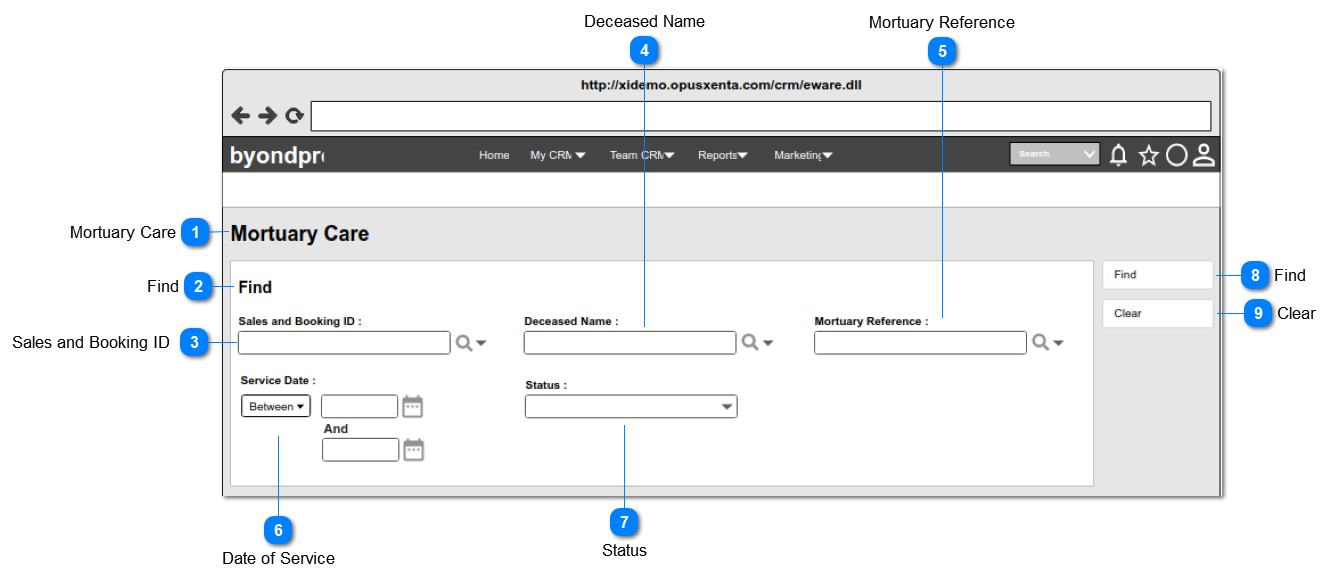
Pre-conditions: 1. There should be at least one Sales and Booking record created with Record Type = Funeral Home attached to a mortuary care record, in order to list down as the options.
1. List the Sales and Booking IDs of the records created with Record Type = Funeral Home underneath the mortuary and order by ASC.
2. The field allows the user to either input a value directly OR search and select a value from the list (When the user double-clicks on the searched value, it will show the details of the sales and booking record in a new browser window).
3. The columns displayed as the "View Fields" in the lookup will be,
Sales and Booking ID
Type
4. This allows to enter any characters including numbers, letters and special characters.
1. Once the user clicks on the calendar icon (placed next to the date text field), it will show a Date Picker and the user will be able to select a date from it.
(Consider
Profile Menu -> Preferences -> Date/Time Preferences
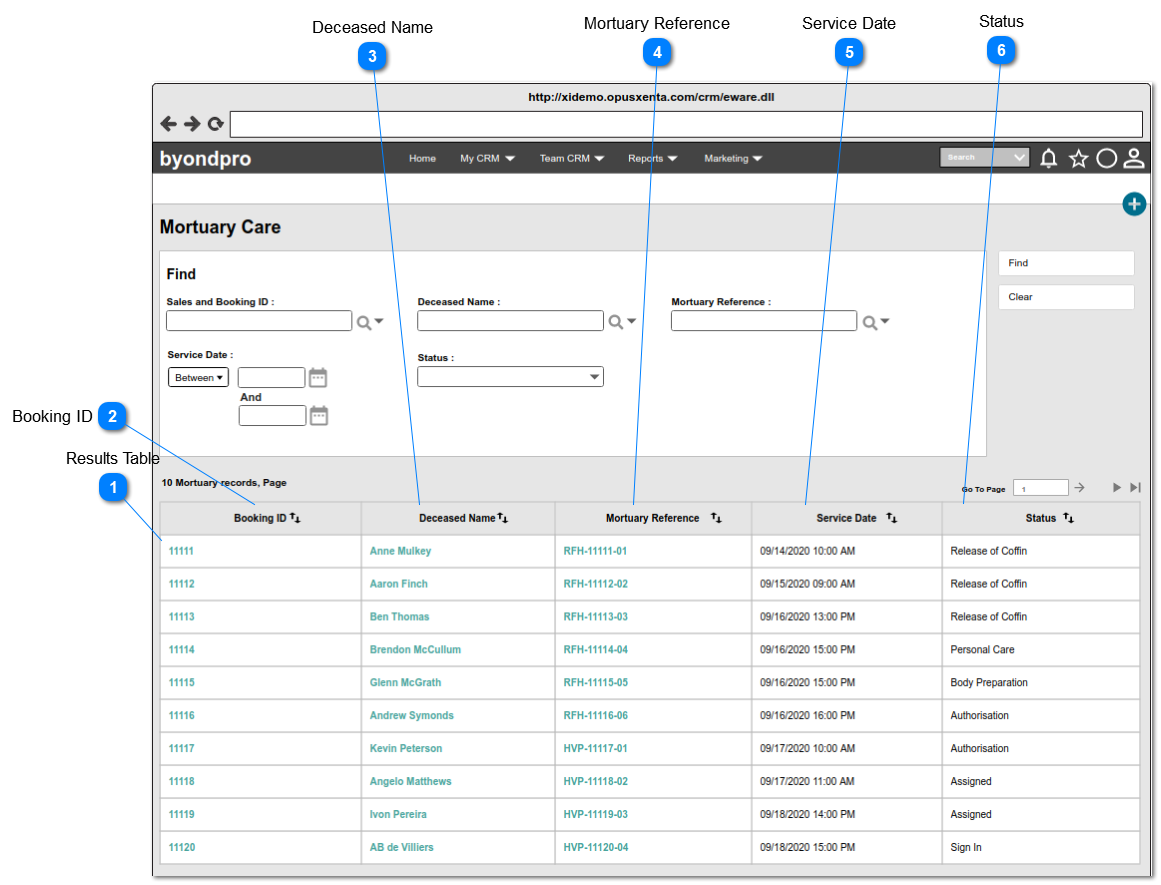
1. Sort the table by the column "Booking ID" in ASC order.
2. This table allows the user to,
sort by all the columns in ASC or DESC order.
switch between the pages by using the navigation bar, placed at the top right corner of the table.
2. If the system found records, show the search results count as below at the top left corner of the results table: <<search results count>> Mortuary records, Page <<current page number>> of <<total pages count>>
3. If there are no results found, show the below text at the top left corner of the results table :
Sales and Booking ID of the Mortuary records will be displayed
1. Each record will be in an hyperlink, and when the user clicks on the hyperlink, the system will navigate the user to the Sales and Booking summary page.