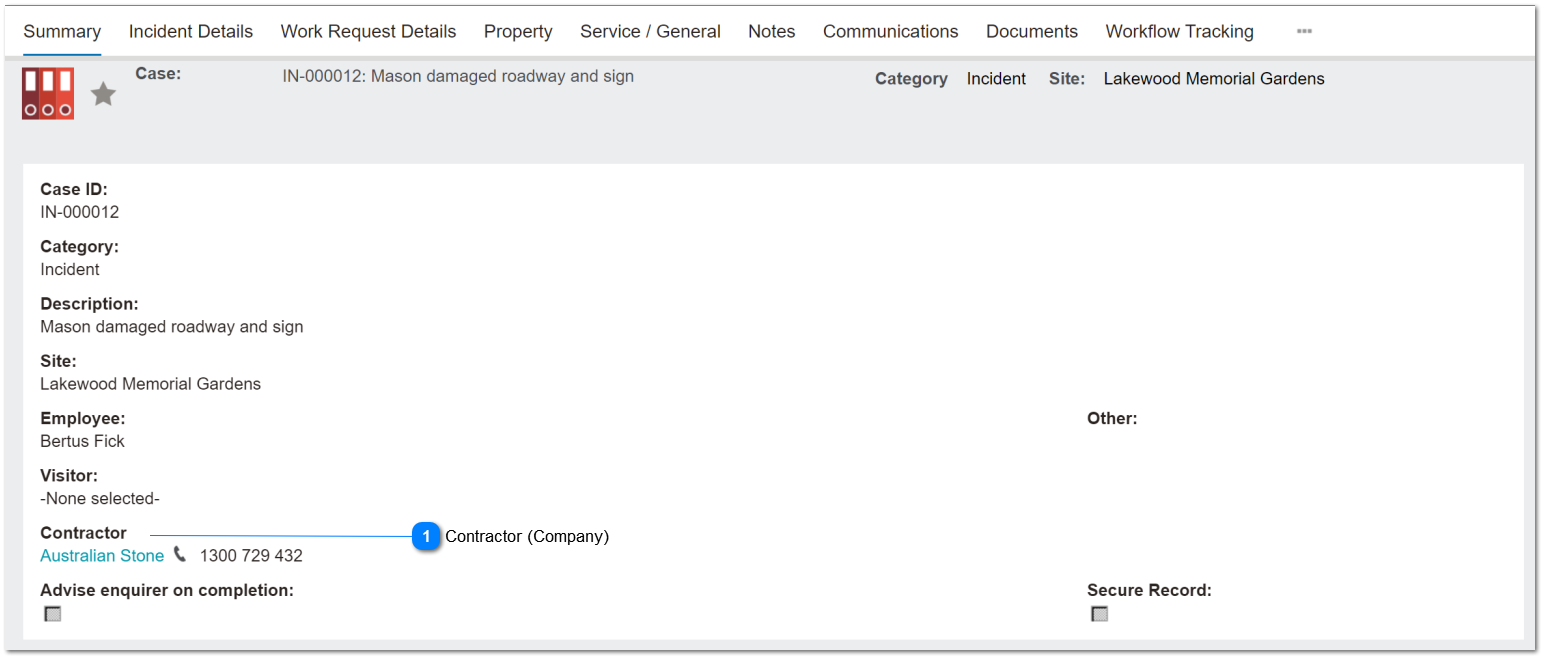
This describes how Cases that reference a company (contractor) should be visible on Company Record.
 Contractor (Company)
This ensures the relationship between Cases and Company records is established and visible through the UI from the Company record.
|
Type
|
Notes
|
Rules
|
Compulsory
|
Format
|
Edit
|
Size
|
Default
|
Error Message
|
|
Search Advanced Select
|
Contractor field typically only shown f the Case Category = Incident.
This rule should apply for all Categories.
|
1. This is a lookup to the Company records.
2. Limit search to Companies where status = Active.
|
N
|
|
Y
|
|
blank
|
| |
|
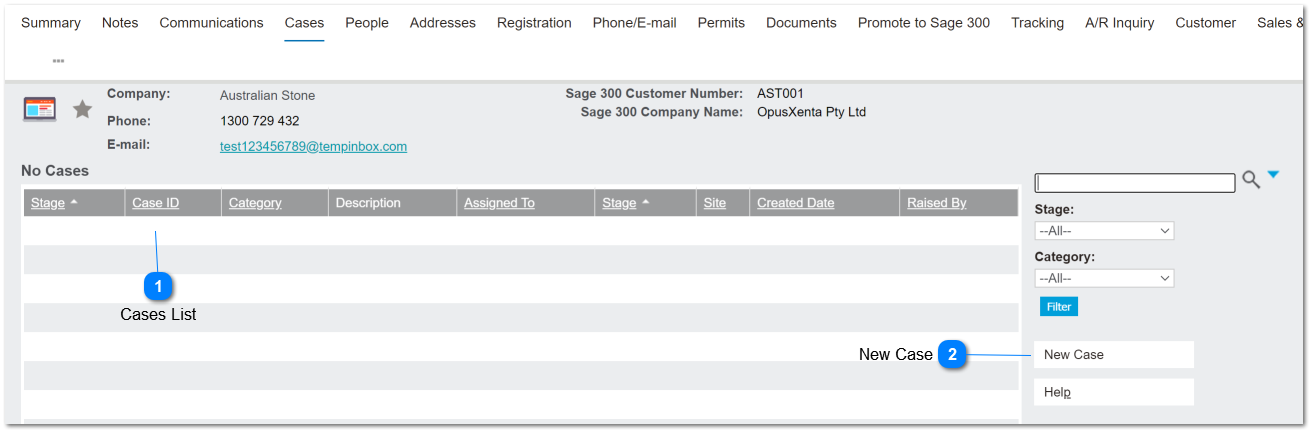
Company >> Cases Tab Header
Where the contractor is selected on a Case record, the corresponding entry is visible on the Company / Cases tab header.
Cases List
All Cases referencing a company (contractor) record should be included in the Cases List on the Company record.
|
Type
|
Notes
|
Rules
|
Compulsory
|
Format
|
Edit
|
Size
|
Default
|
Error Message
|
|
List
|
Company Record >>
Cases tab header
|
1. This list should show all Cases where the company is listed in the Contractor field.
2. Hyperlinks to open the corresponding record should be on the Case ID and the Site columns.
|
|
|
N
|
|
blank
|
| |
|
 New Case
This button should open a new case entry screen with the company name pre-filled from the originating company record.
|
Type
|
Notes
|
Rules
|
Compulsory
|
Format
|
Edit
|
Size
|
Default
|
Error Message
|
|
Button
|
|
1. This button should open a New Case entry screen.
2. The company name should pre-fill into the Contractor field.
2a. This is editable by the user
|
n/a
|
|
|
|
|
| |
|