Install ODATA – ODBC driver for API using given link:
Install the driver
Go to ODBC Settings (Start > ODBC)
Click on SYSTEM DSN
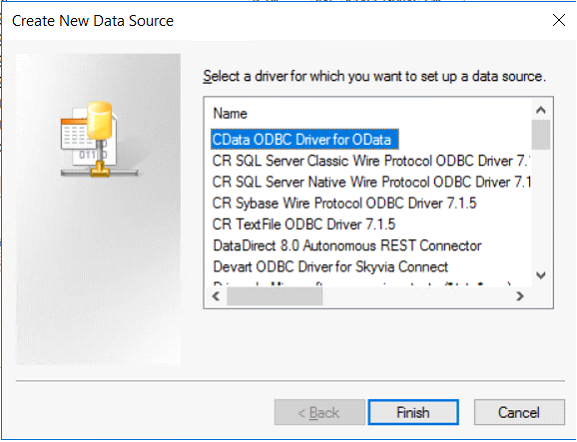
Click on “Add” and select CDATA ODBC Driver for ODATA
Click Finish
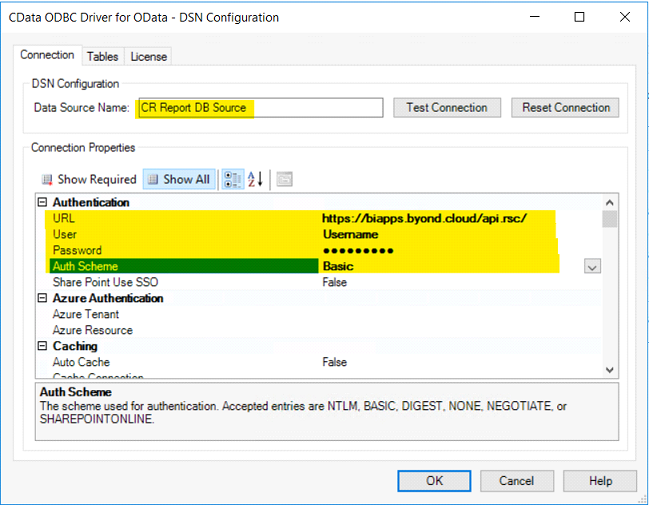
In the next window,
-
-
Add given URL in the URL field
-
-
-
Select Auth Scheme as Basic
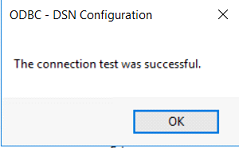
Click on test connection
Go to the tables tab and you can see all tables which you can access through API
Open Crystal Reports
In the data source settings, click on create new connection > ODBC (RDO)
In the next window, click on data source you created a moment ago and click next.
In the next window, add the same username & password used to create ODBC.
Click finish
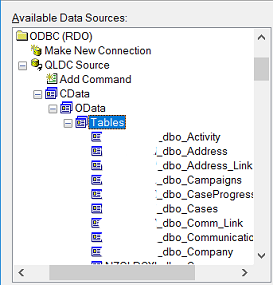
Now you can see all the tables / views you can access through the API
Select tables / views you want and click finish.
Design your report.