Tracking Paid Commissions
The following reports are available to support processing of commissions:
-
Sales Commission Management
-
Sales Commission StatementBoth reports display commissions not marked as paid within byondpro at the time of generating.From the Finance Reports section of byondpro, choose the blue arrow in line with the report you wish to view.

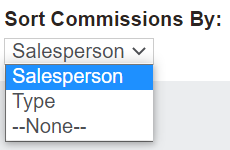
In the Sales Commission Management pop-up window, you can choose if the commissions are sorted by Salesperson or Type in the Sort Commissions By field.
For both reports, choose the date range you want the report to show in the Date From and Date To fields.

Press Print to PDF on the right-hand side of the page.
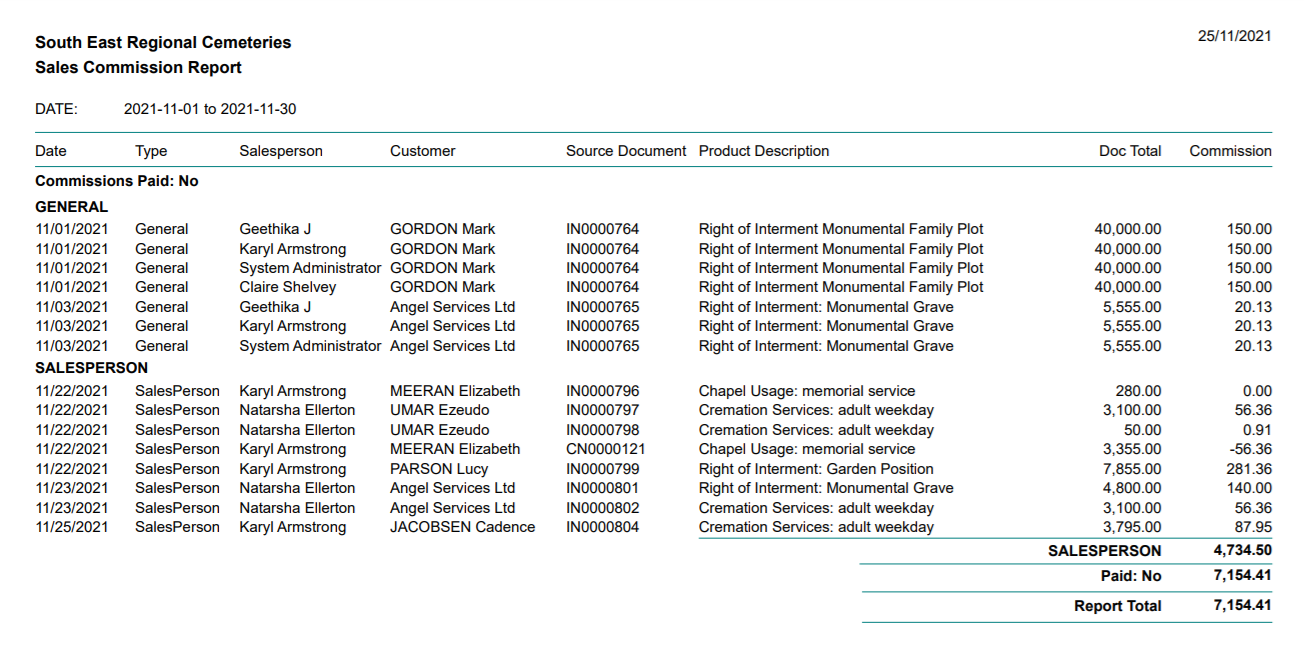
Sales Commission Management
In our below example, we ran the report for the month of November 2021 by type.
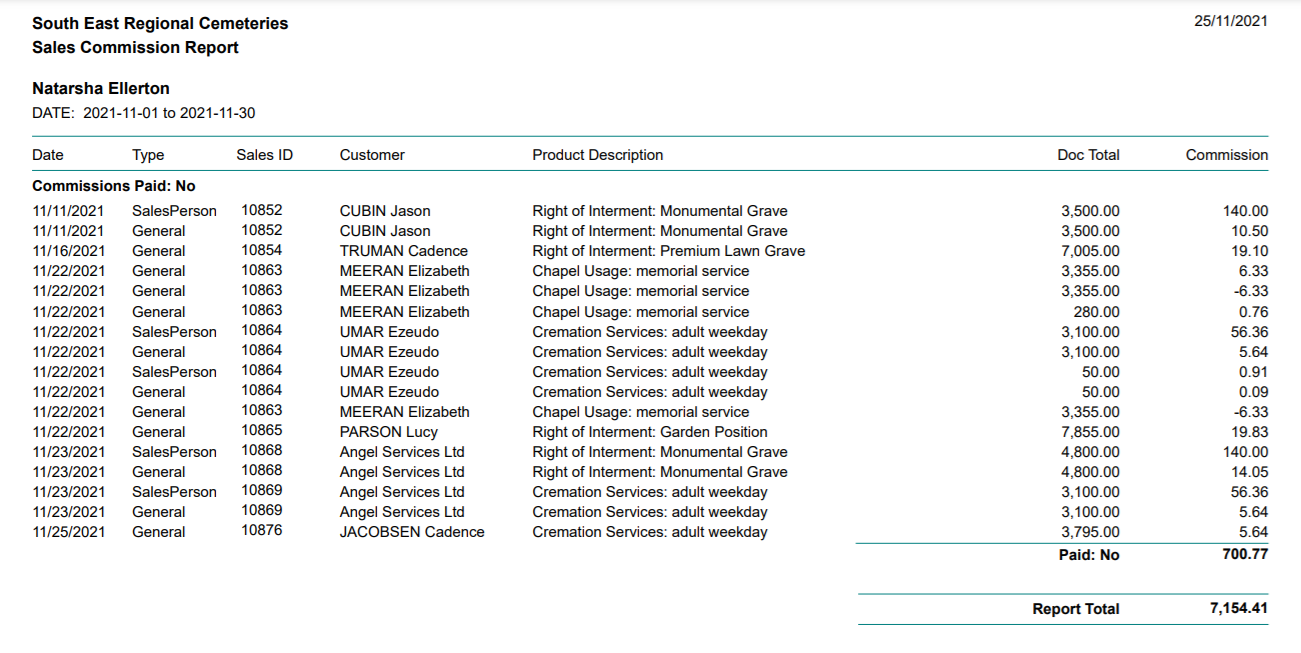
Sales Commission Statement
In the below example, we ran the report for the month of November 2021.
The report sorts the commissions by salesperson, and provides separate pages for each salesperson to allow it to be presented to staff.