Tax Setup
In order for the appropriate tax to be applied when creating a sales order, the tax class is applied to item records. These tax codes are configured in the tax setup area.
Navigate to Profile Menu > Administration > Cemetery System Setup > Tax Setup
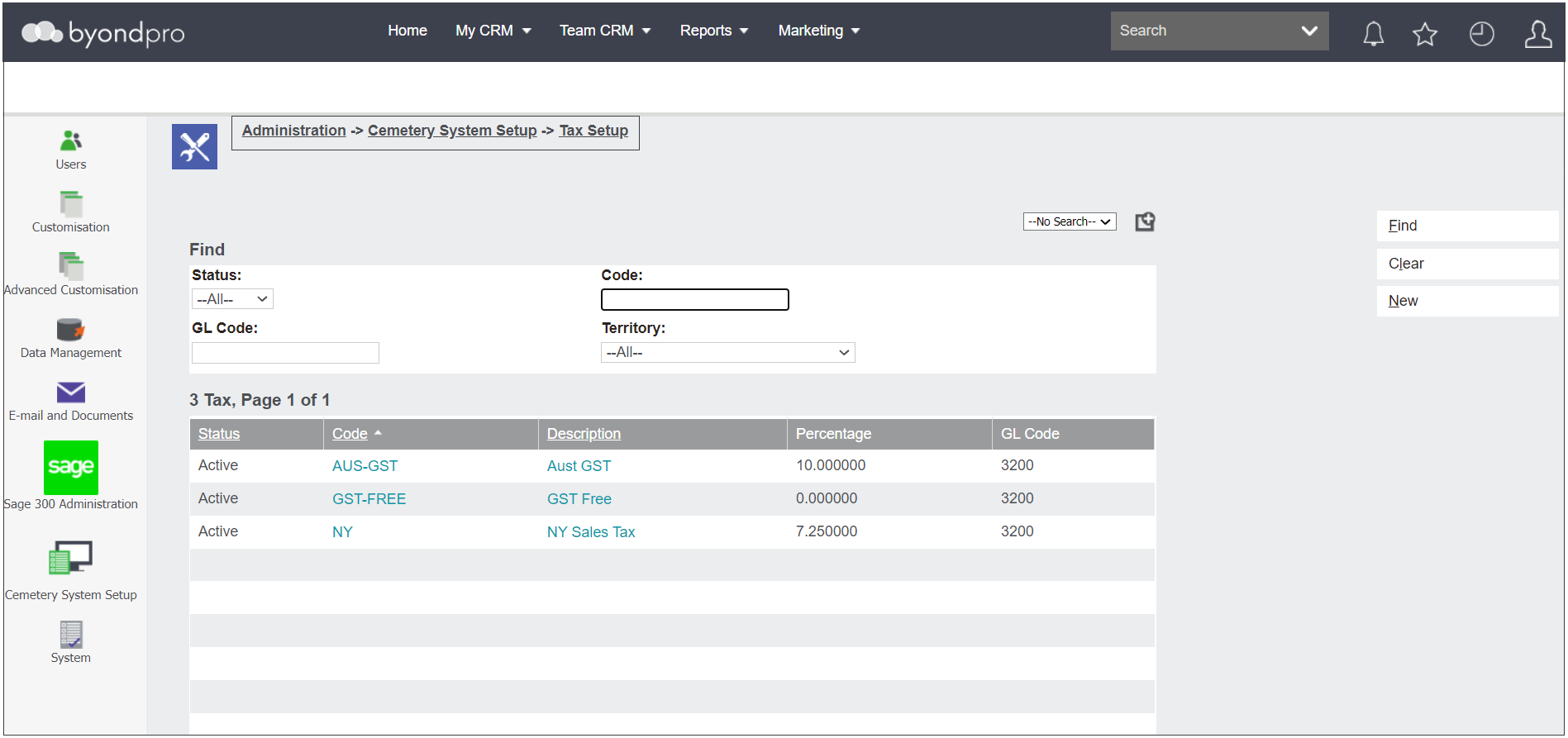
Should there be several tax options to choose from, use the fields to complete a search and press Find on the right-hand side of the page.

To reset the search, press the Clear button.
AUS -GST & GST-Free are the most common tax codes in Australia. In the US, these options may be Taxable or Non-taxable.
byondpro allows for a single level tax system like in Australia. In the US, where there is a multi- level tax system, with state, country and even city taxes, we would still setup the taxes as single level. Customers would then break up the tax percentages themselves within their finance system.

The out-of-the-box configuration will generally have Australian GST come with the product and it is not likely that taxes will need to be configured.
Should the need arise to add a new Tax Code, press the New button and follow the process as outlined in the Add a New Tax Code section of this guide.