Summary
Header
All records in byondpro will have a Header which has basic information about the record.

Mark the record as a favourite by clicking on the star in the header, to make accessing the record easier.

From the header, basic information such as the below can be found
-
If the person record is marked as deceased- Marked by a bold, blue name.A current record will display in normal font.
-
Reference Number
-
Authorising Person
-
Location
Person Information Block
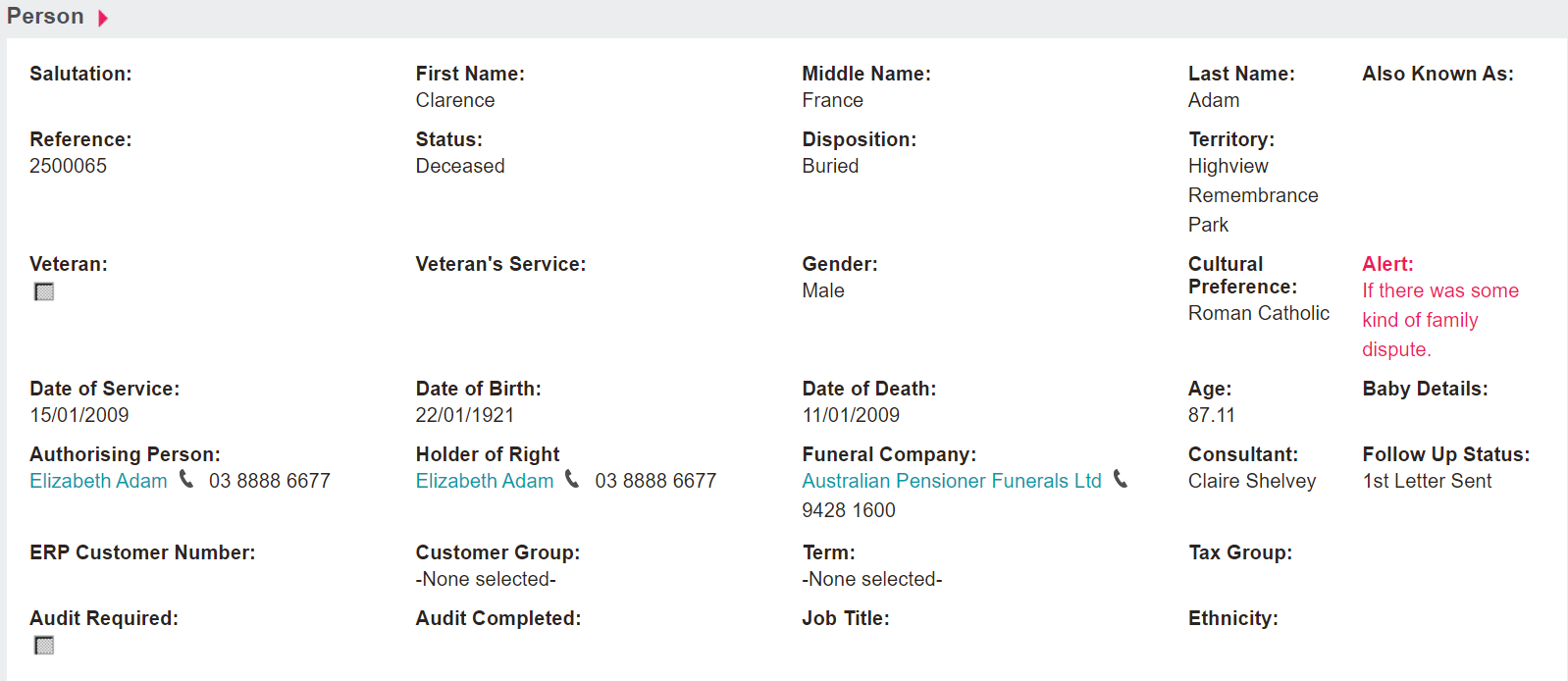
The Person information block includes basic details about the person record, including:
-
First, Middle, Last, & Known As Name
-
Status & Disposition
-
Date of Service, Birth, & Death
-
Gender & Cultural Preference
Tab Information Block
This block shows references to the different tabs. This block can help the user navigate the record.
If the tab Sales & Booking shows in blue and has a tick next to it, there will be information on that tab.
If the tab shows in grey, no information will be on that tab.

Contact Details Information Block
The Contact Details information block shows the primary address, phone, and email added to the person record.
To update the primary contact details, visit the appropriate contact tab, by clicking on the pink arrow in line with that contact.

Summary Tab Action Buttons
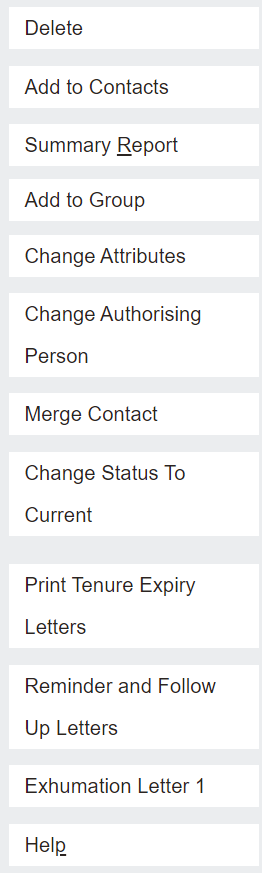
On the right-hand side of the Summary tab is a list of buttons which allow the user to perform different actions.
Depending on access, some users may not have access to all action buttons displayed here, such as the ability to delete the person record.
Each action button will be explored when the relevant process is explored.