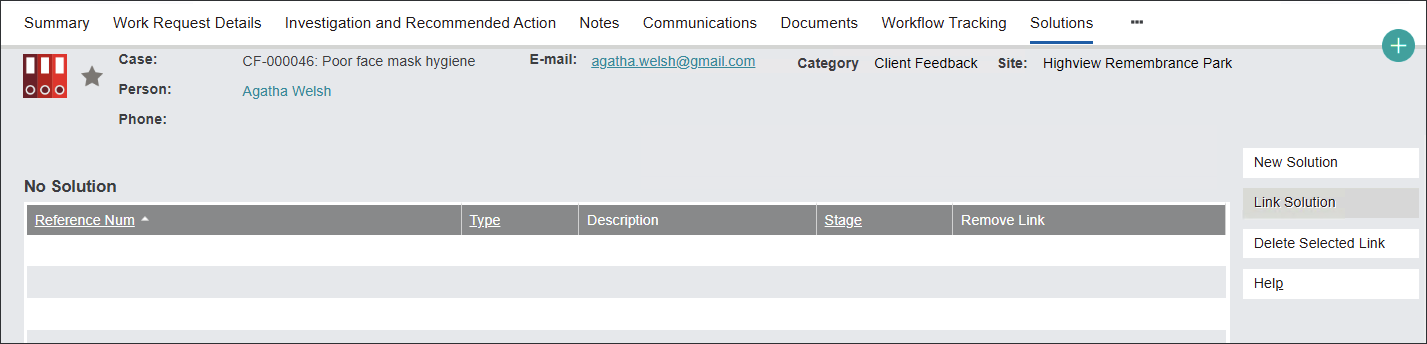
The Solutions tab allows users to cross-reference risk register records like Risks or Controls with the related Cases.
This function allows for efficient risk mitigation management.
From this tab you can link the Client feedback with a related Solution by clicking on the Link Solution button.
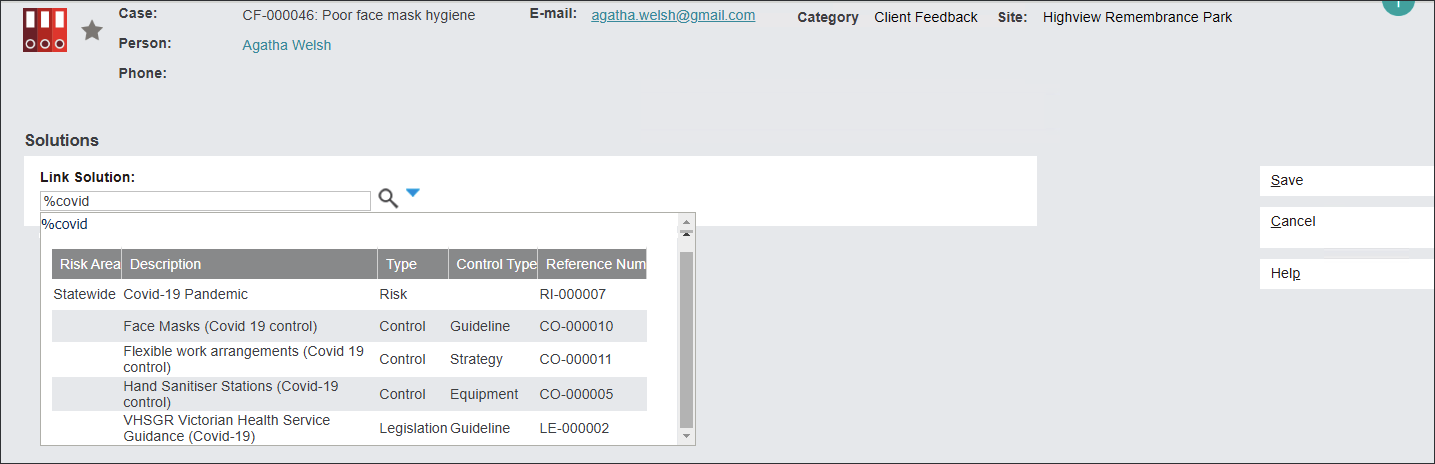
The Solutions search screen will appear.
In the Link Solution field type in a Reference Num or the wildcard symbol % and a part of the description.
Then press the magnifying glass icon and select a Solution.
Press Save to secure the link.
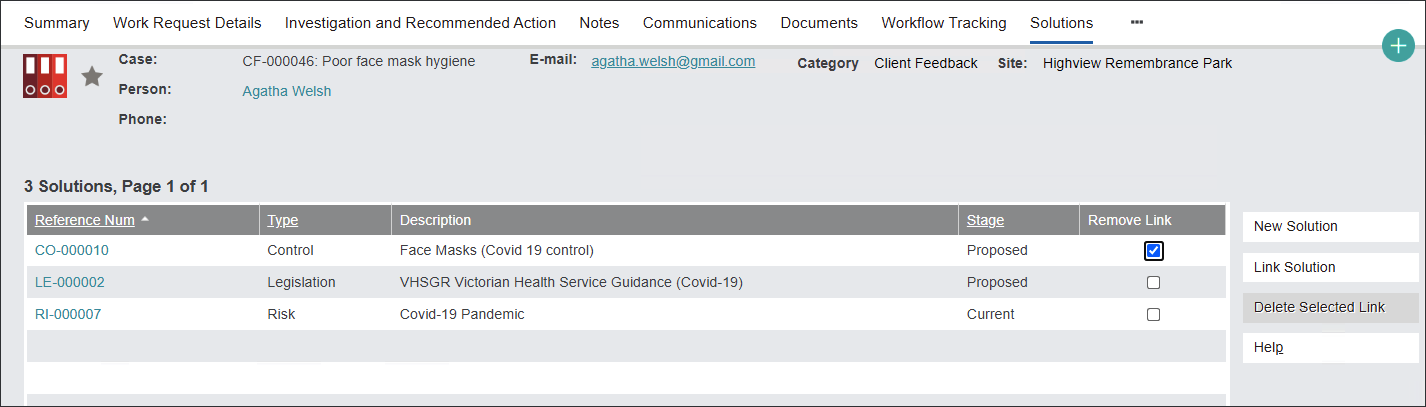
Related Solutions have been linked.
You can also delete the links by ticking the box in Remove Link column and pressing the Delete Selected Link button.
If there are no Solutions records that can be linked, the users can create a new Solution from this tab by pressing the New Solution button.
byondpro will navigate the users to the New Solution screen where the user can enter information following the approach outlined in the Create new Solution section of this guide.
Note: See a detailed description about the interaction between Cases and Solutions records in the Link Cases and Solutions section.