A new configuration has been introduced to control which transaction types require a date of service, e.g. Burial Bookings, Cremation Bookings and CR Interments.
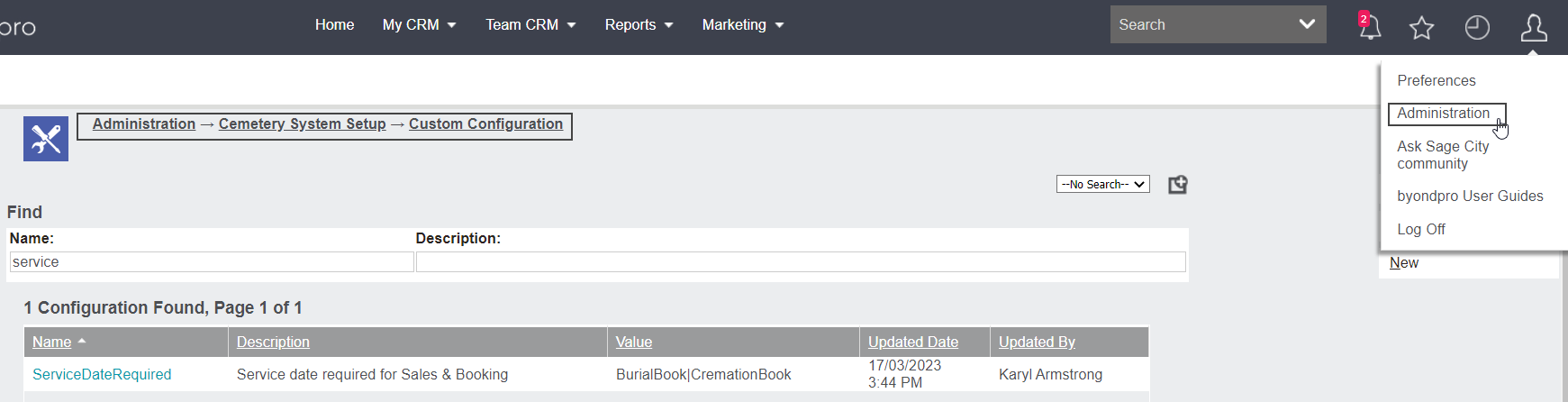
Visit Administration > Cemetery System Setup > Custom Configuration.
Complete a search for ServiceDateRequired.
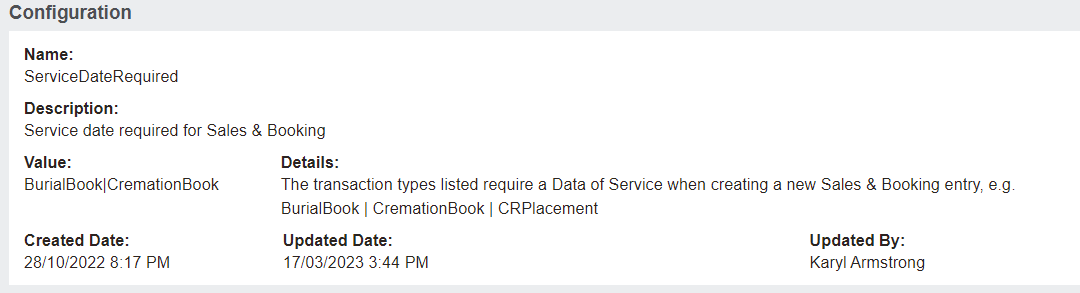
The transaction types listed in the Value field of the configuration require the Service Date to be entered in a Sales & Booking before saving.
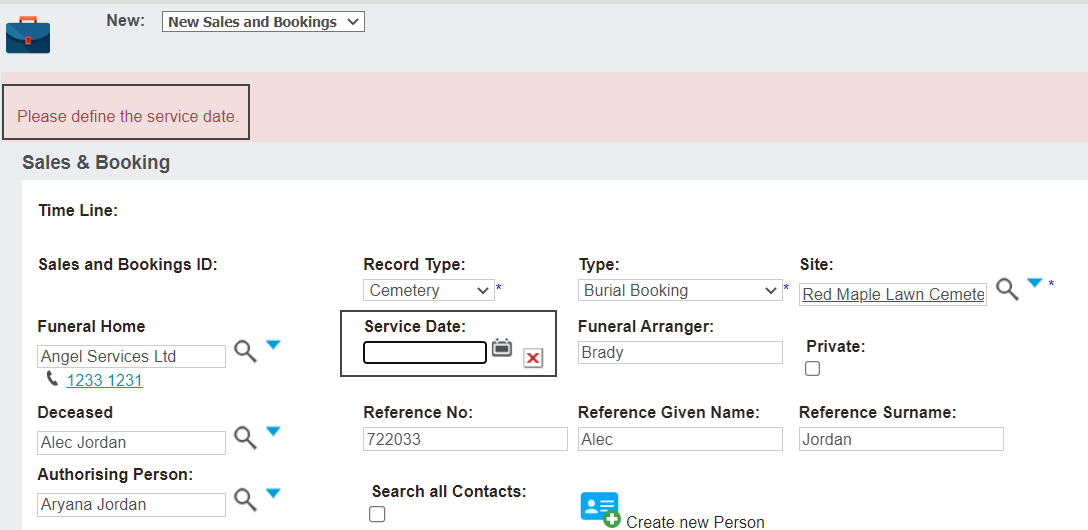
If the transaction type is listed in the configuration, users will not be able to save the Sales & Booking without entering the Service Date.
All the transaction types for a Sales & Booking can be added to this configuration.
When adding values to this configuration, use the code for the transaction type, not the translation.