Selling Additional Items
If there are additional items to be sold in relation to the management of the cremated remains, visit the Sales tab of the Sales & Booking
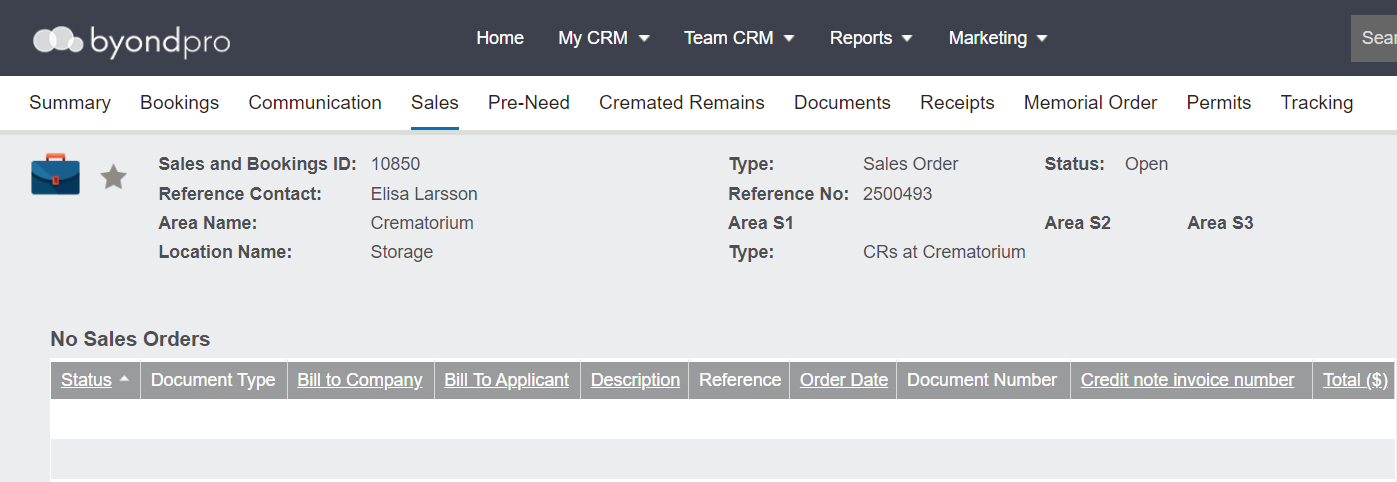
Choose the New Sale button on the right-hand side of the page.

Complete the fields for creating a Sales Order as outlined in the Creating a Sales Order section of this guide.
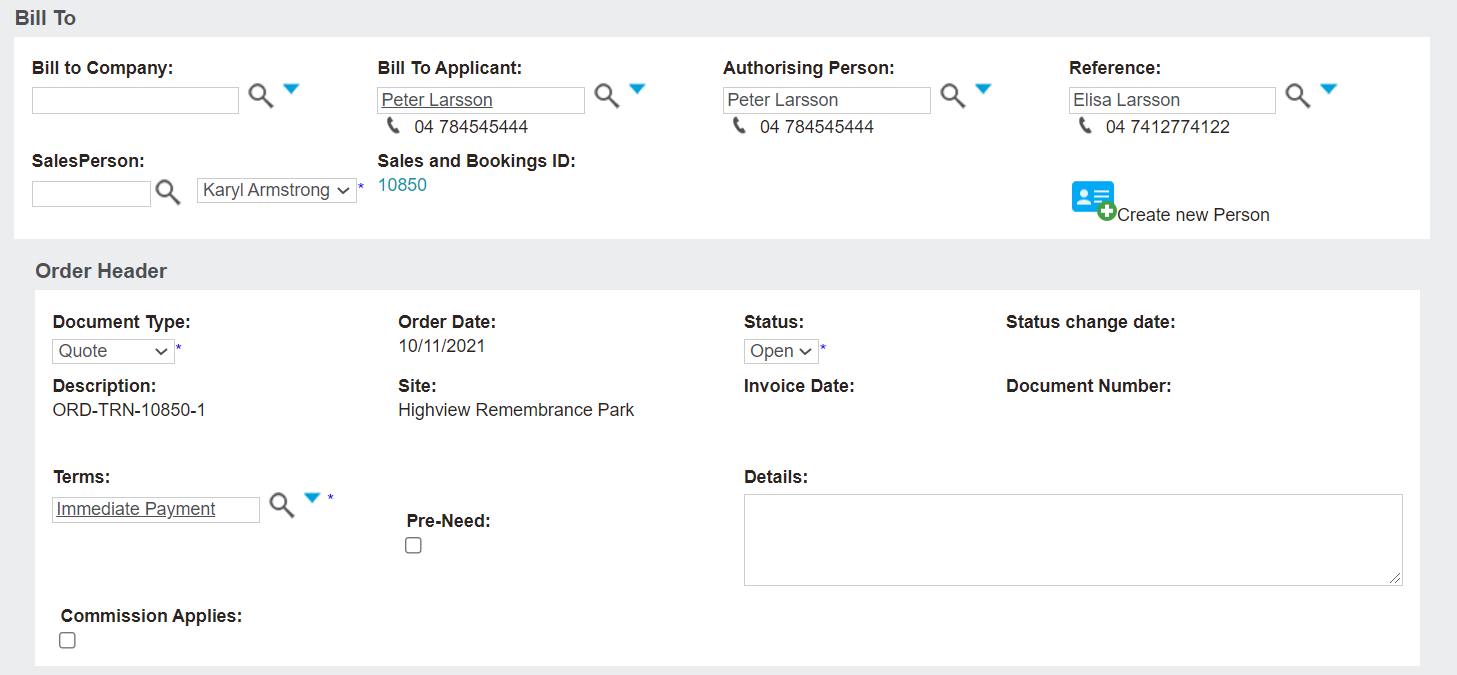
In our example, the Bill To Applicant is the Authorising Person, the Document Type is Quote, and the Terms are Immediate Payment.
Once completed, press the Save button on the right-hand side of the page.

Add a location and any items if necessary, as outlined in Adding Locations, Items, & Packages.
Be sure to follow the process for sending a quote, invoicing, and receipting any payments, as necessary.