Schedule of Services
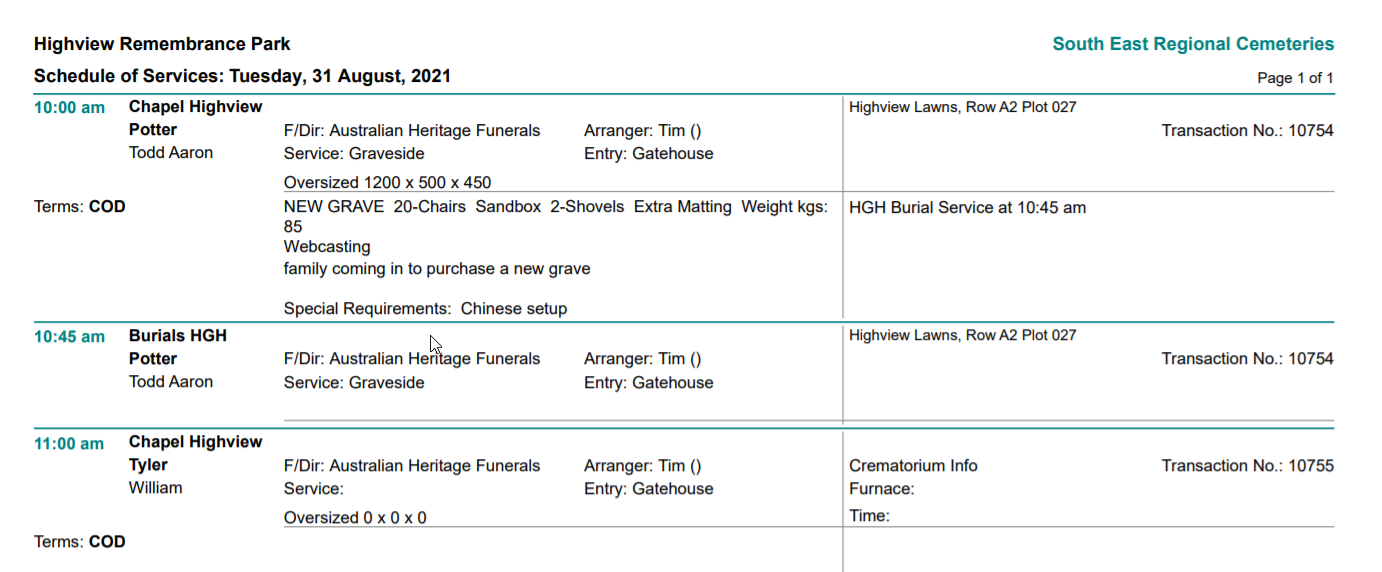
The schedule of service is a report which shows all the services including burial, cremation, chapel, and function bookings. This is a great report for the cemetery to see the flow of bookings and ensure that the coordination of each appointment is managed appropriately.
Choose the blue arrow in line with the Schedule of Services.
Choose the blue arrow in line with the Schedule of Services.
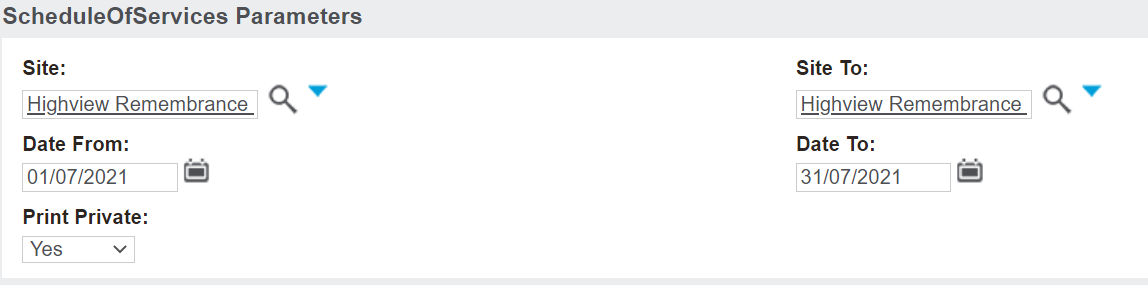
Search in the Site and Site To fields. Note, the report can be run for all sites, as well as individual sites.
Choose the date range in the Date From and To fields.
Choose in the Print Private field, whether to show the names of the services marked private or not.
Choosing Yes will show the names of deceased records that were marked as private in the Sales & Booking. Choosing No will suppress the name of the deceased in the schedule, if the booking was marked as private.
Print the report to PDF.
All bookings will display, including chapel, burial, and function bookings which meet the chosen criteria. Other related resource appointments for this booking will also be noted on the schedule to cross reference.