Sample Transaction - Sage 300
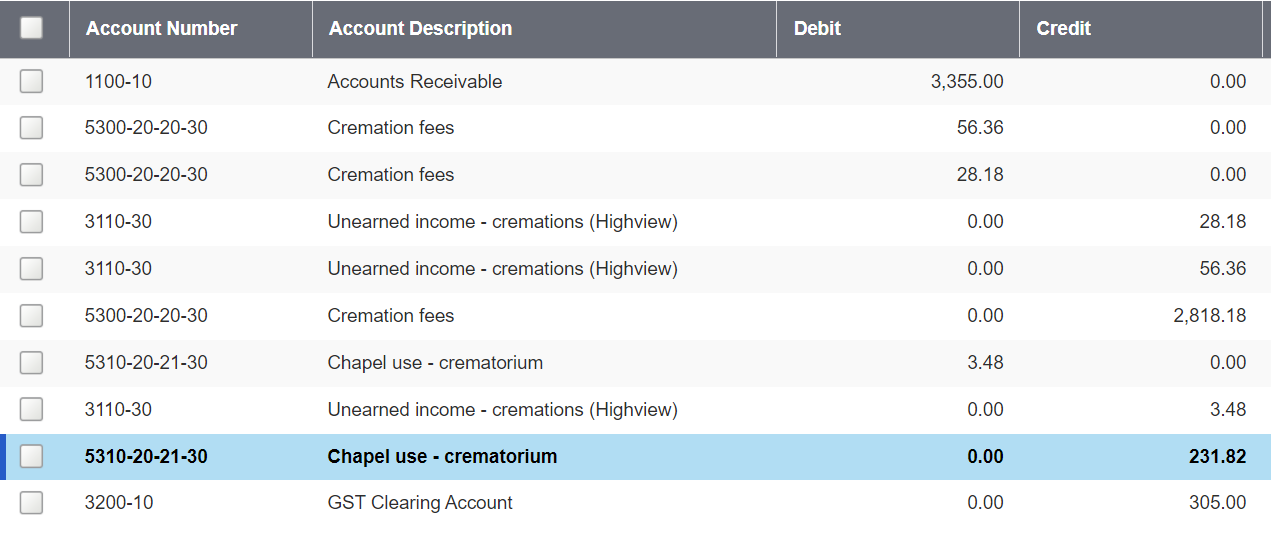
As an example of this configuration in action, in the below at-need sales scenario a chapel service and cremation service were sold.

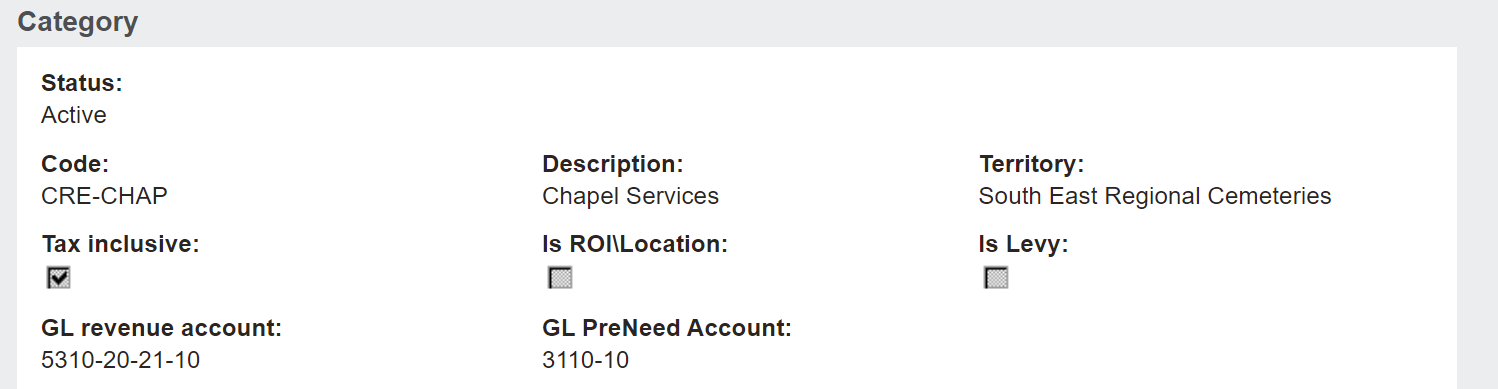
Looking at the chapel service item of the transaction only, below is the Chapel Services category the item is linked to. The category has a GL revenue account of 5310-20-21-10.
Remember, the category defines the general ledger account to post to.
Within our Sage 300, the first 4 digits of the code general ledger account are the Type of account such as cremation fees, the next 2 digits are the Department (20), the next 2 digit are the Business Unit (21)
The last 2 digits of 10 define the Site.

The setting on this configuration in our database of E2 overrides the site code ‘10’ as marked in byondpro.
byondpro swaps the site code of 10 to the 30 representing Highview Remembrance Park, where the transaction takes place.
As below, the transaction has posted to the 5310-20-21-30 general ledger account within Sage 300.