The Sales Order has a header which includes the
By clicking on the star, users can mark the Sales Order as a favourite.
Bill To Information Block
The Bill To information block provides hyperlinks to the different records linked to the sales order.
Hyperlinks include the
-
Company or applicant that will receive the invoice
-
-
-
Also included is the sales person linked to the sales order.
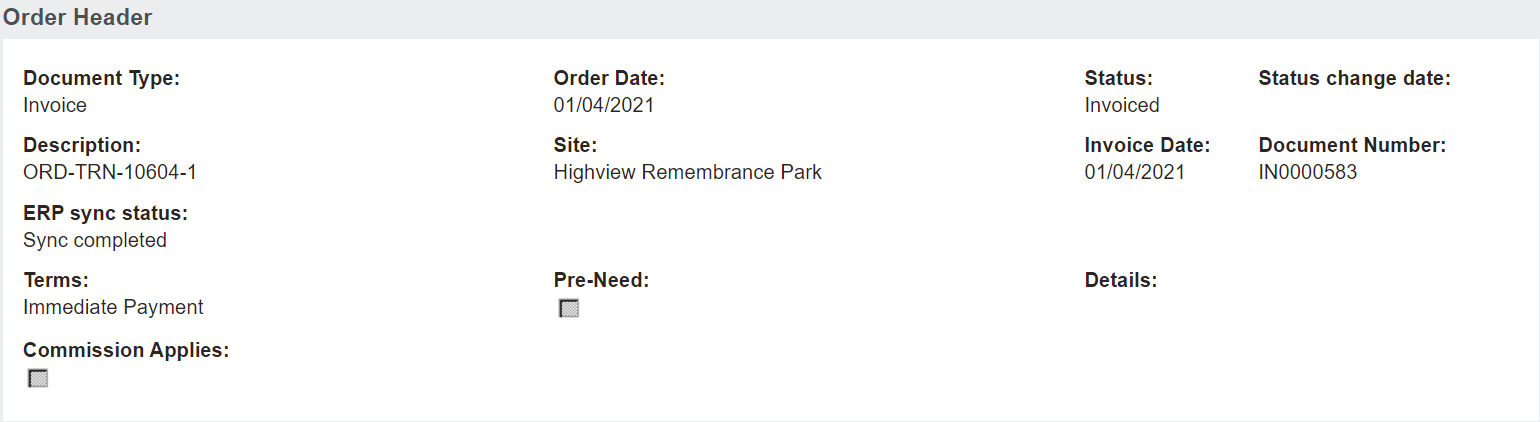
Order Header Information Block
This block includes details regarding the sales order, which flow through from the initial creation of the sales order.
Details here can be changed by using the action buttons on the right-hand side of the page.
Action Buttons
To make changes to the information which appears on the Summary tab of the Sales Order, choose the Change Attributes button on the right-hand side of the page.
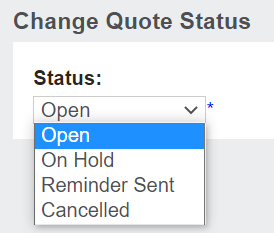
Should the status of the quote need to be updated, choose the Change Quote Status button.
Users can change the status of the sales order to the following as per their processes.
The Create Repayment Plan, more likely to be used for pre-need transactions rather than at-need, will populate the Repayment Plan tab as per the terms selected and the total cost of the order.
When a user is ready to create an invoice, pressing the Create Invoice button will create the repayment plan automatically.
The Create Repayment Plan button would generally be used if the user wanted the repayment plan to appear on the quote or if the user wanted to review the Repayment Plan tab with the customer prior to invoicing.