Sales Commissions Search
Within byondpro staff can review commissions earned using the Sales Commission search function.
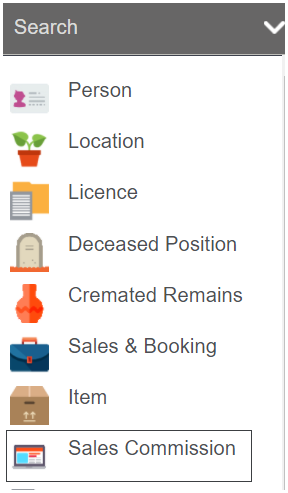
From the arrow next to the Search field on the toolbar, choose the Sales Commission option.
The results can be filtered according to:
-
Sales & Bookings ID
-
Source Document: invoice or credit note number
-
Bill to Applicant or Company
-
Created Date: of the commission entry = invoice /credit note posting date
-
Commission Type: General or Salesperson
-
Salesperson: user that earned commission
-
Invoice Paid in Full: yes or no

Once entering your search criteria, selecting Find populates the results grid

The list shows all the entries that match the search criteria, and shows the following information:
-
Sales & Bookings ID
-
Source document: invoice or credit note number
-
Salesperson’s name
-
Tax inclusive invoice total amount, i.e. total value of the invoice including all products
-
Tax Inclusive Invoice Total, i.e. value of the line item on which commission was earned, excluding tax
-
Commission earned
-
Commission type: Salesperson or General
-
Invoice paid in full, i.e. whether the customer has paid the full invoice value
-
Value of receipts, i.e. total of payments made by the customer to date
-
Select: defaults to ticked on and is used to process the commissions.


Each record in the list can be opened and details viewed separately.
To access the Sales Commission screen, click on one of the hyperlinks of the sales commission entry you wish to view.