Sales Commission Reporting
Within byondpro, there are a few reports users can generate to assist with tracking their commissions and payments.
This section will show an example of each of these reports.
If tracking commissions, we recommend viewing the Tracking Paid Commissions Reports.
Though the reports are available in byondpro for those not tracking commissions, if the configuration DetailedCommissionTrackingNeeded has never been turned on, the reports will display no records.
If the configuration has been turned off temporarily and an invoice was processed during this time, the invoice would not be tracked on the reports or on the Sales Commission screen.
If not tracking commissions, we recommend viewing the Not Tracking Paid Commissions Reports, though these reports are also available to cemeteries tracking commissions.
To access the reports:
From the home-page of byondpro, click on Reports from the toolbar.

OR choose the Reports tile on the dashboard.

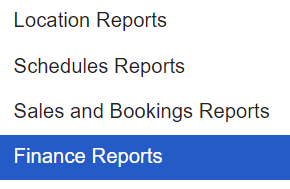
Choose the Finance Reports option.